14
Removing the handle (LMD-B240 only) / Connecting the AC Power Cord
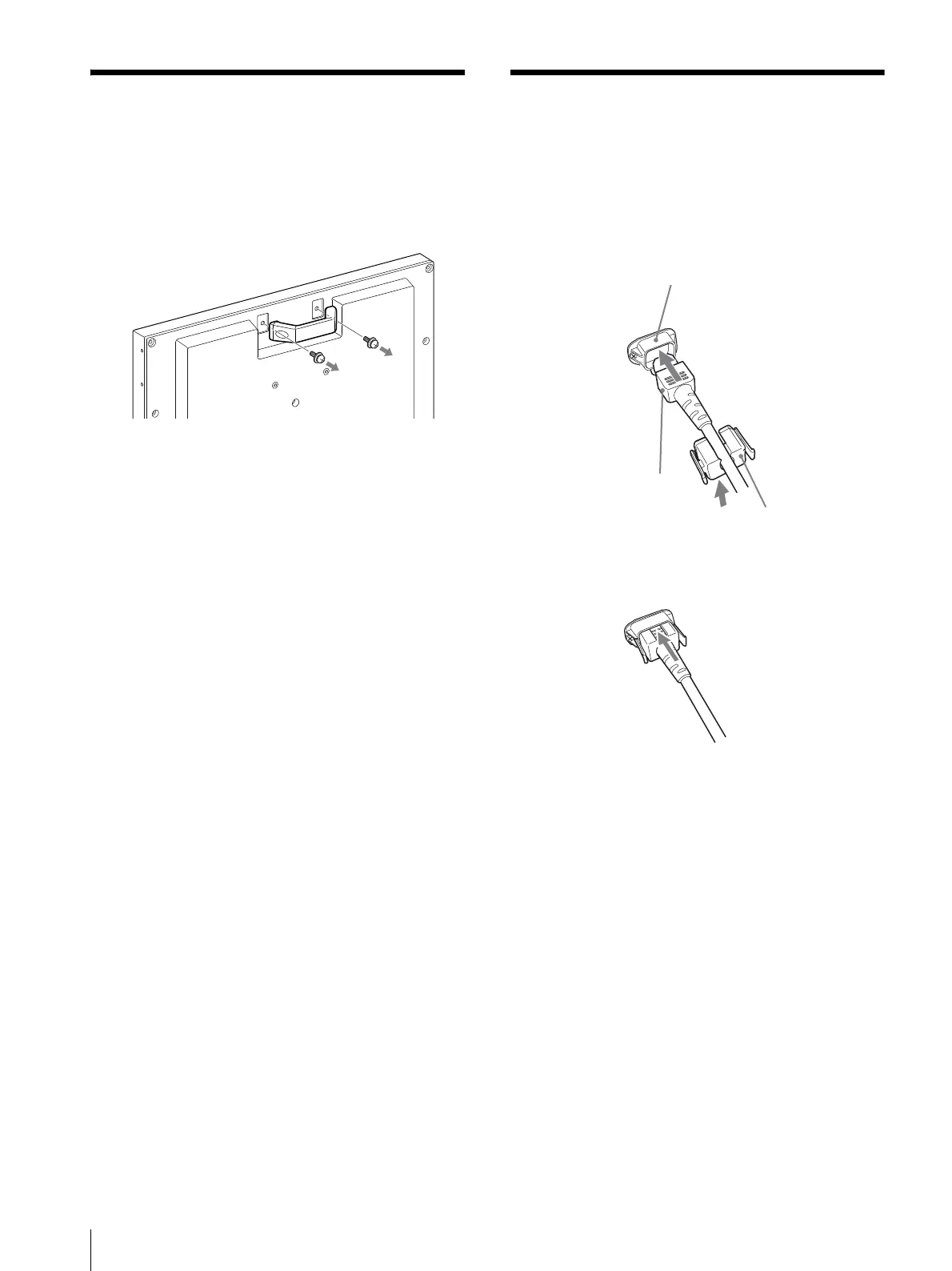
Removing the handle
(LMD-B240 only)
To install the monitor on a rack, remove the rear handle
as follows.
Connecting the AC Power
Cord
1
Plug the AC power cord into the AC IN socket on
the rear panel. Then, attach the AC plug holder
(supplied) to the AC power cord.
2
Slide the AC plug holder over the cord until it locks.
To remove the AC power cord
Pull out the AC plug holder while pressing the lock
levers.
AC IN socket
AC power cord
AC plug holder
(supplied)



 To Next Page