13
Removing the Monitor Stand (Pre-Attached) (LMD-B240) / Removing the Monitor Stand (Pre-Attached) (LMD-B170)
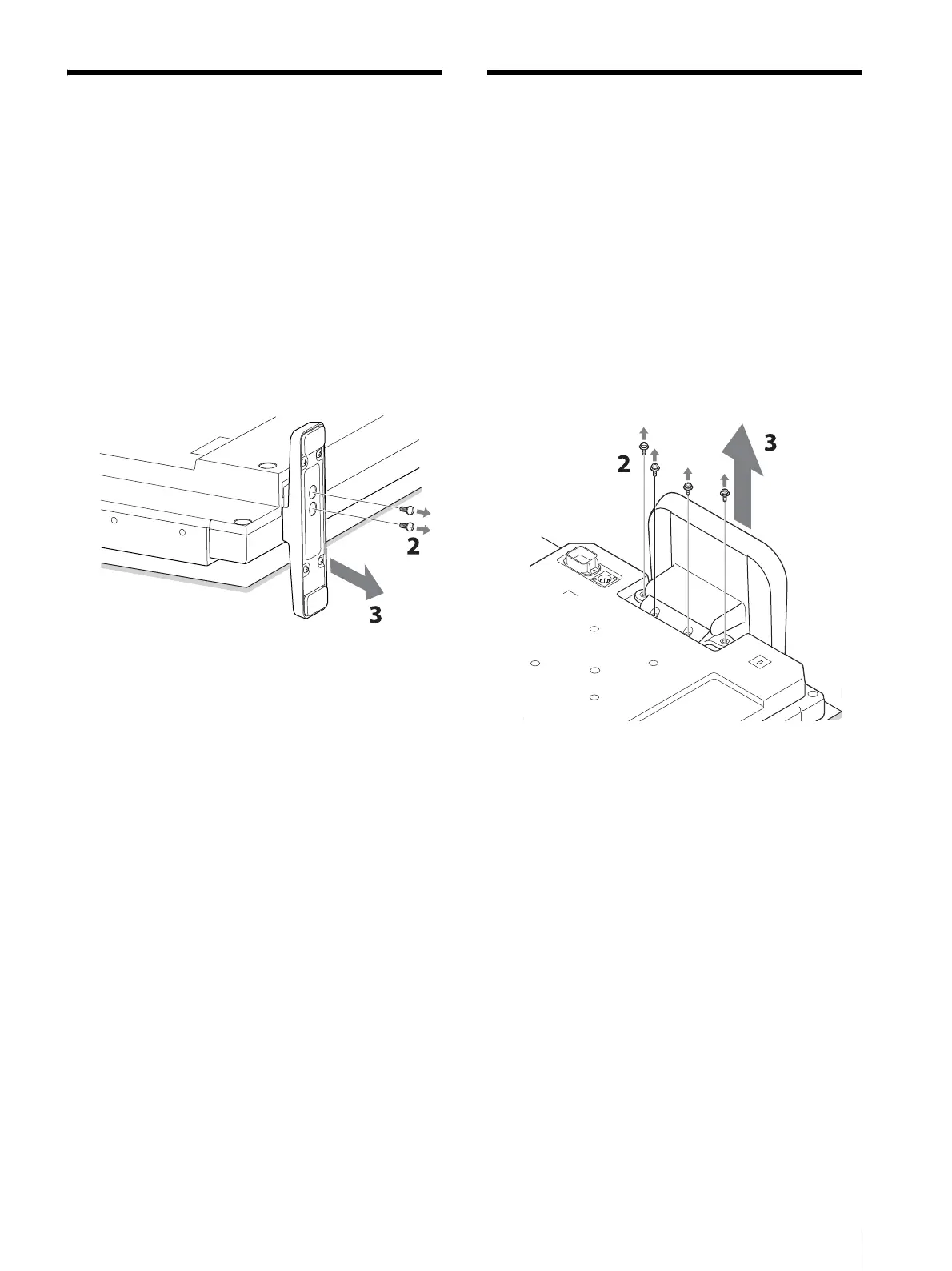
Removing the Monitor
Stand (Pre-Attached)
(LMD-B240)
To install the monitor on a rack, remove the bottom
stand as follows.
1
Put the monitor on a soft cloth with the surface of
the monitor downward.
2
Remove the two screws.
3
Remove the stand.
Removing the Monitor
Stand (Pre-Attached)
(LMD-B170)
To install the monitor on a rack, remove the bottom
stand as follows.
1
Put the monitor on a soft cloth with the surface of
the monitor downward.
2
Remove the four screws.
3
Remove the stand.



 To Next Page