xii
Downloading Radar W Software
Radar W Overview
Please read all of these instructions before downloading Radar W soft-
ware.
Radar W is the successor to Sony’s LANC Jig for camcorders and con-
sists of hardware and software. Radar W’s features include: EVR Data
Handling (upload/download), Auto Adjustments, Key check and Emer-
gency Code readout.
Hardware - The Radar hardware is available as Sony part # J-6082-429-
A. The Radar W hardware is an interface between your computer that
will have the software installed and the camcorder or Mavica Camera
under test. Radar W hardware interface also has an attached 7 pin exter-
nal connector (for future functions) and a 2.5mm cable for the camera.
Software - The Radar W software and its updates are available from the
Sony Service and Support web site, http://service.sel.sony.com, under
the Downloads section. The software consists of three parts:
1. Main Program (15MB) - Creates the Radar W folder on your C drive
and installs all necessary system files.
2. Complete Model Data (1.2MB) - Installs all model data into the Ra-
dar W folder.
3. Instructions (571kB) - Downloading and operating instructions simi-
lar to this text.
NOTE: For first time installation, you must download and install the Main
Program and the Complete Model Data since this includes ALL supported
models at the time Radar W was originally released. After the first instal-
lation, you need to download and install the updates as they became
available or as required. First-time users should consult the FAQ section
of the web site for additional assistance.
System Requirements:
• Operating System: Win95/98 (Win NT or Win 2000 not currently sup-
ported)
• CPU: 486/66 MHz or better
• RAM: 16MB or more
• Printer Port: Bi-directional
• Resolution: 640x480, 256 colors or more
Installing the RadarW software
This one-time process requires you to:
A. Download the three Radar programs from the Sony Website;
B. Click on the two executable files to create temp files;
C. Within the Main temporary file, run its Setup.exe file; and
D. Install the models (data) information into the Radar W program.
If you have a version earlier than Radar 2.1, UNINSTALL it before install-
ing version 2.1.
A. Download the three Radar programs:
1. Go to the Sony website and find the links to download the Main Radar
W Program, the Models data and Instructions. Click on each link one
at a time. When you choose “Main Program” a radar_main.exe folder
will be added to your C drive usually under C:\My Downloads. Choos-
ing “Complete Model Data” creates the radar_all_models.exe folder.
Choosing “Instructions” creates radarwpdf.pdf in your C drive.
Website Program Name Downloaded Folder name
1. Main Program radar_main.exe
2. Complete Model Data radar_all_models.exe
3. Instructions radarwpdf.pdf
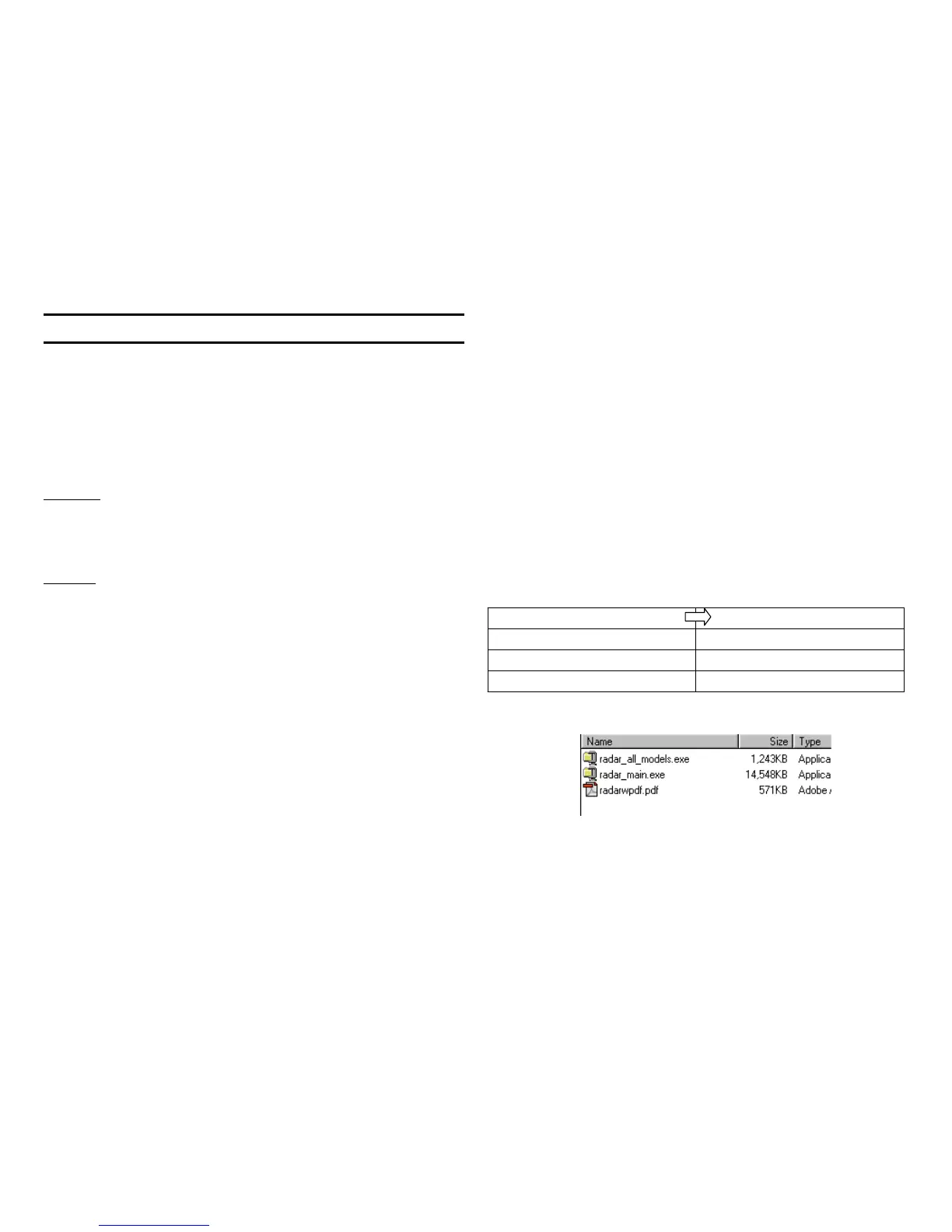
2. After you download all three programs into your C drive it looks like
this in Explorer:



 To Next Page
 Loading...








