HookingUpthe System
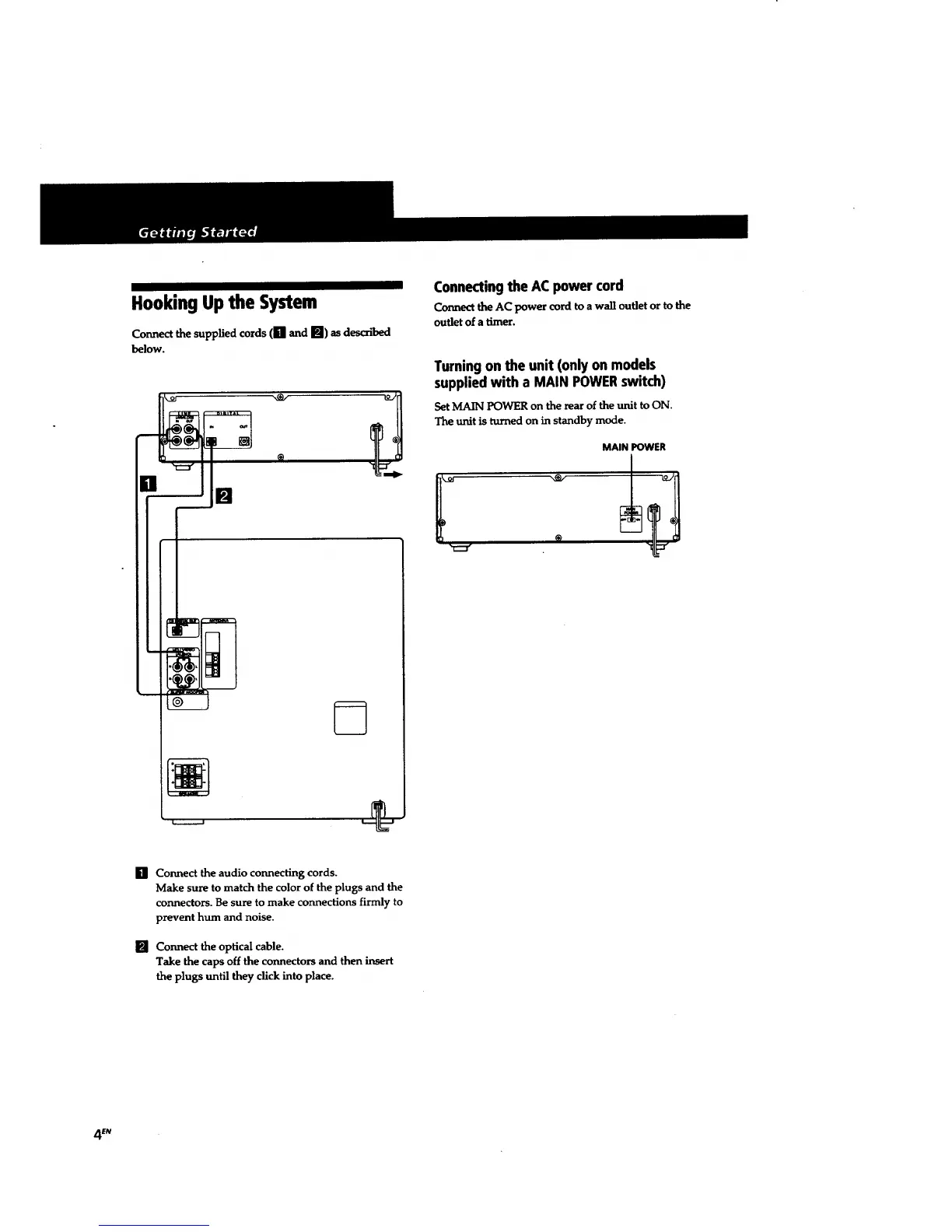
Connect the supplied cords (Ill and []) as described
below.
[] []
Connectingthe AC power cord
Connectthe AC power cord to a wall outlet or to the
outlet of a timer.
Turningon the unit (only on models
suppliedwith a MAIN POWERswitch)
Set MAIN POWER on the rear of the unit to ON.
The unit is turned on in standby mode.
MAIN POWER
[] Connect the audio connecting cords.
Make sure to match the color of the plugs and the
connectors. Be sure to make connections firmly to
prevent hum and noise.
[] Connect the optical cable.
Take the caps off the connectors and then insert
the plugs until they click into place.
4 £N


 To Next Page
 Loading...