88
Navigation operation
Using the multifunction button the last confirmed let-
ter is deleted.
The complete entry is deleted if the multifunction button
is pressed for more than 2 seconds.
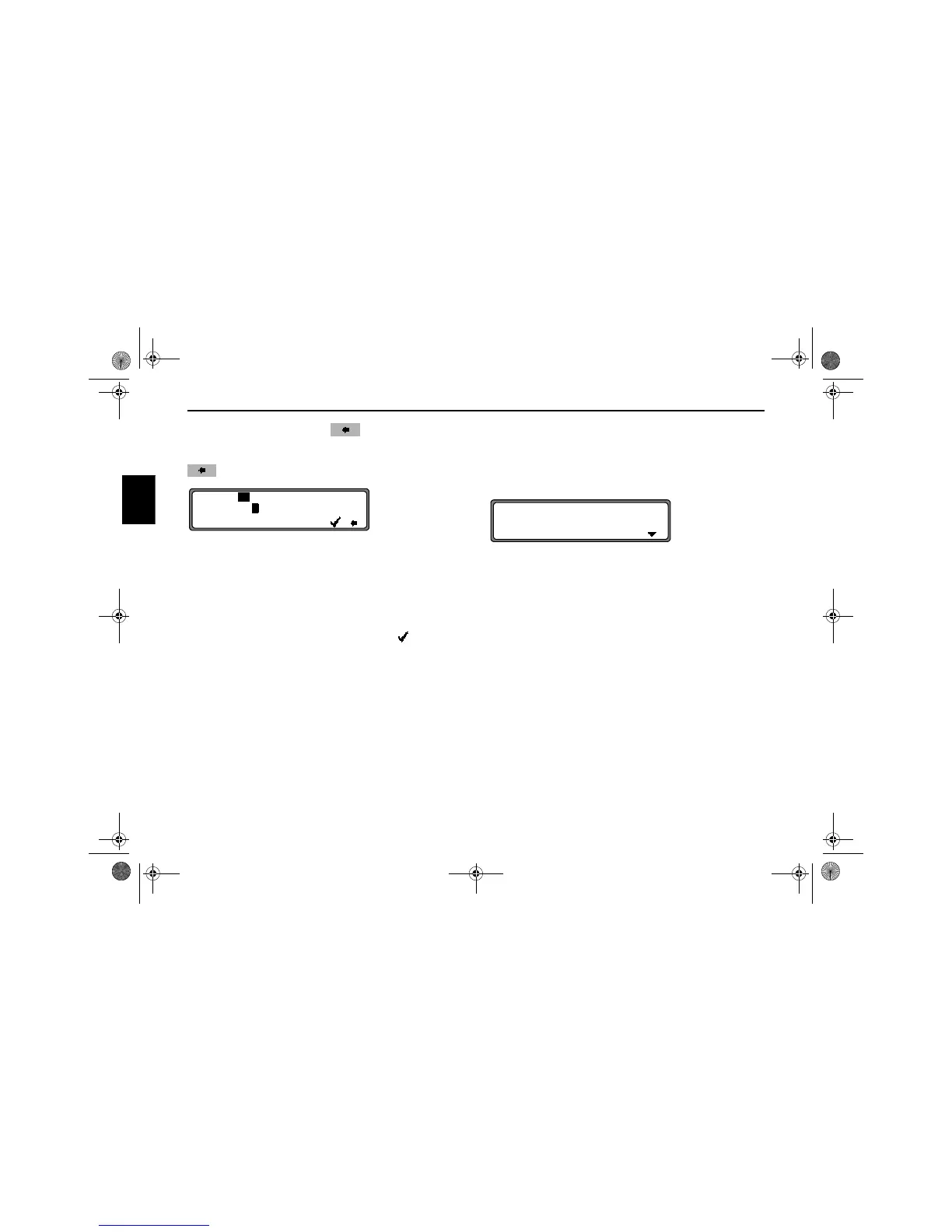
Letters which are already entered are displayed inversely. For
the purpose of support, the existing entry is displayed at the
next centre to be reached. The unit offers only the possible re-
maining letters for selection. If no other entries are available,
the unit completes the centre-name.
To accept the entry, press and hold the SELECT control for
more than 2 seconds or select the small tick and briefly
press the SELECT control.
If the complete centre-name was previously entered or was
automatically completed, the program switches to route
menu.
The program switches to the centre list if the selection is am-
biguous.
The centre nearest to the entry appears in capital letters in the
centre list.
The scroll mark indicates that more centres are available for
selection in alphabetical order.
Select the centre by turning the SELECT control and press to
confirm.
The program switches to the route menu.
Note: A list of possible centres is displayed immediately
by pressing the SELECT control for more than 2
seconds without having selected any letters.
CENTRE: KIDBROOKE
...D.......L.N............
L
.....................
KIDBROOKE
KILBURN
7890_GB.book Seite 88 Montag, 1. Juli 2002 1:20 13



 To Next Page