94
Navigation operation
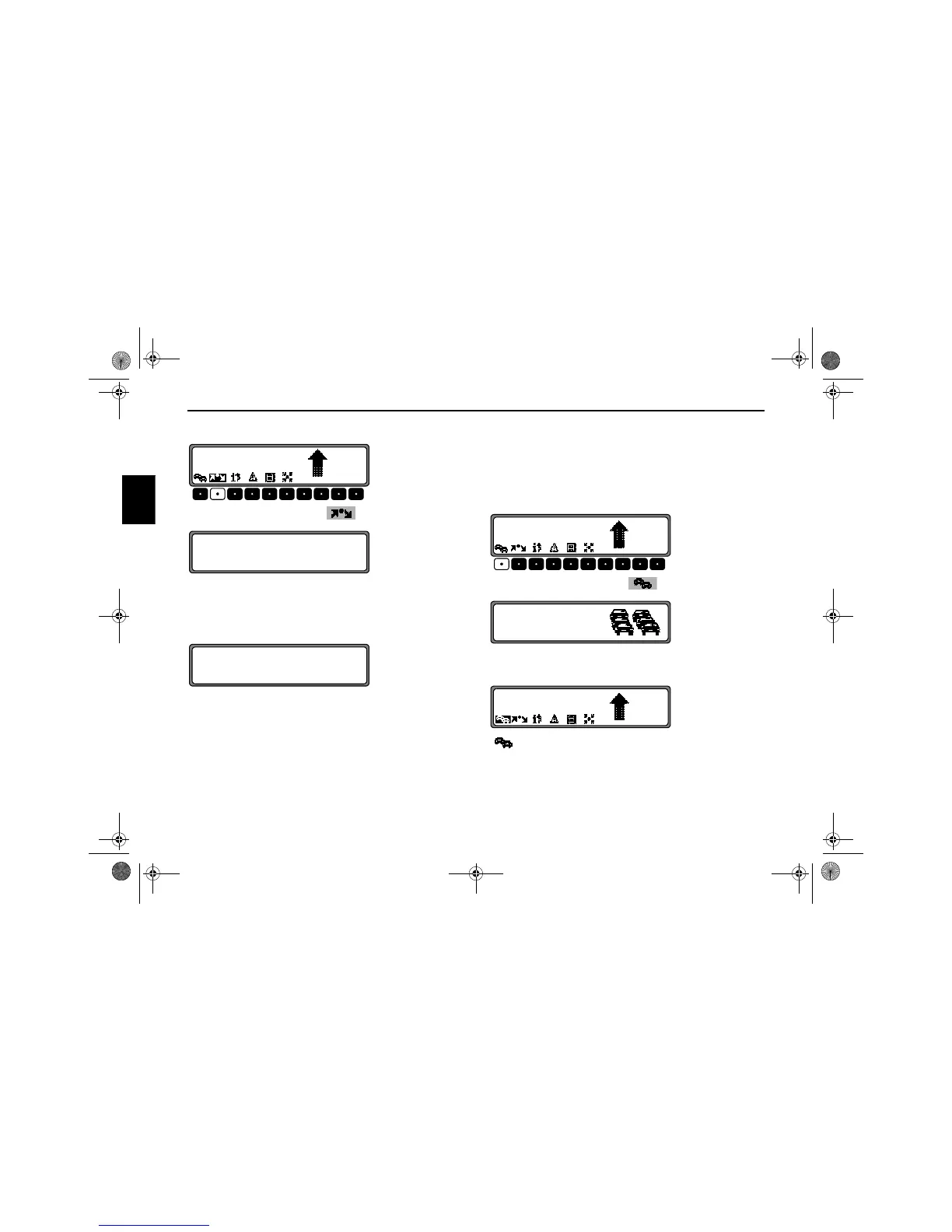
Deleting a stopover
Press the multifunction button .
To delete the stopover, press the SELECT control within 8
seconds.
Stopover reached
Route guidance to the final destination automatically starts
following the message
YOU HAVE REACHED YOUR
STOPOVER
.
Traffic jam function
This function allows you to block the approaching route sec-
tions as from the next junction and calculate a bypass route
when a traffic jam or road block is directly ahead.
Entering the length of the traffic jam
Press the multifunction button .
Using the SELECT control, select the length of the traffic jam
and press to confirm.
is displayed inversely and the route is recalculated.
MAIN ROAD
5.0
KM
10:23
DELETE STOPOVER?
BACK = NAV
YOU HAVE REACHED YOUR STOPOVER
MAIN ROAD
5.0
KM
10:23
SECTION
TO BE AVOIDED
0.6 KM
HMAIN ROAD
5.0
KM
10:23
7890_GB.book Seite 94 Montag, 1. Juli 2002 1:20 13



 To Next Page