89
Navigation operation
Route menu
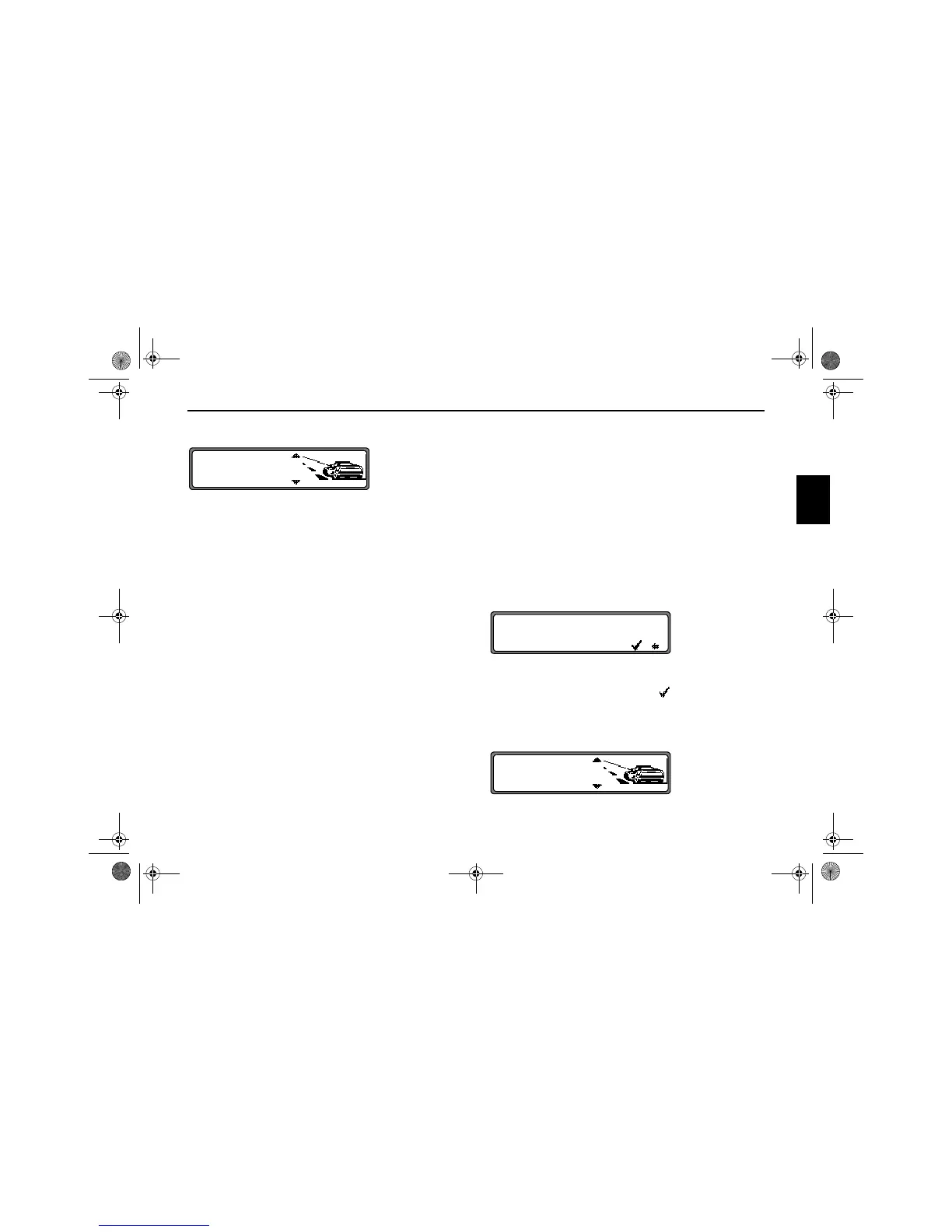
Selection from
SAVE DESTINATION,
START-FAST R., (START-SHORT R. or
START-DYN. R.)
HOUSE NUMBER,
CROSSING
ROUTE SETTING
can be made by turning, and confirmed by pressing the SE-
LECT control.
•
SAVE DESTINATION
accesses the entry menu for the destination memory
(page 91).
•
START_FAST R., START_SHORT R. or
START_DYN. R.
Starts route guidance. Simultaneously, a prompt appears
indicating the currently selected route option (
_SHORT
R.
for a short route, _FAST R. for a fast route and _DYN.
R.
for a dynamic route).
•
HOUSE NUMBER
The house number in the specified destination road can be
entered here.
This function is only available if this information is stored
on the navigation CD.
•
CROSSING
An intersecting road can be defined as the destination
here.
This function is only available if this information is stored
on the navigation CD.
•
ROUTE SETTINGS
Specifications such as quick route, short route, dynamic
route, motorway, ferries and toll roads can be selected
here.
Entering the house number for the destination road
Using the SELECT control select
HOUSE NUMBER in the
route menu and press to confirm.
Using the SELECT control, enter the house number for the
destination road and press for more than 2 seconds to confirm
the entry. To confirm, the small tick can also be selected
and the SELECT control briefly pressed.
Due to the system characteristics, route guidance continues
only in the area of the house number specified.
Select
START- to start route guidance.
SAVE DESTINATION
START-FAST R.
HOUSE NUMBER
HOUSE NUMBER: (1 _ 38)
...........................
5
... 0123456789......
SAVE DESTINATION
START-FAST R.
ROUTE SETTINGS
7890_GB.book Seite 89 Montag, 1. Juli 2002 1:20 13



 To Next Page