36
By the visual setup menu
1 Press (VISUAL SETUP) while the unit is
off.
The visual setup menu appears.
2 Press M/m to select (AUDIO
SETUP), then press (ENTER).
The audio setup items appear.
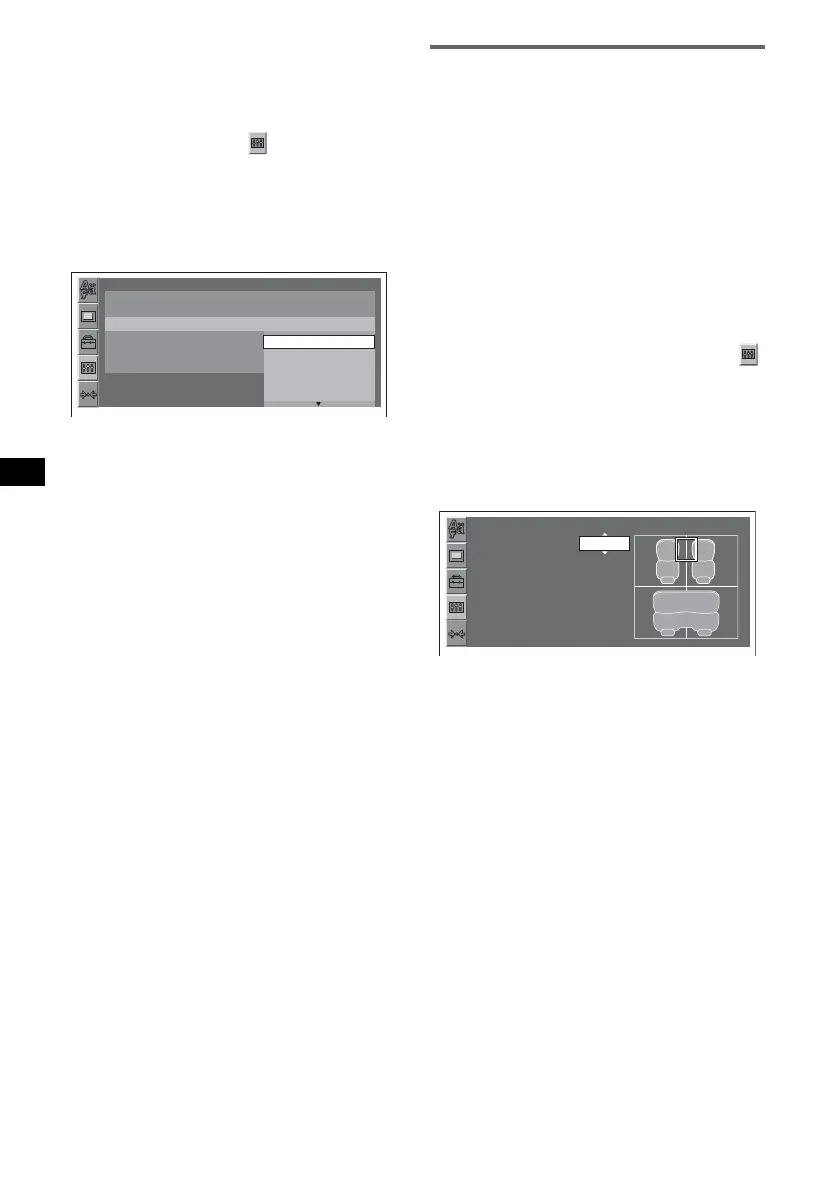
3 Press M/m to select “POSITION
SELECT,” then press (ENTER).
The options appear.
4 Press M/m to select the desired option,
then press (ENTER).
The setting is complete.
Note
Intelligent Time Alignment is deactivated while the
karaoke mode (page 30) is activated, or “SUPER
AUDIO CD MODE”/“SA-CD MOD” is set to “HQ”
(page 42, 46).
Tip
The setting in sound menu will switch the setting in the
visual setup menu automatically, and vice versa.
Precisely calibrating the listening
position — Intelligent Time
Alignment Tune
You can precisely calibrate your listening
position from each speaker so that the sound
delay reaches the listener more correctly.
The setting is configurable both from the visual
setup menu (page 39) and the system setup menu
(page 43).
Before starting, measure the distance between
your listening position and each speaker.
By the visual setup menu
1 From the visual setup menu, select
(AUDIO SETUP) c “POSITION
SELECT” c “CUSTOM,” then press
(ENTER).
For details on this procedure, see “Optimizing
sound for the listening position — Intelligent
Time Alignment” on page 35.
The speaker list appears.
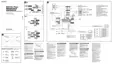
2 Set the distance between your
listening position and each speaker.
To select the speaker, press M/m and
(ENTER).
To adjust the distance, press M/m, and to
confirm, press (ENTER).
The distance is adjustable in 2 cm (
13
/16 in)
steps, between 0 and 400 cm (0 and 13
1
/10 ft).
To return to the previous display, press O.
To hide the visual setup menu, press
(VISUAL SETUP).
Note
If a center speaker is not connected, ignore its setting.
AUDIO SETUP
SUPER AUDIO CD MODE:
SUPER AUDIO CD LAYER :
POSITION SELECT :
AUDIO DRC :
5.1CH OUTPUT :
PRO LOGIC II :
HQ
MULTI
FRONT L
OFF
FRONT
ALL
FRONT L
FRONT R
AUDIO SETUP
CENTER 100cm
FRONT LEFT 100cm
FRONT RIGHT 100cm
REAR LEFT 100cm
REAR RIGHT 100cm



 To Next Page