22
Advanced Operations — Discs
This chapter consists of the following sections.
• Video-specific operations*
t page 22 to 30
• Video*/audio common operations
t page 30 to 34
• Audio-specific operations
t page 34 to 36
* Including JPEG operations.
Playing DivX
®
/JPEG files
Note
If the disc contains multiple file types, only the
selected file type (audio/video/image) can be played.
To play DivX video files or JPEG image files of such a
disc, press during playback, select the desired file
type (video/image) to list up, then select the desired
file (page 34).
DivX
®
video playback
DivX
®
is a video file compression technology,
developed by DivX, Inc. This product is an
official DivX
®
Certified product and can play all
versions of DivX
®
video (including DivX
®
6)
with standard playback of DivX
®
media files.
You can control the DivX playback in the same
way as other video discs (page 16), as well as
some audio playback control features.
Tip
You can also select a file to play using a list (Quick-
BrowZer) (page 34).
JPEG image playback
You can enjoy a slide show of JPEG files on this
unit. The slide show starts automatically when
you insert a disc or press u. For details on how
to start playback, follow step 1 to 4 of “Playing
video discs” on page 16.
Other playback operations
Notes
• If a large-sized image is rotated, it may take longer
to display.
• Progressive JPEG files cannot be displayed.
Tip
You can also select a file to play using a list (Quick-
BrowZer) (page 34).
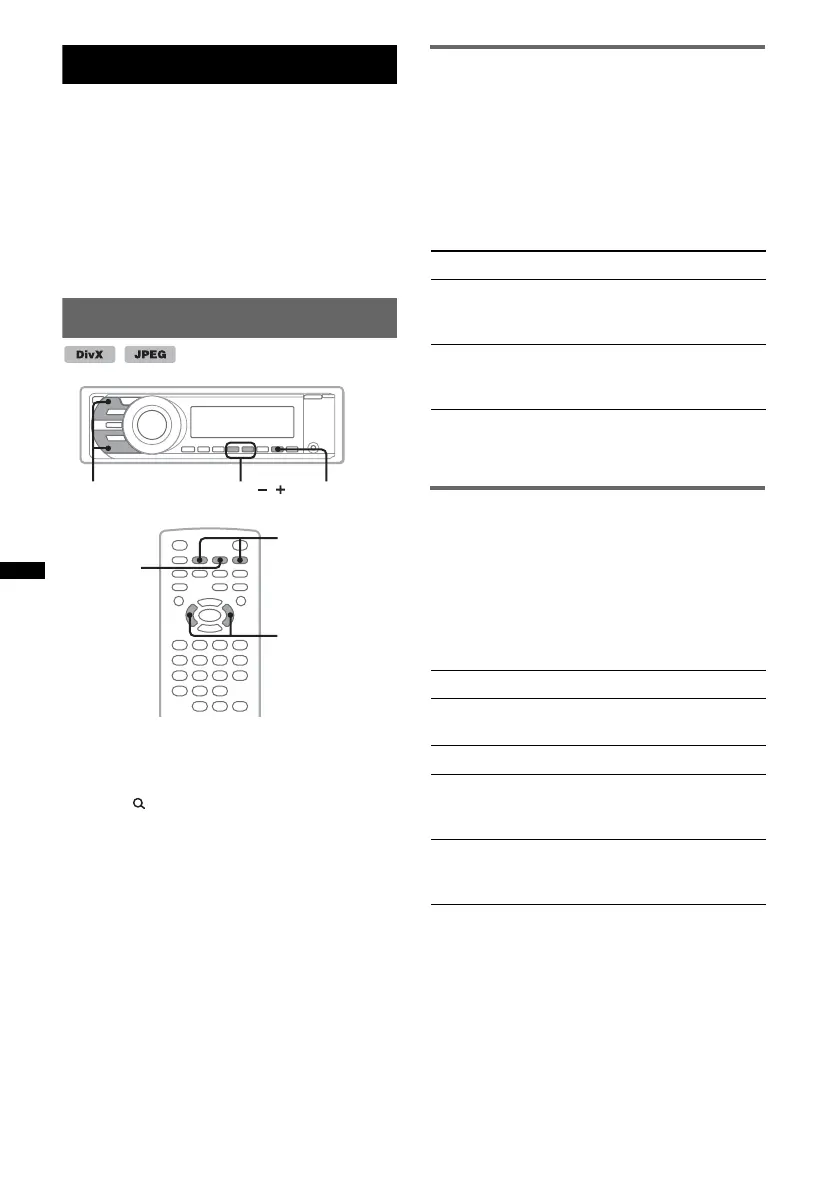
u
.m/M> ALBUM
/
</,
.m/M>
u
To Press
skip an album
(folder)
Main unit:
(3) (ALBUM –)/
(4) (ALBUM +)
skip albums (folders)
continuously
Main unit:
and hold (3) (ALBUM –)/
(4) (ALBUM +)
To Press
rotate the image Remote:
</, (rotates every 90º)
skip an image .m/M>
skip an album Main unit:
(3) (ALBUM –)/
(4) (ALBUM +)
skip albums
continuously
Main unit:
and hold (3) (ALBUM –)/
(4) (ALBUM +)



 To Next Page