47
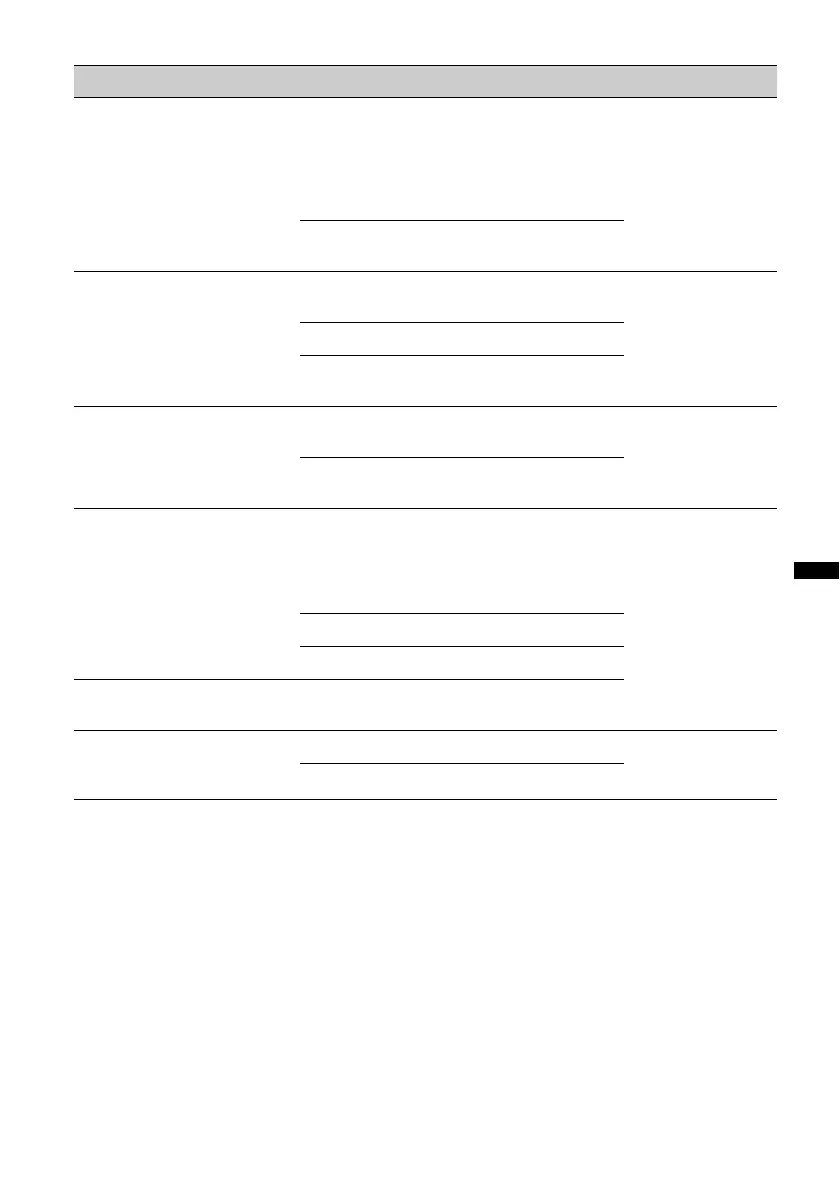
DSPL (Display)
Item Option Purpose Unit status
B.OUT (Black Out)
Turns off the illumination
automatically for any source
(e.g, during playback/radio
reception, etc.) if no operation
is performed for 5 seconds.
ON
To turn off the illumination.
To bring the light back on,
press any button on the
main unit. (When activated,
remote operation is
unavailable.)
Any status.
OFF (z)
To deactivate the Black Out
function.
M.DSPL (Motion Display)
Selects the Motion Display
mode.
SA (z)
To show moving patterns
and spectrum analyzer.
During playback/
radio reception.
ON
To show moving patterns.
OFF
To deactivate the Motion
Display.
DEMO (Demonstration)
ON (z)
To activate the
demonstration.
Unit off.
OFF
To deactivate the
demonstration.
DIM (Dimmer)
Changes the display
brightness.
AUTO (z)
To dim the display
automatically when you
turn lights on. (Available
only when the illumination
control lead is connected.)
Any status.
ON
To dim the display.
OFF
To deactivate the dimmer.
CONTRAST
(1 ~ 7 steps)
z: 4
To adjust the contrast of the
display.
A.SCRL (Auto Scroll)
Scrolls long items
automatically.
ON (z)
To scroll.
During playback.
OFF
To not scroll.
continue to next page t



 To Next Page