30
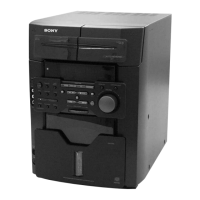
To the front output
of the DVD player
To the center output
of the DVD player
To the rear output of
the DVD player
To the woofer output of
the DVD player
When your DVD player has 5.1
channel analog outputs
Make sure to match the color of the plugs and
the connectors. To listen to the sound of the
connected DVD player, press 5.1CH/VIDEO
(MD) (or 5.1CH on the remote) until “5.1CH”
appears.
Note
You cannot enjoy the 5.1 channel surround sound if
you connect a DVD player which does not have the
5.1 channel analog outputs.
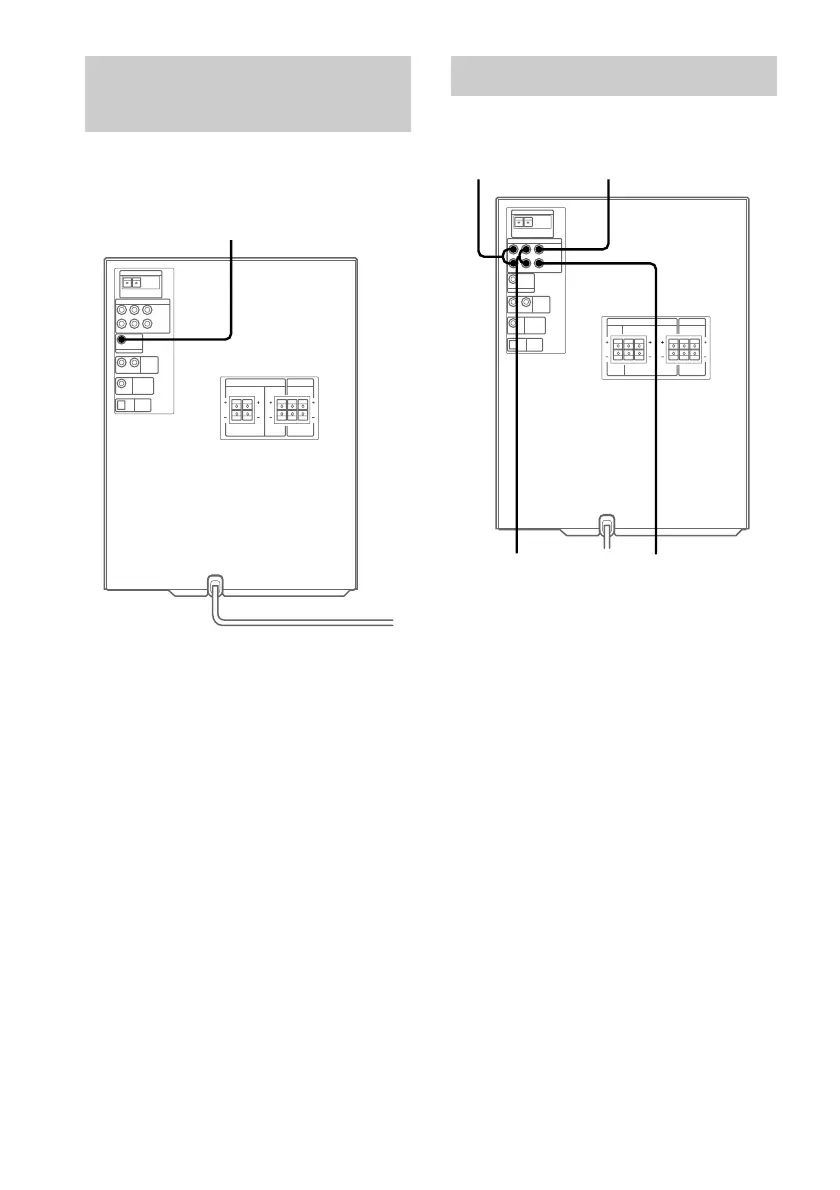
Connecting a sub woofer
speaker
(MHC-MG310AV only)
You can connect an optional sub woofer
speaker.
To sub woofer
Connecting a DVD player
(MHC-MG510AV/MG310AV only)



 To Next Page