26
FILE SELECT
You can reinforce the bass, create a more
powerful sound, and listen with headphones.
For a powerful sound (GROOVE)
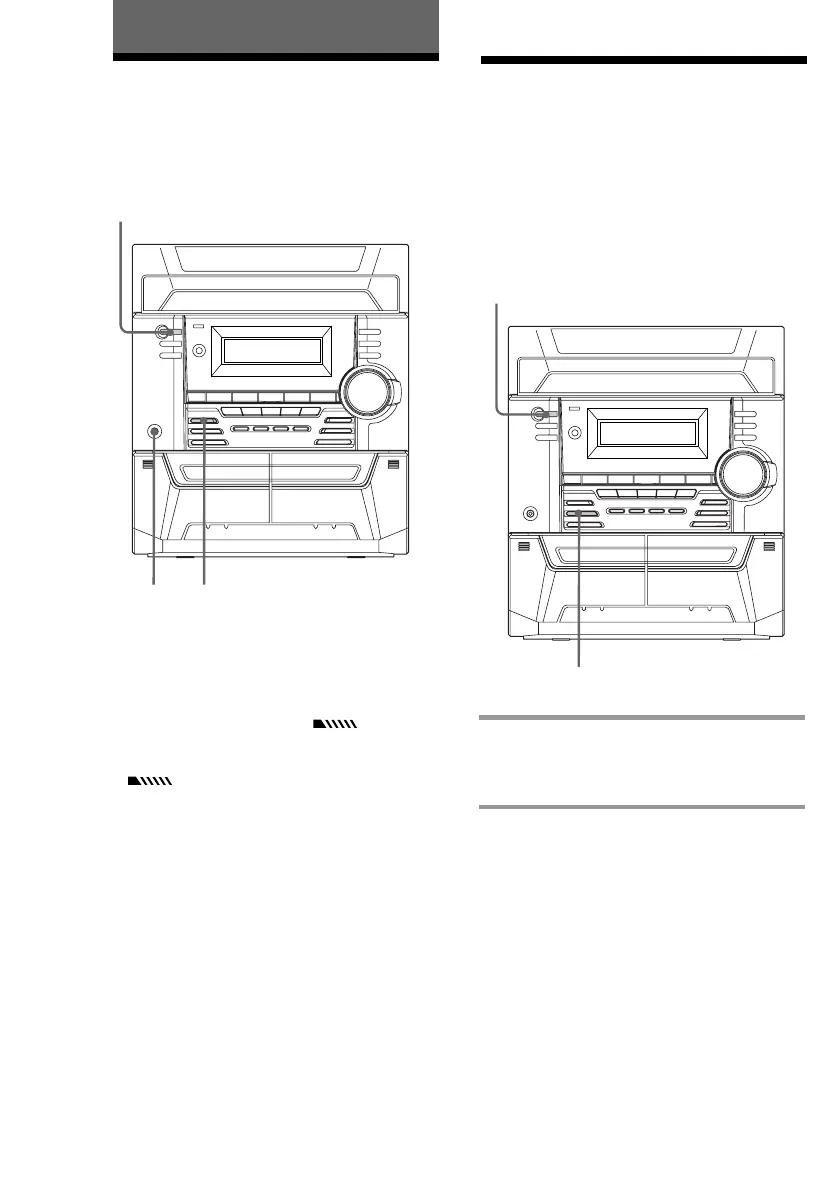
Press GROOVE. The GROOVE button lights.
The volume switches to power mode, DBFB*
is automatically activated (“ ” appears),
and the equalizer curve changes. To cancel,
press GROOVE again. DBFB is cancelled
(“ ” disappears) and the volume
returns to the previous level.
* DBFB = Dynamic Bass Feedback
To listen through the headphones
Connect the headphones to PHONES jack.
No sound will come from the speakers.
GROOVEPHONES
, Press FILE SELECT repeatedly until
the effect you desire (ROCK, POP,
or GAME) appears in the display.
To cancel the effect
Press FILE SELECT repeatedly until “FLAT”
appears in the display.
Adjusting the sound
Sound Adjustment
?/1
(Power)
Selecting the audio
emphasis
The audio emphasis menu lets you select the
sound characteristic according to the type of
music you are listening to.
?/1
(Power)



 To Next Page