22
–
+
0
g
)
≠ +
–
+
1
2
3
4
5
§
§ §
·
ª · π ª · π
∏
π
π
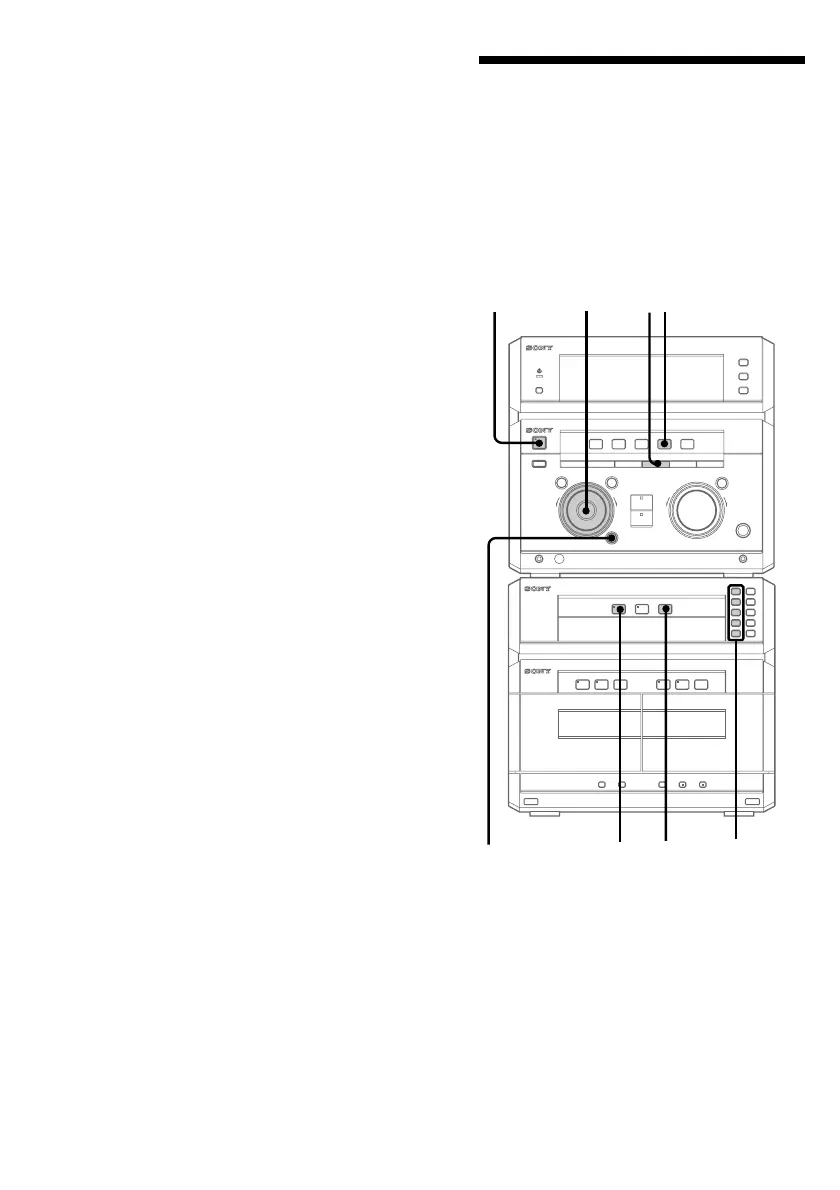
Programming the CD
tracks
–– Programme Play
You can make a programme of up to 32 tracks
from all the CDs in the order you want them
to be played.
1/u
(power)
1
2
3
4
5
7
To cancel Shuffle Play
Press PLAY MODE repeatedly until
“SHUFFLE” or “PROGRAM” disappears
from the display.
To select a desired CD
Press DISC 1~5.
Tips
• You can start Shuffle Play during normal play by
pressing PLAY MODE repeatedly to select
“SHUFFLE”.
• To skip a track, turn the jog dial clockwise (or
press + on the remote).
Playing the CD tracks in random
order (continued)


 To Next Page
 Loading...