39
–
+
0
g
)
≠ +
–
+
MIC LEVEL
MIC
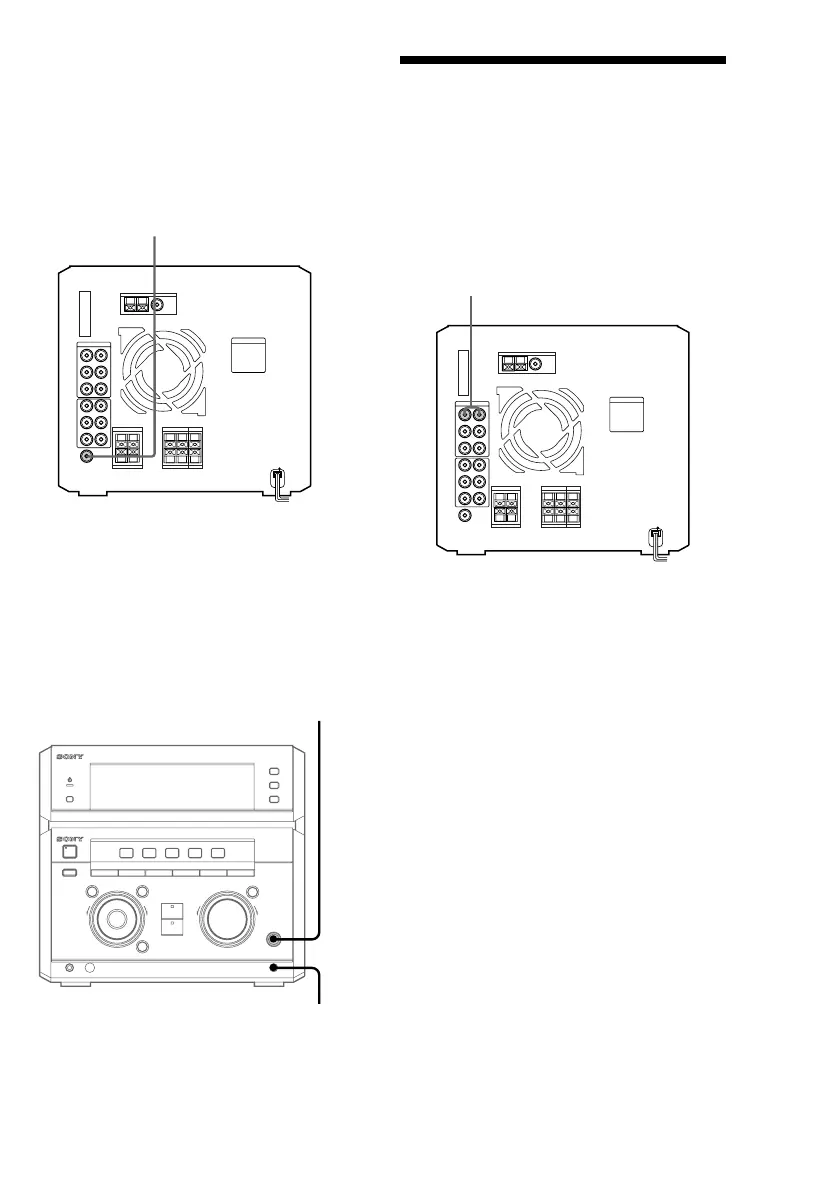
To the audio output of the VCR
Connecting a VCR
Make sure to match the color of the plugs and
the connectors. To listen to the sound of the
connected VCR, press VIDEO/DVD
repeatedly until “VIDEO” appears in the
display. Refer to the instructions of each
component.
To super woofer
Connecting a super
woofer speaker
You can connect an optional super woofer
speaker.
Connecting a microphone
You can connect an optional microphone to
the MIC jack. Adjust the microphone volume
by turning MIC LEVEL.
Note
When you connect a VIDEO CD player, connect the
audio output jacks of the VIDEO CD player to the
MD IN jacks of this unit.


 To Next Page
 Loading...