MP-CL1 3-MP0-107-02
On-Screen Keyboard
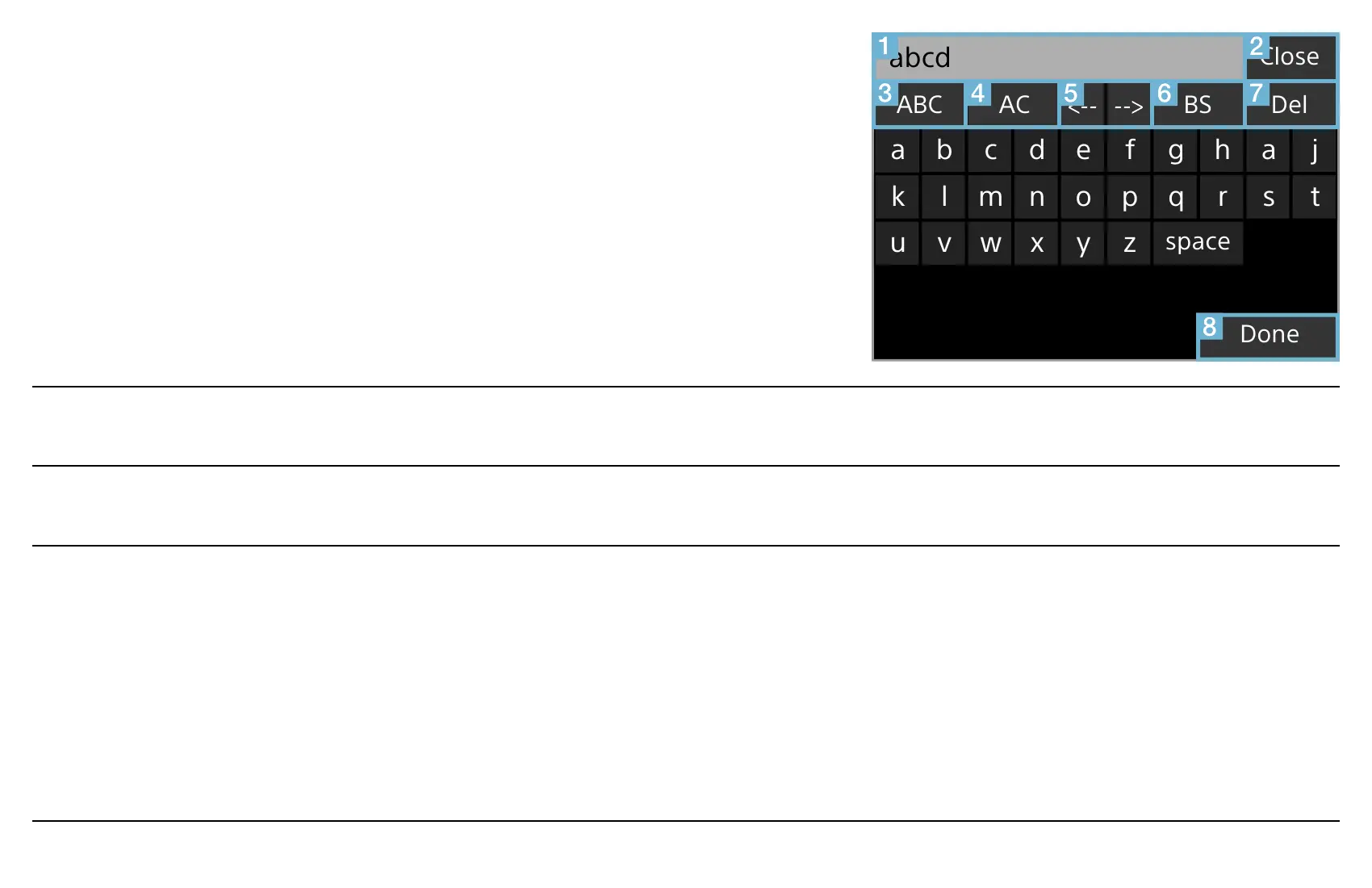
The keyboard is displayed on the screen when the
text box is selected in the [Device name] screen or
the password entry screen. Slide the jog lever to + or
– to move through the keys, then press the lever with
the desired key highlighted.
Change Key
Change Key
space
Done
Close
DelBSACABC
tsrqponmlk
zyxwvu
jahgfedcba
abcd
Text field Displays the input text.
Close Closes the on-screen keyboard without saving the input text.
12#/ABC/abc Switches the input mode. You can also switch the input mode by
pressing the jog lever for more than 2 seconds while another key
is highlighted.
[12#]: Numbers, punctuation and symbols
[ABC]: Capital letters
[abc]: Small letters


 To Next Page