EasyManua.ls Logo

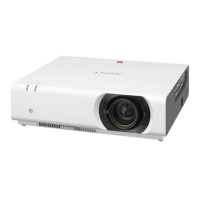
Sony VPL-CX21 - User Manual

Sony VPL-CX21
45 pages
Print Icon
To Next Page IconTo Next Page
Loading...
2-682-487-12 (1)
Data Projector
Operating Instructions
© 2006 Sony Corporation
VPL-CX21
VPL-CS21

Questions and Answers

  • M
    Matthew SmithSep 3, 2025
    What to do if LAMP/COVER indicator lights up on Sony VPL-CX21?
    • B
      Brenda HallSep 3, 2025
      If the LAMP/COVER indicator lights up on your Sony Projector, it could mean the lamp has reached the end of its life and needs replacing. It could also mean the lamp has reached a high temperature; in this case, wait 45 seconds to cool the lamp before turning the power on again.
  • S
    Sheryl RossSep 18, 2025
    Why are the control panel keys not working on Sony VPL-CX21 Projector?
    • K
      Kevin SmithSep 18, 2025
      If the control panel keys on your Sony Projector do not function, the control panel keys are locked. Unlock the control panel keys.
  • J
    Jocelyn Wall MDSep 16, 2025
    What to do if powered tilt adjuster is not retracted into Sony Projector?
    • U
      ustevensSep 16, 2025
      If the powered tilt adjuster is not retracted into the Sony Projector, and the AC power cord was unplugged while the projector was on, reconnect the power cord, turn the projector on, and then turn it off.
  • E
    Elizabeth HoffmanSep 14, 2025
    How to fix noisy picture on Sony Projector?
    • M
      Michael BrownSep 14, 2025
      If the picture on your Sony Projector is noisy, try changing the desktop pattern on the connected computer.
  • T
    Traci HarrisSep 12, 2025
    How to make on-screen display appear on Sony Projector?
    • M
      Matthew ParksSep 12, 2025
      If the on-screen display does not appear on your Sony Projector, check if 'Status' in the Setup menu has been set to 'Off.' If so, set it to 'On'.
  • O
    obellSep 12, 2025
    What does 'Please check Input-A Signal Sel.' mean on Sony VPL-CX21 Projector?
    • J
      John KellySep 12, 2025
      If 'Please check Input-A Signal Sel.' appears on your Sony Projector even when the correct signal is input from INPUT A, the 'Input-A Signal Sel.' setting in the Setup menu is incorrect. Select 'Auto', 'Computer,' 'Video GBR' or 'Component' correctly according to the input signal.
  • D
    Danielle SteeleSep 9, 2025
    Why is the picture from INPUT A colored strangely on Sony VPL-CX21 Projector?
    • R
      Rebecca MolinaSep 9, 2025
      If the picture from the INPUT A connector on your Sony Projector is colored strangely, the 'Input-A Signal Sel.' setting in the Setup menu is incorrect. Select 'Auto', 'Computer,' 'Video GBR' or 'Component' correctly according to the input signal.
  • B
    bmartinezSep 7, 2025
    Why is the Remote Commander not working for Sony VPL-CX21 Projector?
    • L
      Linda ObrienSep 7, 2025
      If the Remote Commander for your Sony Projector isn't working, replace the battery with a new one.
  • M
    melaniejacksonSep 5, 2025
    Why is there no sound on my Sony VPL-CX21?
    • M
      Mr. Brian GoodSep 5, 2025
      If your Sony Projector has no sound, check that all audio cables are properly connected. Ensure you are using the correct A/V connecting adaptor. Also, check and adjust the volume in the Picture menu.
  • J
    Joanne WilliamsAug 20, 2025
    Why does my Sony VPL-CX21 Projector show no picture?
    • T
      Thomas CervantesAug 20, 2025
      If your Sony Projector shows no picture, first ensure all cables are properly connected. If you're connecting a computer, and it's DDC2B compatible, turn on the projector after connecting it to the computer, and then start the computer. Also, verify you've selected the correct input source using the INPUT key. Finally, ensure your computer signal is set to output to an external monitor only. You may need to adjust your computer settings or press specific keys to switch the output.

Summary

Location and Function of Controls

Top, Front, and Left Side Controls

Identifies and describes controls on the top, front, and left side of the projector.

Rear, Right Side, and Bottom Controls

Identifies and describes controls on the rear, right side, and bottom of the projector.

Control and Connector Panel Details

Remote Commander Functions

Remote Commander Layout

Details the buttons and their functions on the remote commander for projector operation.

Projecting the Picture

Installing the Projector

Provides a table for recommended projection distances based on screen size.

Connecting the Projector

Connecting a Computer

Instructions and diagrams for connecting a computer to the projector via various cables.

Connecting Video Sources

Connecting a Video or S-Video Source

Details on connecting VCRs or video output devices using A/V cables.

Connecting a VCR

Specific guidance for connecting a VCR for video output to the projector.

Projecting Procedures

Power Management

Security Features

Adjustments and Settings Using a Menu

The Picture Menu

The Signal Menu

The Function Menu

The Installation Menu

The Setup Menu

Maintenance Procedures

Replacing the Projector Lamp

Detailed steps and cautions for replacing the projector lamp unit.

Cleaning the Air Filter

Instructions for cleaning or replacing the air filter to maintain optimal performance and prevent overheating.

Replacing the Projector Lamp

Lamp Replacement Steps and Disposal

Completes lamp replacement, cover closure, and provides disposal information for used lamps.

Troubleshooting Guide

Power and Picture Issues

Solutions for common power-on problems and lack of picture display.

Picture Quality Troubleshooting

Addresses issues like noisy picture, incorrect colors, darkness, blurriness, and flickering.

Sound, Remote, and Indicator Issues

Solutions for no sound, remote commander failure, locked keys, and indicator light problems.

Warning Messages and Remedies

Explains common warning messages and their corresponding solutions.

Caution Messages and Solutions

Explains common caution messages and provides remedies.

Sony VPL-CX21 Specifications

General IconGeneral
Heat dissipation750.7 BTU/h
Projection technologyLCD
Projector native resolutionXGA (1024x768)
Lamp power165 W
Light source typeLamp
Service life of light source2000 h
Number of built-in speakers1
I/O ports-RGB/Component: HD D-sub 15 pin x 1 -S-Video: Mini DIN 4 pin x 1; -Composite: RCA pin jack x 1; -Audio: RCA pin jack x 2 (L/R);
Dimensions (WxDxH)273 x 52 x 210 mm
Power requirementsAC 100 - 240 V, 50/60 Hz
Power consumption (standby)0.8 W
Power consumption (typical)220 W
Storage temperature (T-T)-20 - 60 °C
Operating temperature (T-T)0 - 35 °C
Storage relative humidity (H-H)10 - 90 %
Operating relative humidity (H-H)35 - 85 %
Product typeStandard throw projector
Weight and Dimensions IconWeight and Dimensions
Weight1900 g

Related product manuals