29
The Information Menu
Adjustments and Settings Using a Menu
The Information Menu
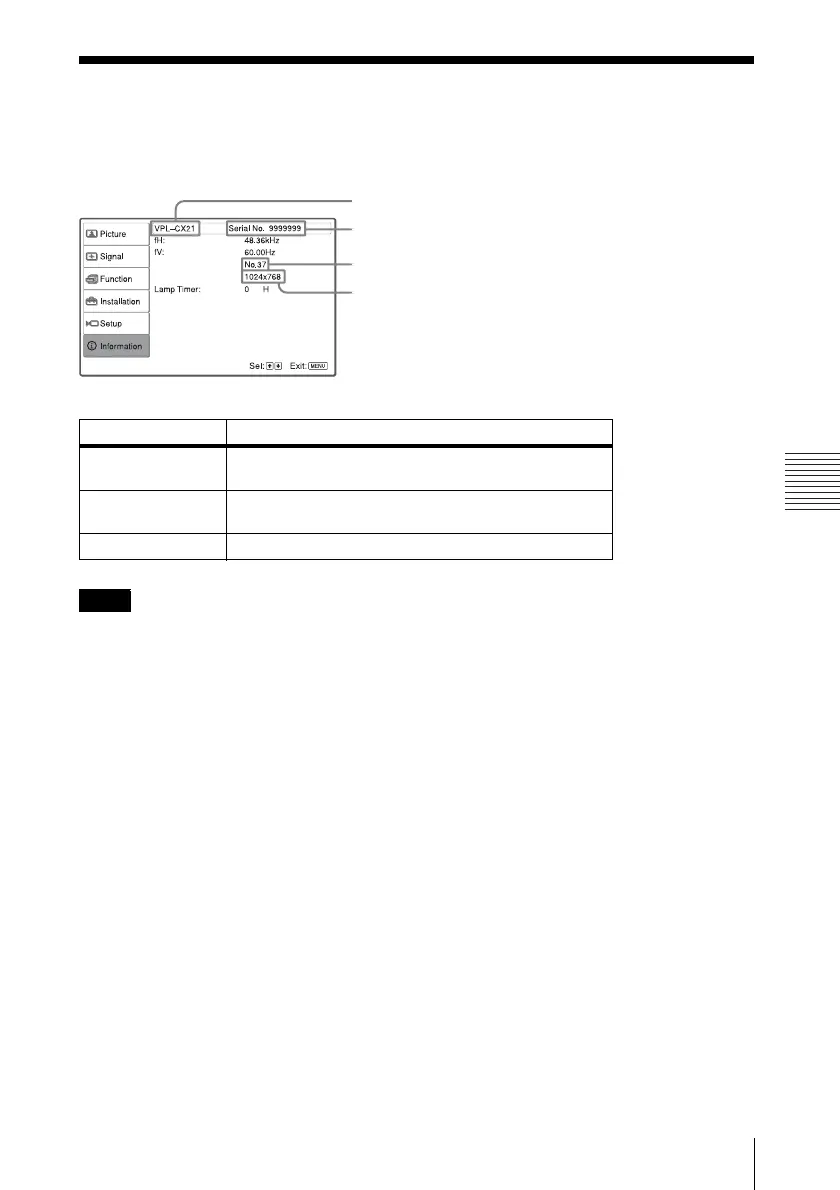
The Information menu displays the model name, serial number, the horizontal and vertical
frequencies of the input signal and the cumulated hours of usage of the lamp.
These are only displayed on the screen. You cannot alter the display, and these is no setting to be
altered.
Memory number of an input signal
Signal type
Model name
Serial number
Setting items Functions
fH Displays the horizontal frequency of the input signal.
The displayed value is approximate.
fV Displays the vertical frequency of the input signal.
The displayed value is approximate.
Lamp Timer Indicates how long the lamp has been turned on.
Note



 To Next Page