28
The Setup Menu
The Setup Menu
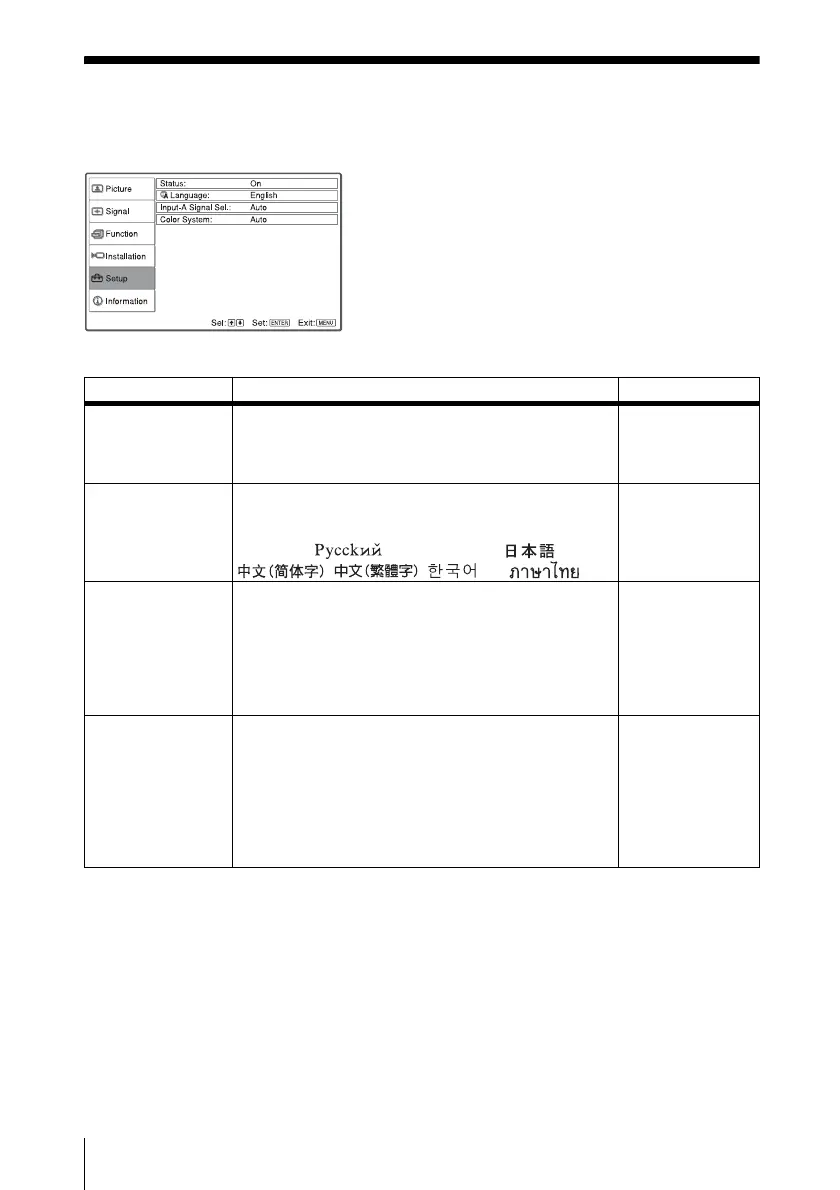
The Setup menu is used for changing the menu displays.
Setting items Functions Initial setting
Status (on-screen
display)
Sets up the on-screen display.
When set to “Off,” turns off the on-screen displays
except for the menus, a message when the power is
turned off, and warning messages.
On
Language Selects the language used in the menu and on-screen
displays. The languages available are: English,
Nederlands, Français, Italiano, Deutsch, Español,
Português, , Svenska, Norsk, ,
, , and .
English
Input-A Signal Sel. Selects the “Auto”, “Computer,” “Component,” or
“Video GBR” signal input via the INPUT A connector.
When the “Auto” is selected, the type of the input
signal is detected automatically.
When the input signal is not displayed correctly with
this item set to Auto, select the item according to the
input signal.
Auto
Color System Selects the color system of the input signal.
If you select “Auto,” the projector detects the color
system of the input signal automatically. If the picture
is distorted or colorless, select the color system
according to the input signal.
When the color system of the input signal is PAL60,
select “PAL.” If “Auto” is selected, the color system
cannot be detected.
Auto



 To Next Page