EasyManua.ls Logo

Sony VPL-CX100 - User Manual

Sony VPL-CX100
70 pages
Print Icon
To Next Page IconTo Next Page
Loading...
3-211-166-13 (1)
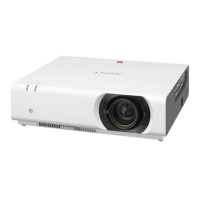
Data Projector
Operating Instructions
VPL-CX100
VPL-CX120/CX125
VPL-CX150/CX155
VPL-CW125
©
2007 Sony Corporation

Other manuals for Sony VPL-CX100

Questions and Answers

  • C
    Christopher TorresSep 12, 2025
    How to fix a flickering picture on my Sony VPL-CX100 Projector?
    • M
      Mrs. Sherry LawsonSep 12, 2025
      If the picture on your Sony Projector is flickering, the “Dot Phase” in the Signal menu may not be adjusted properly. Adjust the “Dot Phase” in the Signal menu.
  • A
    Amy AllenAug 25, 2025
    What does it mean when the ON/STANDBY light flashes red on my Sony VPL-CX100 Projector?
    • L
      Linda EllisAug 25, 2025
      If the ON/STANDBY indicator on your Sony Projector is flashing red twice repeatedly, it indicates that the internal temperature is unusually high. Check to ensure that nothing is blocking the ventilation holes. If you are using the projector at a high altitude, make sure that “High Altitude Mode” in the Setup menu is set to “On.”
  • A
    Albert MclaughlinAug 25, 2025
    Why won't my Sony Projector power on?
    • S
      Sharon Davis DDSAug 26, 2025
      If your Sony Projector isn't powering on, it could be due to a few reasons. If the power was recently turned off and on, wait about 60 seconds before trying again. Ensure the lamp cover and air filter cover are securely closed.
  • M
    Martin DavisSep 23, 2025
    Why is the picture from the INPUT A connector colored strangely on my Sony VPL-CX100 Projector?
    • T
      Thomas HarperSep 23, 2025
      If the picture from the INPUT A connector is colored strangely on your Sony Projector, the setting of “Input-A Signal Sel.” in the Setup menu is incorrect. Select “Computer,” “Video GBR” or “Component” correctly according to the input signal.
  • J
    Jessica JacksonSep 12, 2025
    What does it mean when the LAMP/COVER indicator flashes orange on my Sony VPL-CX100 Projector?
    • L
      Lance PenaSep 12, 2025
      If the LAMP/COVER indicator on your Sony Projector flashes orange twice repeatedly, it means that either the lamp cover or the air filter cover is detached. Attach the cover securely.
  • J
    jessicaandersonSep 18, 2025
    Why is the LAMP/COVER indicator flashing orange on my Sony Projector (2 flashes)?
    • S
      Stephanie HollandSep 18, 2025
      If the LAMP/COVER indicator is flashing orange with a repetition rate of 2 flashes, it indicates that either the lamp cover or the air filter cover is detached. Make sure to attach the cover securely.
  • M
    Miranda MendezSep 5, 2025
    How to troubleshoot Sony Projector when power is not turned on?
    • E
      ejacksonSep 5, 2025
      If your Sony Projector's power is not turning on, it could be due to a short interval between turning the power off and on. Wait for about 60 seconds before turning it on again. Ensure the lamp cover is securely closed. Also, check that the air filter cover is securely attached.
  • A
    Allen GutierrezSep 6, 2025
    How to fix Sony Projector when the picture is not clear?
    • S
      Seth AguilarSep 6, 2025
      If the picture on your Sony Projector is not clear, it may be out of focus. Adjust the focus. Condensation on the lens can also cause this issue; leave the projector on for about two hours to resolve it.
  • S
    sheliamirandaSep 18, 2025
    Why is my Sony Projector fan so noisy?
    • M
      Meghan GloverSep 19, 2025
      If the fan on your Sony Projector is noisy, check the setting of “High Altitude Mode” in the Installation menu. Also, ensure that the ventilation holes are not blocked. High room temperature can also cause the fan to become noisier; the approximate normal temperature is 25°C.
  • M
    Margaret LewisAug 30, 2025
    How to stop image extending beyond the screen on Sony VPL-CX100?
    • P
      Patricia JenkinsAug 30, 2025
      If the image extends beyond the screen on your Sony Projector, and you notice black edges around the image, display the full image on the screen and press the APA key.

Summary

Sony Data Projector Operating Instructions

Safety Warnings and Precautions

General Safety Instructions

Guidelines to prevent fire, electric shock, and ensure safe operation.

Electrical Safety and Grounding

Requirements for proper earthing and power cord usage.

Precautions for Operation and Maintenance

Operational Safety Guidelines

Covers safe handling, voltage checks, and internal component safety.

Preventing Overheating

Ensuring adequate ventilation to prevent heat build-up.

Cleaning Procedures for Components

Instructions for cleaning the lens, cabinet, and air filter.

Installation and Usage Guidance

Unsuitable Installation Environments

Conditions to avoid for optimal performance and longevity.

Handling and Installation Restrictions

Prohibited Installation Orientations

Warnings against toppling, tilting, blocking vents, or lens obstruction.

Key Projector Features

High Brightness and Picture Quality

Details on optical system, resolution, and panel specifications for image clarity.

Installation and Maintenance Features

Versatile installation options and simplified maintenance procedures.

Advanced Model-Specific Functions

ID function, network expandability, Side Shot, and Network Presentation.

Main Unit Controls and Indicators

Control Panel Details

Connector Panel Layout

Remote Commander Operation

Remote Commander Key Functions

Identification and function of each key on the remote.

Projecting the Picture

Projector Installation Distance Chart

Table providing distances for various projected image sizes.

Connecting the Projector

Connecting to a Computer

Step-by-step guide for connecting the projector to a computer.

Connecting to a VCR

Procedure for connecting the projector to a VCR for video output.

Projecting the Image

Turning Off the Projector

Security Lock Feature

Adjusting Settings via the On-Screen Menu

Picture Menu Settings

Signal Menu Settings

Installation Menu Settings

Maintenance Procedures

Replacing the Projector Lamp

Step-by-step instructions for safely replacing the projector lamp.

Cleaning the Air Filter

Troubleshooting Common Issues

Power and Picture Display Problems

Diagnosing and resolving issues with power and no picture display.

Picture Quality and Color Issues

Addressing noisy pictures, incorrect color balance, or brightness.

Troubleshooting Other Issues

On-Screen Messages and Solutions

Technical Specifications

Installation Diagrams

Keystone and Side Shot Adjustments

Sony VPL-CX100 Specifications

General IconGeneral
BrandSony
ModelVPL-CX100
CategoryProjector
LanguageEnglish

Related product manuals