EasyManua.ls Logo

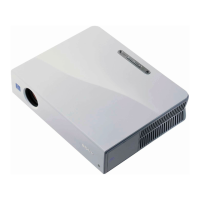
Sony VPL ES7 - User Manual

Sony VPL ES7
61 pages
Print Icon
To Next Page IconTo Next Page
Loading...
4-135-541-12 (1)
© 2009 Sony Corporation
Data
Projector
Operating Instructions
Before operating the unit, please read this manual thoroughly
and retain it for future reference.
VPL-EX70
VPL-EX7
VPL-ES7
Not all models are available in all countries.
Please check with your local Sony Authorized Dealer.

Other manuals for Sony VPL ES7

Questions and Answers

  • H
    Heather JohnsonAug 16, 2025
    How to fix Sony VPL ES7 when the power is not turned on?
    • D
      Darlene CortezAug 17, 2025
      If your Sony Projector's power won't turn on, it might be due to a few reasons. If the power was recently turned off and on quickly, wait about 90 seconds before trying again. Also, make sure the lamp cover and air filter cover are securely closed and attached, respectively.
  • A
    Amanda WyattAug 19, 2025
    How to adjust the image size on my Sony VPL ES7 Projector if it extends beyond the screen?
    • J
      John FergusonAug 19, 2025
      If the image from your Sony Projector extends beyond the screen, it could be because the APA key was pressed when there were black edges around the image. To resolve this, display the full image on the screen and then press the APA key. Alternatively, you may need to adjust the “Shift” setting in the Input setting menu.
  • P
    patrick89Aug 22, 2025
    What to do if there is no picture on my Sony VPL ES7?
    • M
      Miguel WatkinsAug 22, 2025
      If your Sony Projector shows no picture, several factors could be at play. Ensure all cables are properly connected. If your computer supports DDC2B, connect the projector to the computer, turn on the projector, and then start the computer. Verify that the correct input source is selected. Also, check if the picture is muted and, if so, press the PIC MUTING key. Finally, ensure your computer signal is set to output only to an external monitor.
  • L
    Levi LewisAug 25, 2025
    Why is the LAMP/COVER indicator flashing in orange (Repetition rate of 3 flashes) on my Sony Projector?
    • D
      Douglas RaymondAug 26, 2025
      If the LAMP/COVER indicator on your Sony Projector is flashing orange with a repetition rate of 3 flashes, it could be due to two reasons. Either the lamp has reached the end of its life and needs replacement, or the lamp has reached a high temperature. In the latter case, wait for 60 seconds to cool the lamp before turning the power on again.
  • E
    Emily SmithAug 27, 2025
    What does it mean when the LAMP/COVER indicator flashes in orange (Repetition rate of 2 flashes) on my Sony Projector?
    • M
      Mrs. Mary AshleyAug 27, 2025
      If the LAMP/COVER indicator on your Sony Projector is flashing orange with a repetition rate of 2 flashes, it means that either the lamp cover or the air filter cover is detached. Make sure to attach the cover securely.
  • A
    allison55Aug 30, 2025
    Why is the picture not clear on my Sony VPL ES7 Projector?
    • S
      scottbrandiAug 30, 2025
      If the picture from your Sony Projector is not clear, it could be due to a couple of reasons. First, the picture might be out of focus, so try adjusting the focus. Second, condensation might have accumulated on the lens. If this is the case, leave the projector on for about two hours to allow the condensation to clear.
  • A
    Alexander OrtegaSep 2, 2025
    What does it mean when the ?/1 key flashes in red (Repetition rate of 2 flashes) on my Sony VPL ES7 Projector?
    • W
      Wanda ReyesSep 2, 2025
      If the ?/1 key on your Sony Projector flashes red with a repetition rate of 2 flashes, it indicates that the internal temperature is unusually high. Make sure that nothing is blocking the ventilation holes. If you are using the projector at a high altitude, ensure that “High Altitude Mode” in the INSTALL SETTING menu is set to “On”. If neither of these solves the issue, the fan may be broken, and you should consult with qualified Sony personnel.
  • R
    rushjamesSep 5, 2025
    How to resolve a noisy picture on my Sony VPL ES7?
    • J
      Julie AdamsSep 5, 2025
      If the picture from your Sony Projector is noisy, it may be due to the combination of the number of dots input from the computer and the number of pixels on the LCD panel. Try changing the desktop pattern on the connected computer.
  • M
    Mark HernandezSep 7, 2025
    What to do if the ?/1 key flashes in red (Repetition rate of 6 flashes) on my Sony VPL ES7 Projector?
    • A
      Andrew HahnSep 7, 2025
      If the ?/1 key on your Sony Projector flashes red with a repetition rate of 6 flashes, unplug the AC power cord from the wall outlet after the ?/1 indicator goes out. Then, plug the power cord back into the wall outlet and turn the projector on again. If the ?/1 continues to flash in red, it indicates a failure in the electrical system.
  • A
    Andrew LewisSep 10, 2025
    Why does the picture flicker on my Sony Projector?
    • H
      hgrossSep 10, 2025
      If the picture on your Sony Projector flickers, it could be due to improper adjustment of the “Dot Phase” in the Input setting menu. Adjust “Dot Phase” in the Input setting menu properly.

Summary

Sony Data Projector Operating Instructions

Critical Safety Warnings

Electrical Shock and Fire Prevention

Warnings regarding moisture, opening the cabinet, and proper earthing for electrical safety.

Battery Handling Caution

Highlights explosion danger, replacement requirements, and disposal of batteries.

Power Cord and Connection Safety

Ensures use of accessible outlets and correct power cord specifications for safe operation.

Regulatory Compliance and Safety Notes

Precautions for Safe Operation

General Safety and Handling

Covers voltage checks, liquid ingress, cord safety, ventilation, and adjuster precautions.

Preventing Internal Heat Build-up

Details the importance of clear ventilation holes to prevent overheating and damage.

Cleaning Procedures

Instructions for cleaning the projector lens and cabinet surfaces.

Installation and Usage Guidelines

Unsuitable Installation Locations

Avoiding damage from specific locations like poorly ventilated areas.

Ventilation Requirements

Air circulation, space around unit, and dust prevention for proper operation.

Environmental and Placement Considerations

Prohibited Installation Orientations

Restrictions against standing the unit upright on its side or tilting it excessively.

Operational Restrictions and Protection

Location of Projector Controls

Control Panel Button Functions

Power (I;O) and Input Selection

Explains the I/O key for power control and the INPUT key for signal source selection.

Menu Navigation and Indicators

Details ENTER/Arrow keys for menus and the status of LAMP/COVER indicators.

Projector Connector Panel Layout

Remote Commander Functions

Advanced Remote Functions and Battery

Remote Commander Battery Replacement

Provides the procedure and important notes for installing the remote control battery.

Projecting the Picture: Setup

General Connection Guidelines

Ensures power is off, cables are proper, and connections are firm for signal integrity.

Projector Operation Steps

Turning Off the Projector

Power Off Procedure

Step-by-step guide using the I/O key, including fan cooling operation.

Security Lock Setup and Usage

Enabling the Security Lock

Activating the security lock feature through the INSTALL SETTING menu.

Setting a New Password

Procedure for entering and confirming a four-digit password for security.

Password Management and Cancellation

Using the On-Screen Menu System

Navigating Menu Screens

Instructions on accessing and moving between different menu categories and items.

Adjusting Menu Items

How to change settings, adjustment levels, and confirm selections within menus.

Picture Settings Menu

Picture Mode Selection

Choosing picture modes like Dynamic, Standard, Cinema, and Presentation.

Picture Adjustment Options

Adjusting Contrast, Brightness, Color, Hue, and Sharpness for optimal image.

Advanced Picture Adjustments

Input Settings Menu

Adjusting Input Signal Parameters

Fine-tuning Dot Phase, H Size, and Shift for computer signals.

Aspect Ratio Settings

Setting the aspect ratio for video inputs: 4:3, 16:9, and Zoom.

Set Settings Menu

Auto Pixel Alignment (APA)

Automatic adjustment of picture clarity for computer signals.

Auto Input Search and Signal Selection

Detecting input sources and selecting the appropriate signal type.

Install Settings Menu

Keystone Correction and Image Flip

Adjusting trapezoidal distortion and flipping image orientation (horizontal/vertical).

High Altitude and Security Lock

Activating high altitude mode and the security lock function.

Adjustable Settings by Input Signal

Maintenance Procedures

Replacing the Projector Lamp

Step-by-step guide for safely replacing the projector lamp.

Lamp Replacement Steps

Securing the New Lamp and Cover

Ensuring the new lamp is securely installed and the cover is properly closed.

Lamp Timer Reset Procedure

Procedure to reset the lamp usage timer after a new lamp is installed.

Cleaning the Air Filter

Air Filter Cleaning Process

Steps for removing, washing, drying, and reinstalling the air filter.

Troubleshooting Common Issues

Power and Picture Problems

Resolving issues related to power not turning on and lack of picture display.

Color and Clarity Issues

Fixing problems with strange colors, dark images, or unclear picture quality.

Troubleshooting Picture and Sound

Picture Distortion and Flickering

Addressing issues like image extending beyond screen edges or picture flickering.

Troubleshooting Indicators and Messages

Remote Commander and Panel Key Issues

Fixing non-responsive remote controls or locked control panel keys.

Indicator Light Status Meanings

Interpreting the status and blinking patterns of projector indicator lights.

Warning and Caution Messages

Understanding the meaning of system alerts and warning messages displayed.

Projector Specifications

Supported Input Signal Formats

Installation Diagrams

Ceiling Installation Diagrams

Sony VPL ES7 Specifications

General IconGeneral
Heat dissipation816 BTU/h
Vertical scan range48 - 92 Hz
Horizontal scan range19 - 92 kHz
Projection technologyLCD
Contrast ratio (typical)350:1
Screen size compatibility300 \
Projector native resolutionSVGA (800x600)
Keystone correction, vertical-30 - 30 °
Lamp power190 W
Light source typeLamp
Service life of light source3000 h
Service life of light source (economic mode)4000 h
Focal length range18.53 - 22.18 mm
Analog signal format systemPAL, SECAM
RMS rated power1 W
Number of built-in speakers1
Dimensions (WxDxH)314 x 269 x 109 mm
Power requirementsAC 100 - 240 V, 3.6 - 1.6 A, 50/60 Hz
Connectivity technologyWired
Noise level39 dB
CertificationUL60950-1, cUL (CSA No.60950-1), FCC Class B, IC Class B, CE (LVD: EN60950-1(FIMKO), EMC), C-Tick, NOM, SASO, PSB, VCCI, JEITA, eK (K60950 + EMC)
Plug and PlayYes
Power consumption (standby)3 W
Power consumption (typical)240 W
Storage temperature (T-T)-20 - 60 °C
Operating temperature (T-T)0 - 35 °C
Storage relative humidity (H-H)10 - 90 %
Operating relative humidity (H-H)35 - 85 %
Weight and Dimensions IconWeight and Dimensions
Weight2900 g

Related product manuals