Chapter 1 Overview
1-6 Chapter 1 Overview
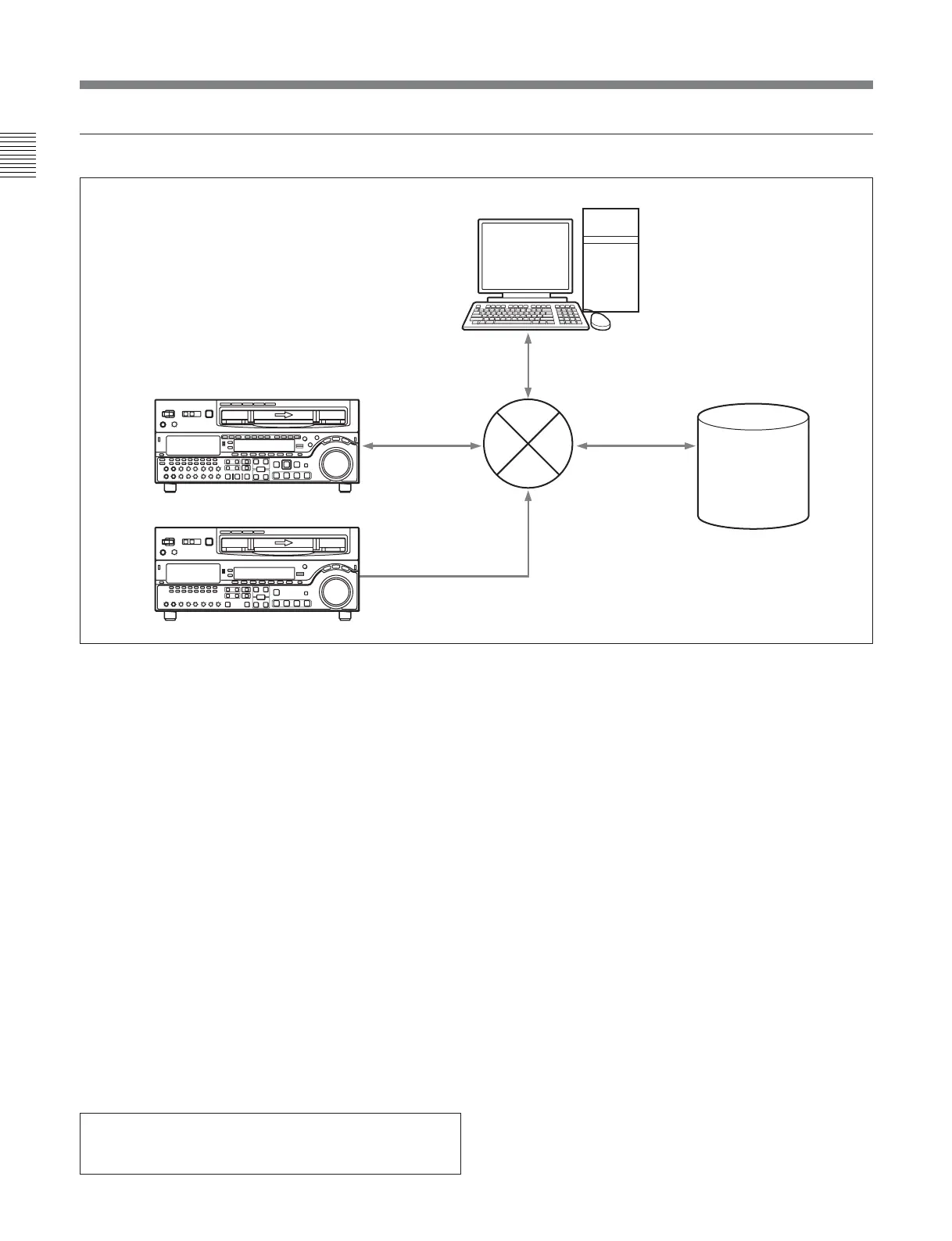
Network System
Using the Application Software (for users of the MSW-M2000E/M2000EP)
MSW-M2000E/M2000EP
MSW-M2100E/M2100EP
MXF files
MXF files
MXF files
Control
Audio/Video
server
system
Network (Ethernet)
PC
1-2 Example System Configuration
By installing the supplied application software “e-VTR
Manager” on a PC, you can control the VTR from the
PC.
System requirements
The following are required for the PC on which e-VTR
Manager is to be installed. If these requirements are
not met, e-VTR Manager may not operate properly.
CPU: 1 GHz or higher
Memory: 256 MB or greater
OS: Windows XP/2000
DirectX 8.1b or higher
Language: English
Available hard disk space: 5 MB or more
Monitor resolution: XGA (1024×768) or more
recommended
To install the software
1 Insert the CD-ROM in the drive of your PC and
double-click on Setup.exe.
2 Perform the installation, following the instructions
of the Wizard.
To start e-VTR Manager
Double-click on the e-VTR Manager icon on the
desktop.
For details, refer to the BKMW-E3000 Operation Manual
contained on the enclosed CD-ROM.
Microsoft and Windows are registered trademarks of
Microsoft Corporation in the United States and/or other
countries.








 To Next Page