Chapter 5 Editing
5-2 Chapter 5 Editing
VID. IN PB/EE CONFI CTL/TC
Y-R,B
PB
OFF TC
MENU
TCGSET
Z
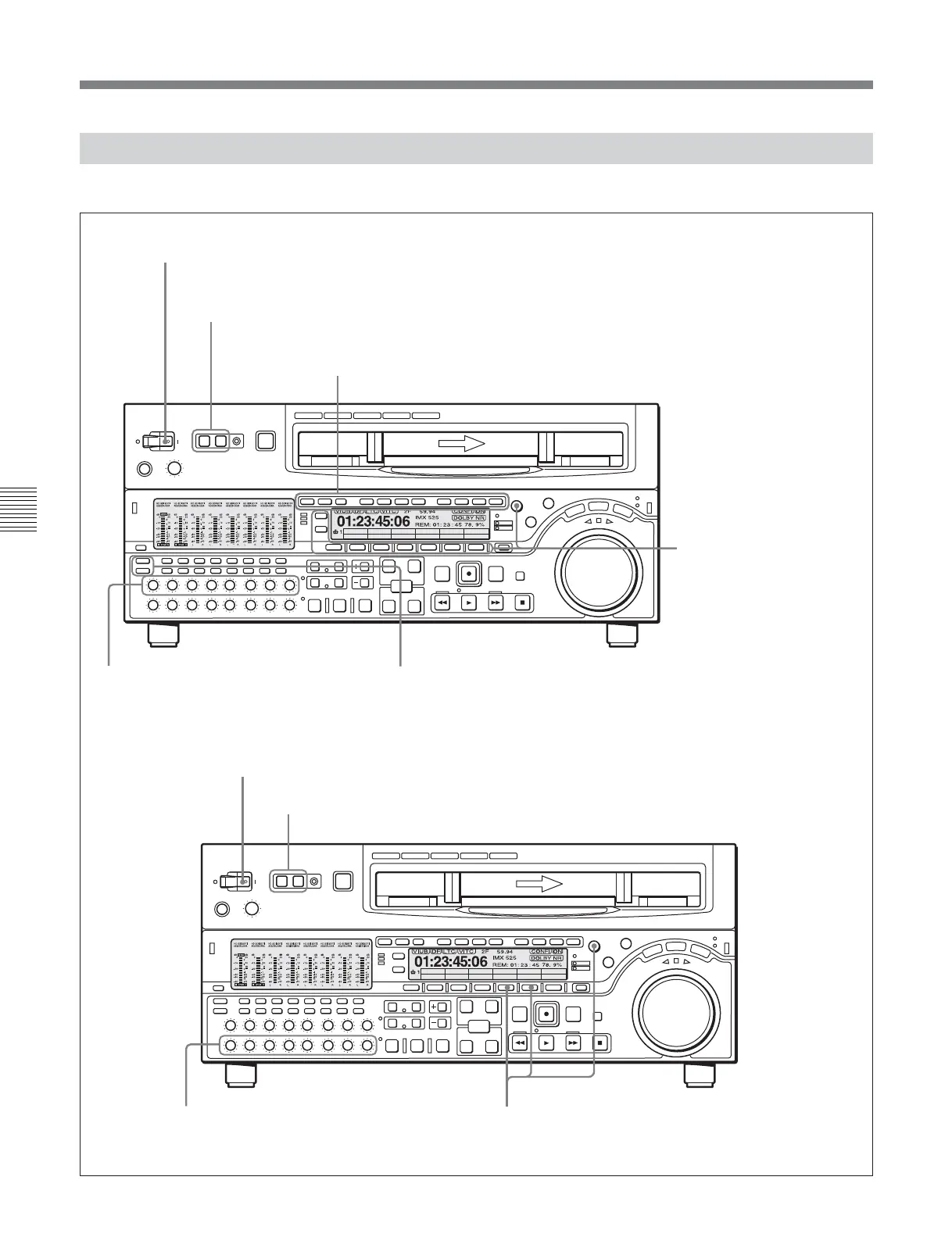
5-1-2 Switch and Menu Settings
Before beginning editing, make necessary switch and menu settings.
POWER switch: ‘ & ’ side (ON)
Audio selection function selector buttons
(see page 2-5)
:
Select the input audio signal.
Recorder settings
REMOTE buttons
(see page 2-2)
: 1(9P)
Editing mode setting section
(see page 5-3)
: Select assemble editing or insert editing.
Player settings
POWER switch: ‘ & ’ side (ON)
REMOTE buttons
(see page 2-2)
: 1(9P)
PB controls
(see page 2-7)
:
Adjust the audio playback levels.
REC controls
(see page 2-7)
: Adjust the
audio recording levels.
VID.IN setting
(see page 11-3)
:
Select the input video signal.
RECINH setting
(see page 11-8)
:
OFF
CTL/TC setting
(see page 11-3)
:
TC or CTL
VID. IN PB/EE CONFI CTL/TC
Y-R,B
PB
OFF TC
MENU
TCGSET
CTL/TC setting
(see page 11-3)
: TC or CTL
5-1 Automatic Editing
The figure shows the MSW-A2000/ A2000P/M2000/ M2000P/2000.








 To Next Page