51
GB
Additional information
Additional information
Setting functions related to network
operations
Checking the network
settings
You can check the current status of the network
settings.
1
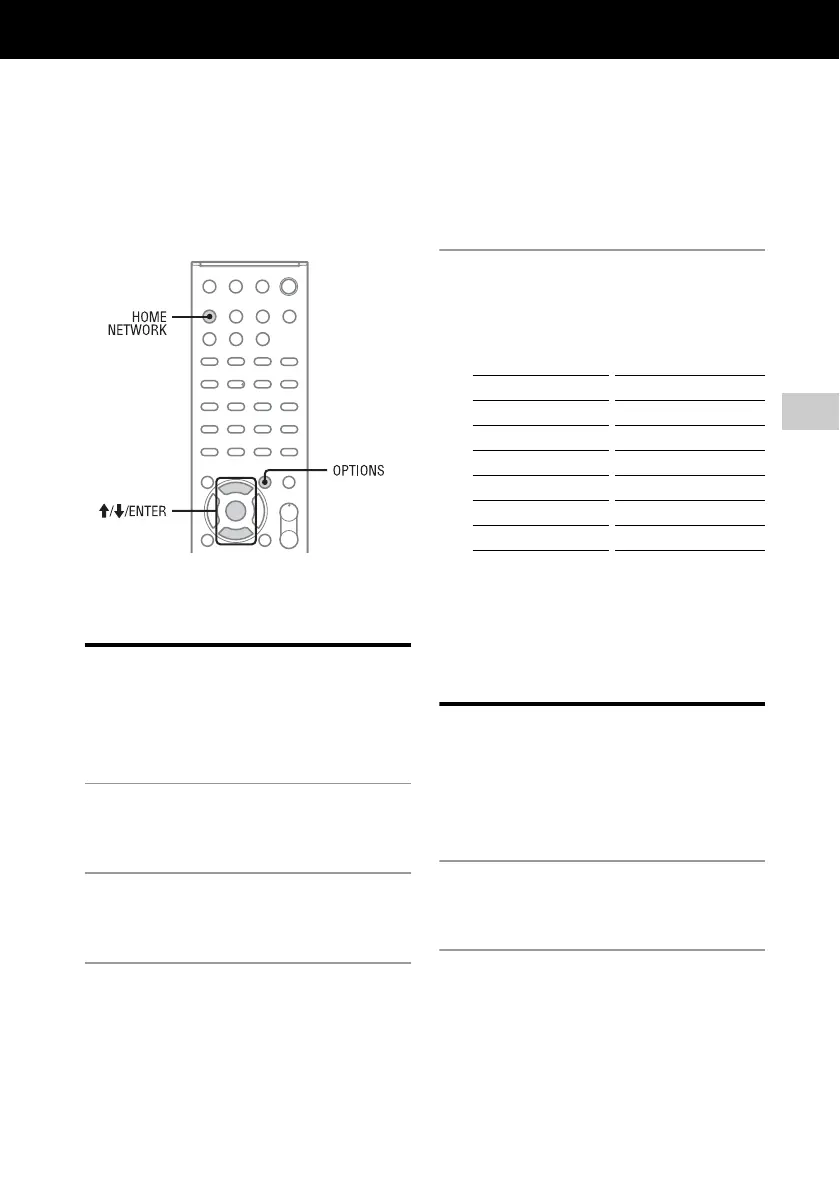
Press HOME NETWORK, then
press OPTIONS.
2
Press M/m to select “Network,”
then press ENTER.
3
Press M/m to select “Information,”
then press ENTER.
4
Press M/m to select the setting
item to check, then press ENTER.
The current setting appears.
You can check the following settings*.
* The setting items during setup differ depending
on the network environment and connection
method.
Setting the network
standby mode
While the “Network Standby” mode is set to “On,”
the system can always be connected and controlled
over the network.
1
Press HOME NETWORK, then
press OPTIONS.
2
Press M/m to select “Network
Standby,” then press ENTER.
Connection DNS Settings
SSID Primary DNS
Security Setting Secondary DNS
IP Settings Proxy Settings
IP Address Proxy Address
Subnet Mask Port Number
Default Gateway MAC Address



 To Next Page