EasyManua.ls Logo

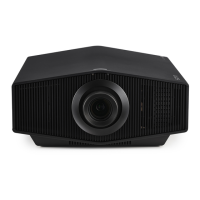
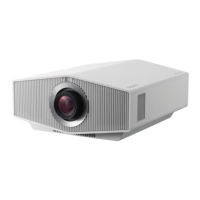
Sony Nero VPL-XW7000 - User Manual

Sony Nero VPL-XW7000
83 pages
Print Icon
To Next Page IconTo Next Page
Loading...
Setup Guide_______________
Manuel de configuration __
Guía de configuración _____
Installationsanleitung _____
Guida di configurazione ___
C:\Users\kazuyuki-handa\Desktop\Condor_SG\5038072221\5038072221VPLXW7000SYQ\01COV-
VPLXW7000SYQ\01GB01COV.fm
masterpage: Cover
VPL-XW7000
5-038-072-22(1)
Video Projector
5-038-072-22(1)
© 2022 Sony Corporation
VPL-XW7000
masterpage: cover4.print
5-038-072-21(1)
VPL-XW7000
Printed in China
Questo manuale d’istruzione è fornito da trovaprezzi.it. Scopri tutte le offerte per Sony VPL-XW7000
Nero o cerca il tuo prodotto tra le migliori offerte di Videoproiezione
Question and Answer IconNeed help?

Do you have a question about the Sony Nero VPL-XW7000 and is the answer not in the manual?

Summary

About This Manual

Manuals Supplied

Lists the available manuals for the projector, including the Setup Guide and Help Guide.

Step 1: Preparing

Checking Supplied Accessories

Lists items included in the projector package, such as remote control, batteries, and cables.

Lens Cap Handling

Instructions on how to safely remove and attach the lens cap to protect the projector lens.

Remote Control Handling

Important handling advice for the remote control, including care and suitable storage locations.

Step 2: Installing the Unit

Unit Alignment and Power Connection

Guides on positioning the unit parallel to the screen, connecting the AC power cord, and turning it on.

Image Adjustment Procedures

Details how to adjust the focus, size, and position of the projected image using the lens adjustment buttons.

Leveling the Projector

Instructions on using the adjustable front feet to ensure the projector is level on uneven installation surfaces.

Step 3: Connecting the Unit

Connection Guidelines and Procedures

Essential guidelines for making secure and correct device connections, including turning off devices first.

Step 4: Projecting

Projecting the Picture

Steps to turn on the unit and connected device, select the input source, and display images.

Turning Off the Power

Safe procedure for powering down the projector, including fan operation for cooling, and disconnecting the power cord.

Picture Viewing Mode Selection

Explains different preset viewing modes for optimal image quality based on content type.

Safety, Precautions, and Notes

General Warnings and Cautions

Covers essential safety warnings and cautions regarding electrical shock, fire hazards, and proper handling.

Handling, Usage, and Security Precautions

Details precautions for preventing heat build-up, safe repacking, 3D viewing, network security, and device interference.

Installation and Usage Guidelines

Identifies unsuitable locations, environmental factors, operating conditions, and ceiling installation safety measures.

Technical Specifications and Indicators

Understanding Indicator Lights

Explains the meaning of ON/STANDBY and WARNING indicator lights, including causes for flashes and troubleshooting.

Projector Dimensions and Mounting

Provides detailed physical dimensions and specifications for ceiling mount hardware, including screw size and torque.

Summary

About This Manual

Manuals Supplied

Lists the available manuals for the projector, including the Setup Guide and Help Guide.

Step 1: Preparing

Checking Supplied Accessories

Lists items included in the projector package, such as remote control, batteries, and cables.

Lens Cap Handling

Instructions on how to safely remove and attach the lens cap to protect the projector lens.

Remote Control Handling

Important handling advice for the remote control, including care and suitable storage locations.

Step 2: Installing the Unit

Unit Alignment and Power Connection

Guides on positioning the unit parallel to the screen, connecting the AC power cord, and turning it on.

Image Adjustment Procedures

Details how to adjust the focus, size, and position of the projected image using the lens adjustment buttons.

Leveling the Projector

Instructions on using the adjustable front feet to ensure the projector is level on uneven installation surfaces.

Step 3: Connecting the Unit

Connection Guidelines and Procedures

Essential guidelines for making secure and correct device connections, including turning off devices first.

Step 4: Projecting

Projecting the Picture

Steps to turn on the unit and connected device, select the input source, and display images.

Turning Off the Power

Safe procedure for powering down the projector, including fan operation for cooling, and disconnecting the power cord.

Picture Viewing Mode Selection

Explains different preset viewing modes for optimal image quality based on content type.

Safety, Precautions, and Notes

General Warnings and Cautions

Covers essential safety warnings and cautions regarding electrical shock, fire hazards, and proper handling.

Handling, Usage, and Security Precautions

Details precautions for preventing heat build-up, safe repacking, 3D viewing, network security, and device interference.

Installation and Usage Guidelines

Identifies unsuitable locations, environmental factors, operating conditions, and ceiling installation safety measures.

Technical Specifications and Indicators

Understanding Indicator Lights

Explains the meaning of ON/STANDBY and WARNING indicator lights, including causes for flashes and troubleshooting.

Projector Dimensions and Mounting

Provides detailed physical dimensions and specifications for ceiling mount hardware, including screw size and torque.

Sony Nero VPL-XW7000 Specifications

General IconGeneral
Light SourceLaser
Display TechnologySXRD
Resolution4K (3840 x 2160)
Brightness3200 lumens
Light Source Life20000 hours
HDR SupportYes (HDR10, HLG)
Zoom2.1x
Native Resolution4K (3840 x 2160)
HDMI Ports2
Contrast Ratio∞:1 (Dynamic)

Related product manuals