Need help?
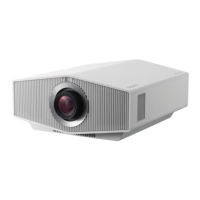
Do you have a question about the Sony VPL-XW7000 and is the answer not in the manual?
Details the initial preparation steps before operating the projector, including checking accessories and inserting batteries.
Guides on positioning the unit, connecting the power cord, and initial power-on procedures for installation.
Explains how to make connections to the projector, focusing on HDMI input and necessary cable usage.
Covers projecting images, selecting viewing modes, and the proper procedure for turning off the projector.
Details the ON/STANDBY and WARNING indicators, their flashing patterns, and their corresponding causes and remedies.
Provides detailed physical dimensions of the projector from front and bottom views, including mounting hole information.
Covers essential safety measures, including electrical safety, handling, ventilation, and avoiding hazards like heat and moisture.
Advises on how to prevent overheating by ensuring proper cooling fan operation after turning off the unit.
Provides guidance on saving original packaging for future shipping and repacking the unit safely.
Offers safety advice for viewing 3D content, including managing flickering and supervision requirements.
Highlights network security best practices, including access control and password protection for safe operation.
Warns about potential interference with medical devices like pacemakers due to the product's magnets.
States Sony's limited liability for damages resulting from non-general home use of the unit.
Details locations to avoid for installation, such as near walls, hot/humid areas, or dusty environments, to prevent damage.
Outlines conditions to avoid during operation, specifically tilting the unit or placing it on uneven surfaces.
 General
| Focus | - |
|---|---|
| Throw ratio | 1.35:1 - 2.84:1 |
| Zoom capability | Yes |
| Aperture range (F-F) | 2.5 - 3.24 |
| Vertical lens shift range | -85 - 85 % |
| Horizontal lens shift range | -36 - 36 % |
| DVI port | No |
| HDMI version | 2.3 |
| Composite video in | 0 |
| Serial interface type | RS-232C |
| USB 2.0 ports quantity | USB 2.0 ports have a data transmission speed of 480 Mbps, and are backwards compatible with USB 1.1 ports. You can connect all kinds of peripheral devices to them. |
| Noise level | 26 dB |
| Number of OSD languages | 18 |
| On Screen Display (OSD) languages | ARA, CHI (SIMPL), CHI (TR), DEU, DUT, ENG, ESP, FRE, ITA, JPN, KOR, NOR, POL, POR, RUS, SWE, THA, TUR |
| Power source | AC |
| AC input voltage | 100 - 240 V |
| AC input frequency | 50 - 60 Hz |
| Power consumption (standby) | 0.3 W |
| Power consumption (typical) | 420 W |
| Native aspect ratio | 16:9 |
| Projection technology | 3LCD |
| Screen size compatibility | 60 - 300 \ |
| Projector native resolution | 2160p (3840x2160) |
| Light source type | Laser |
| Service life of light source | 20000 h |
| Supported video modes | 480p, 576p, 720p, 1035i, 1080i, 2160p |
| Supported graphics resolutions | 640 x 480 (VGA), 800 x 600 (SVGA), 1024 x 768 (XGA), 1280 x 1024 (SXGA), 1280 x 768 (WXGA), 1280 x 960, 1920 x 1080 (HD 1080) |
| Ethernet LAN data rates | 10, 100 Mbit/s |
| Storage temperature (T-T) | -10 - 60 °C |
| Operating temperature (T-T) | 5 - 35 °C |
| Operating relative humidity (H-H) | 20 - 80 % |
| Product type | Standard throw projector |
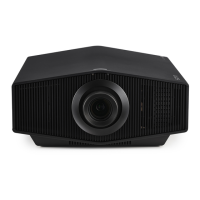
| Product color | Black |
 Weight and Dimensions
| Depth | 517 mm |
|---|---|
| Width | 460 mm |
| Height | 210 mm |
| Weight | 14000 g |

 To Next Page