GB
15
Triple-dial-control
Control dial L
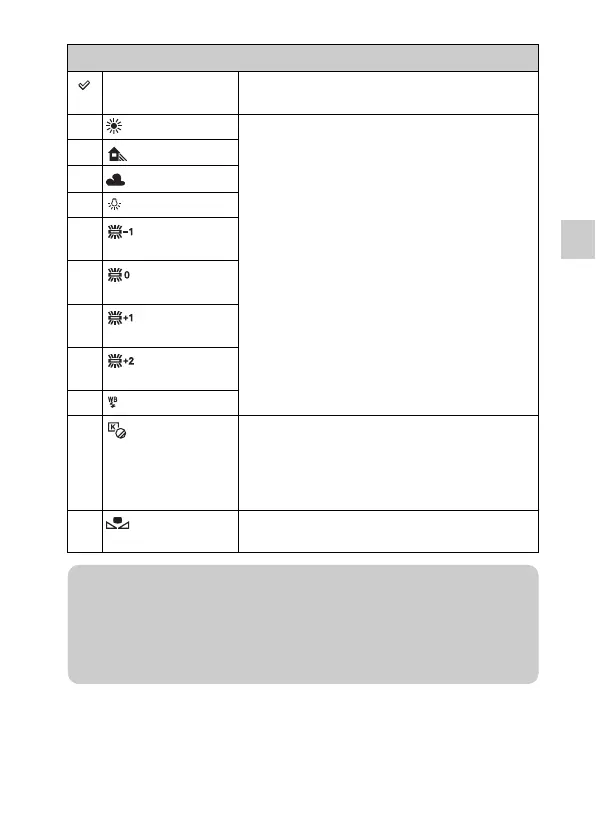
AWB (Auto WB) The camera automatically detects a light source and
adjusts the color temperature.
(Daylight) If you select an option to suit a specific light source,
the color temperature is adjusted for the light source
(preset white balance).
(Shade)
(Cloudy)
(Incandescent)
(Fluor.: Warm
White)
(Fluor.: Cool
White)
(Fluor.: Day
White)
(Fluor.:
Daylight)
(Flash)
(C.Temp./Filter) Adjusts the color temperature depending on the light
source. Achieves the effect of CC (Color
Compensation) filters for photography. To select a
color temperature, press soft key B followed by
turning the control dial L.
(Custom) Allows to use the white balance setting retained by
[Custom Setup].
z Setting the custom white balance
Selecting [Custom] with the control dial L and pressing soft key B will display
the [Custom Setup] screen. Hold the camera so that the white area fully covers
the AF area located in the center, and then press the shutter button down. The
calibrated values are stored for later use.



 To Next Page
 Loading...








