63
Messages
Messages
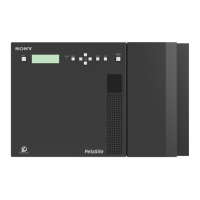
If there is a problem with the unit’s hardware or
configuration settings, the ALARM indicator on the front
panel of the unit flashes red (error) or orange (warning)
and a message appears on the display. Messages are not
displayed during menu operation. Messages are displayed
after pressing the BACK button to exit the menu.
If a message appears, refer to the following to resolve the
issue. If the message display persists, consult your local
Sony representative.
Message Description
ERROR POWER OFF
REQUEST
A system reboot is required. Turn the unit off, and then turn it on again.
ERROR
BOOT OS
An error occurred during booting.
Consult your local Sony representative.
ERROR
CALIBRATION
An error occurred during carrier calibration.
Consult your local Sony representative.
ERROR
FIRMWARE UPDATE
REQUEST
A firmware update is required.
Consult your local Sony representative.
ERROR
SERVICE
MAINTENANCE
REQUEST
Check that the unit interconnection cable is connected correctly. If there is no problem with the
cable connection, maintenance by service personnel is required.
Consult your local Sony representative.
ERROR An error was detected during control operations.
Check [Library Status] on the [System] tab of the Library Maintenance Web UI.
WARNING
UNIT (1~6) POWER
(A/B) : OFF
A power supply unit, which is configured for monitoring in the power configuration settings, is
turned off.
Check [Power Configuration Settings] on the [Others] tab of the [Configuration] screen of the
Library Maintenance Web UI. If there is no problem with the settings, consult your local Sony
representative.
WARNING
UNIT (1~6) POWER
(A/B) : NG
An error was detected with the fan of the power supply. Check the area surrounding the
corresponding fan for blockages and check for any matter adhering to the fan.
If there is no blockage or matter adhering to the fan, consult your local Sony representative.
WARNING
UNIT (1~6) POWER
(A/B) : CC
The power supply unit is turned on, but it is not configured for monitoring in the power configuration
settings.
Place a check mark in the checkboxes for the power supplies to use in [Power Configuration
Settings] on the [Others] tab of the [Configuration] screen of the Library Maintenance Web UI.
WARNING
UNIT (2~6) FAN (1~4) :
NG
An error was detected with a fan in the ODS-L60E.
Consult your local Sony representative.
WARNING
HIGH TEMP
The unit’s internal temperature is too high. The unit will continue to operate, but extended use will
cause the unit and drive unit internal temperature to increase further, risking failure or even fire.
Consult your local Sony representative.
WARNING
FAN
The rotation speed of the fan has dropped. The unit will continue to operate, but extended use will
cause the unit and drive unit internal temperature to increase further, risking failure or even fire.
Consult your local Sony representative.
WARNING
SSD
The SSD diagnosis has determined that replacement is necessary.
Consult your local Sony representative.
WARNING
LITHIUM BATTERY
Replacement of the lithium battery is necessary.
Consult your local Sony representative.
CLOSE
I/E STATION
The I/E station has been open for 3 minutes. Make sure the I/E station is fully closed.
If the message appears even after closing the I/E station, consult your local Sony representative.
I/E STATION
LOCKED
The I/E station button was pressed while the I/E station was locked by an application or the I/E
station was configured for use as a storage slot.
Release the lock via the application, and then press the I/E STATION button. If the lock cannot be
released via the application, release the lock using the Library Maintenance Web UI.


 To Next Page
 Loading...