Chapter 5 Control Screens 5-29
Chapter 5 Control Screens
5-2-4 Dynamics GUI
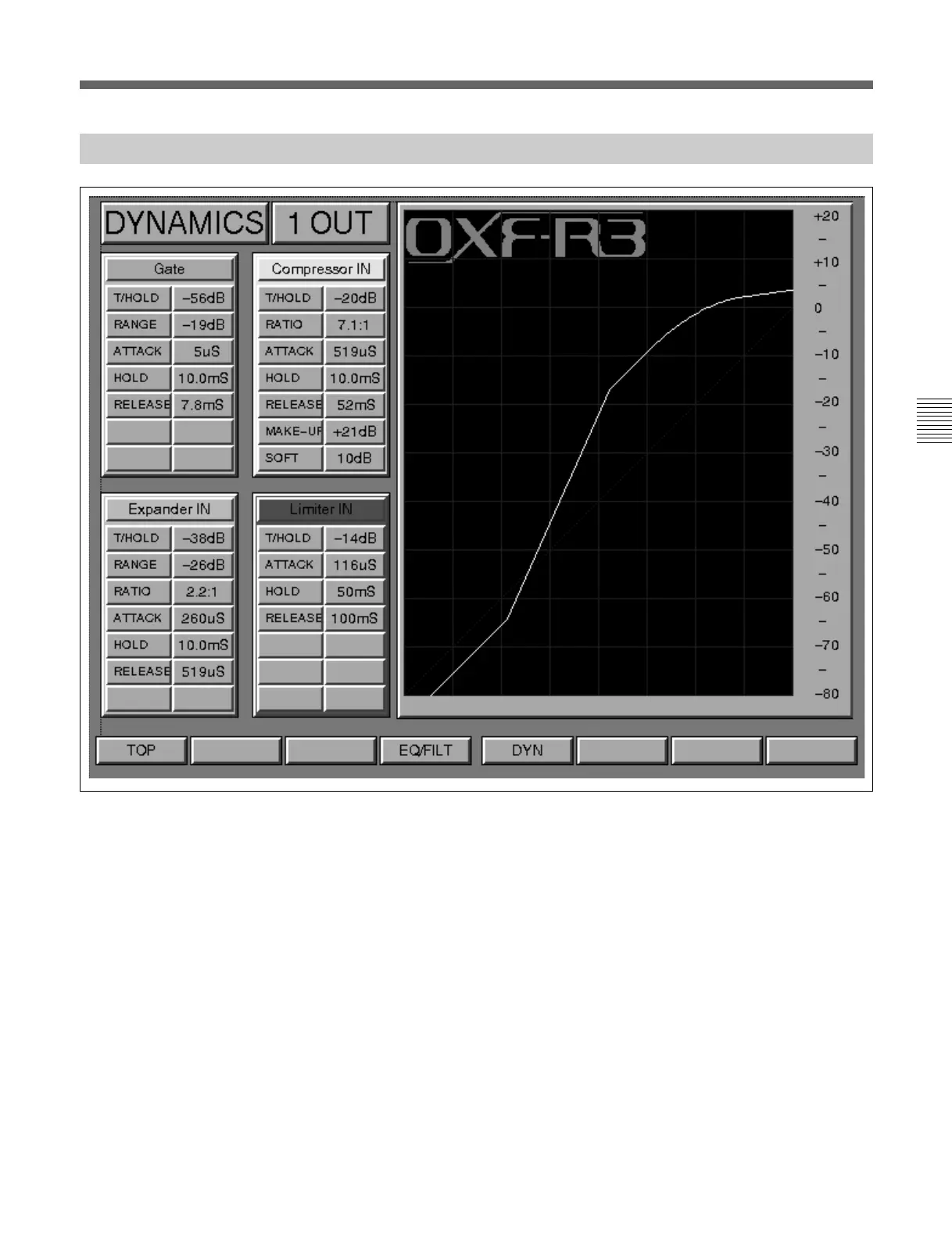
This GUI functions in a similar manner to the Equaliser & Filters screen,
displaying the knob setting parameters for the Gate, Expander, Compressor
and Limiter simultaneously. The related dynamics transfer curve is
displayed for the channel currently accessed.
In the graph displayed on this screen, the X axis has a range of -80dB (left)
to 0dB (right, full scale) for the input scale. The Y axis represents the
output scale from -80dB to +20dB. The output scale is expanded to +20dB
at the top end to allow for any gain make-up to be displayed.
DYNAMICS GUI layout



 To Next Page