VAIO Digital Studio Computer Quick Start
12
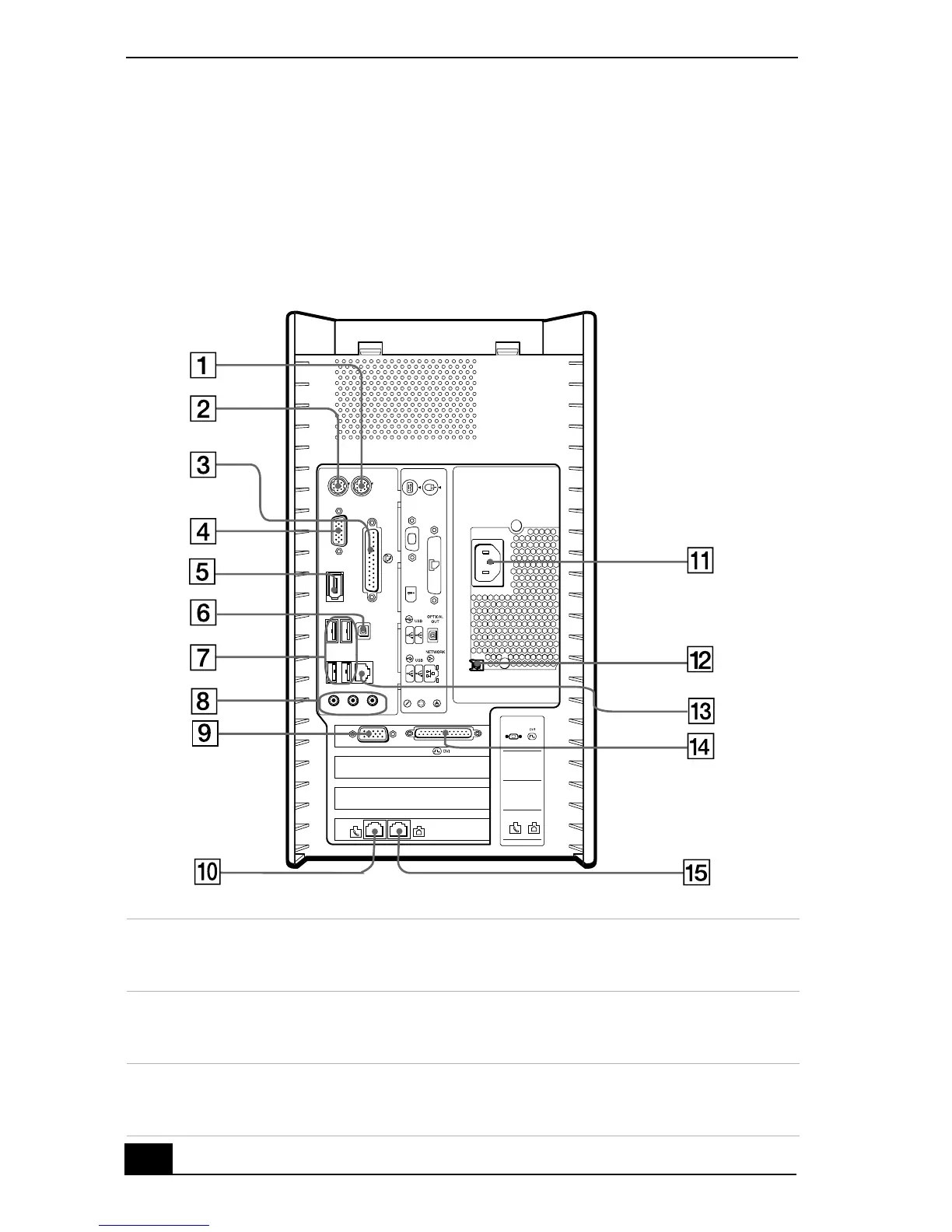
About The Back Panel
The back panel of your computer contains the ports for supplied and optional
accessories. The icons on the back panel locate and identify the ports and jacks
on your computer.
Back panel
1Mouse port
Connection for a PS/2® mouse.
2 Keyboard port
Connection for a PS/2 Keyboard.
3 Printer port
Connection for a parallel device, such as a printer or scanner.
KEYBOARD
MOUSE
PRINTER
i.LINK
S400
MONITOR
MIC
LINE IN
HEADPHONES
ACT
LINK
3
2
1
LINE
TELEPHONE
4
MONITOR
MONITOR







 To Next Page