Connecting The Speakers
17
Connecting The Speakers
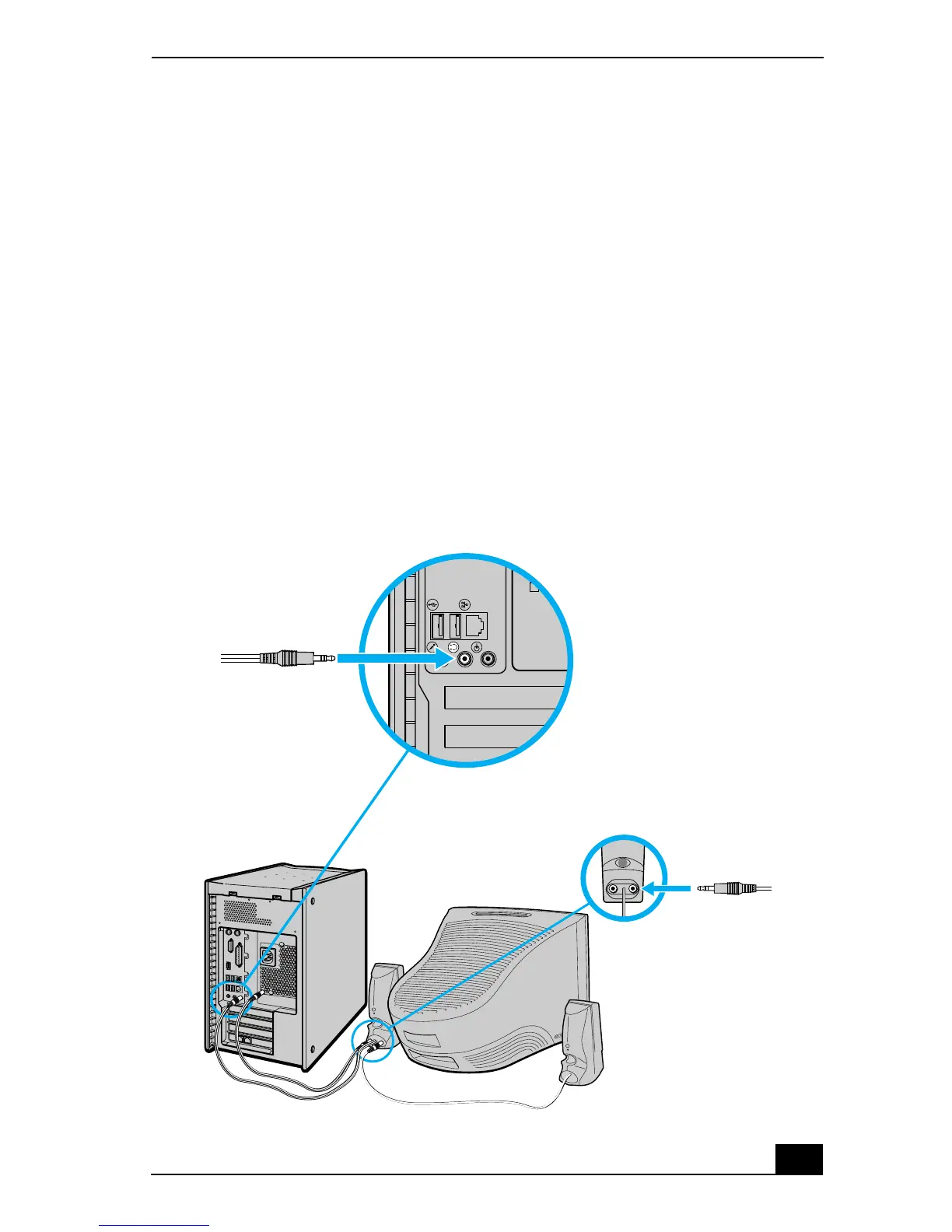
Connecting the PCVA-SP3A speakers
(with a speaker power cable)
1 Plug the cable attached to the back of the left speaker into the L Out jack on
the back of the right speaker.
2 Plug the cable attached to the back of the right speaker into the Headphones
jack, located on the back panel of your computer.
3 Plug the jack end (yellow) of the speaker power cable into the DC In jack
(yellow) on the back of the right speaker.
4 Plug the jack end (black) of the speaker power cable into the DC Out jack
located on the back panel of your computer.
To connect the PCVA-SP3A speakers







 To Next Page