VAIO Digital Studio Computer Quick Start
16
Connecting A Display (Monitor)Display (Monitor)
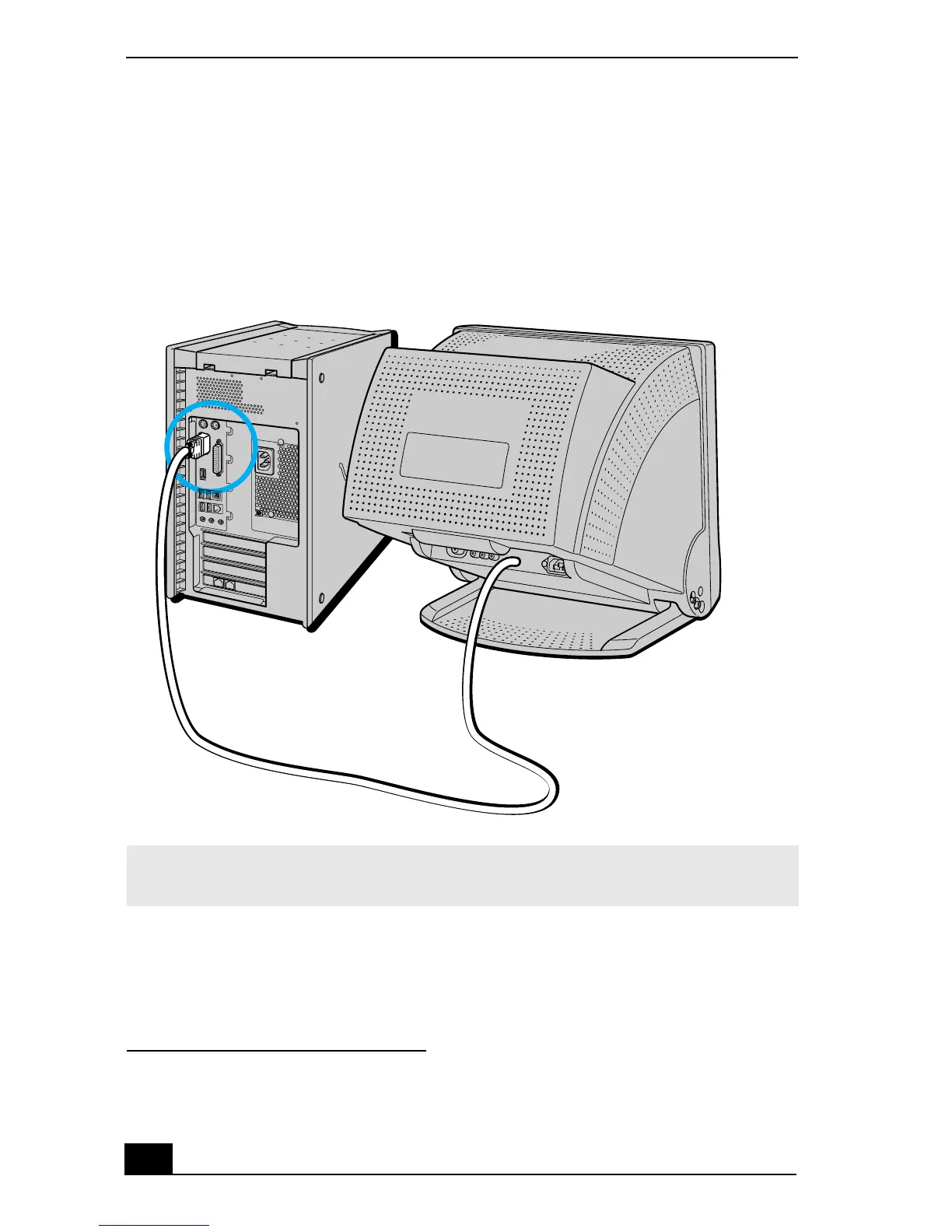
1 Plug the display cable into the monitor port
*
.
2 If necessary, plug the display cable into the rear of the display.
* Your computer may have an available DVI monitor port for use with a DVI monitor. Do not
attempt to connect a standard VGA monitor to the DVI monitor port.
To connect a display
✍ Install your equipment so that you can easily reach the power outlet in the event of an
emergency.







 To Next Page