Using The System Recovery CD(s)
31
Using the System Recovery CD(s)
Your system may take a few minutes to load necessary files. A blue screen
appears during the downloading process.
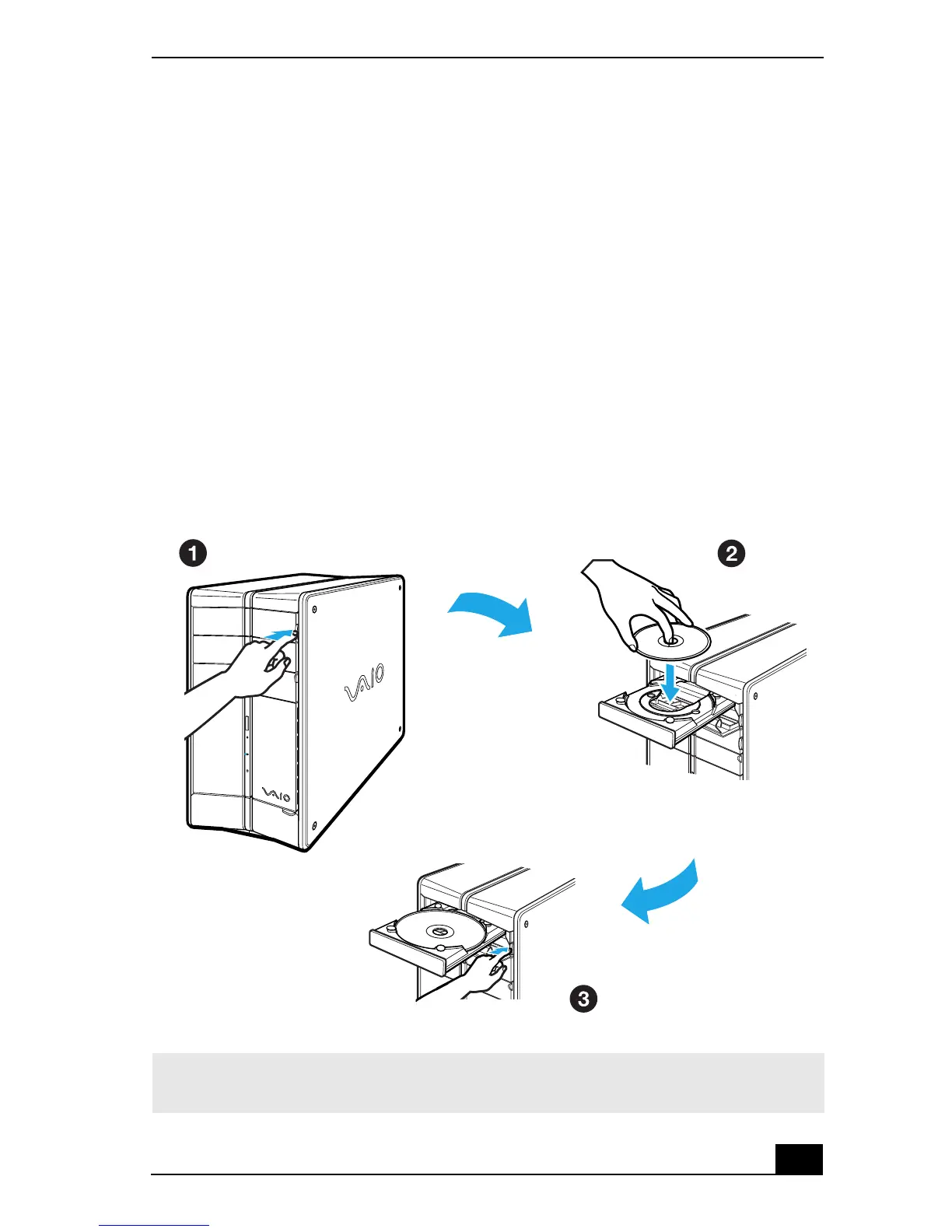
1 Press the disc eject button to open the optical disc drive and extend the disk
tray.
2 Insert the System Recovery CD (CD #1) in your computer's optical drive.
3 Press the disc eject button to close the optical disk drive tray.
The System Recovery utility starts from the optical drive. The first CD must
be in the drive when you turn on your computer.
Inserting the System Recovery CD (PCV-RZ series model shown)
✍ If your system is equipped with two optical drives, insert the System Recovery CD into
the upper optical drive.







 To Next Page