Using Wi-Fi Connection (PMW-200 only)
34
Preparations
For Tablet
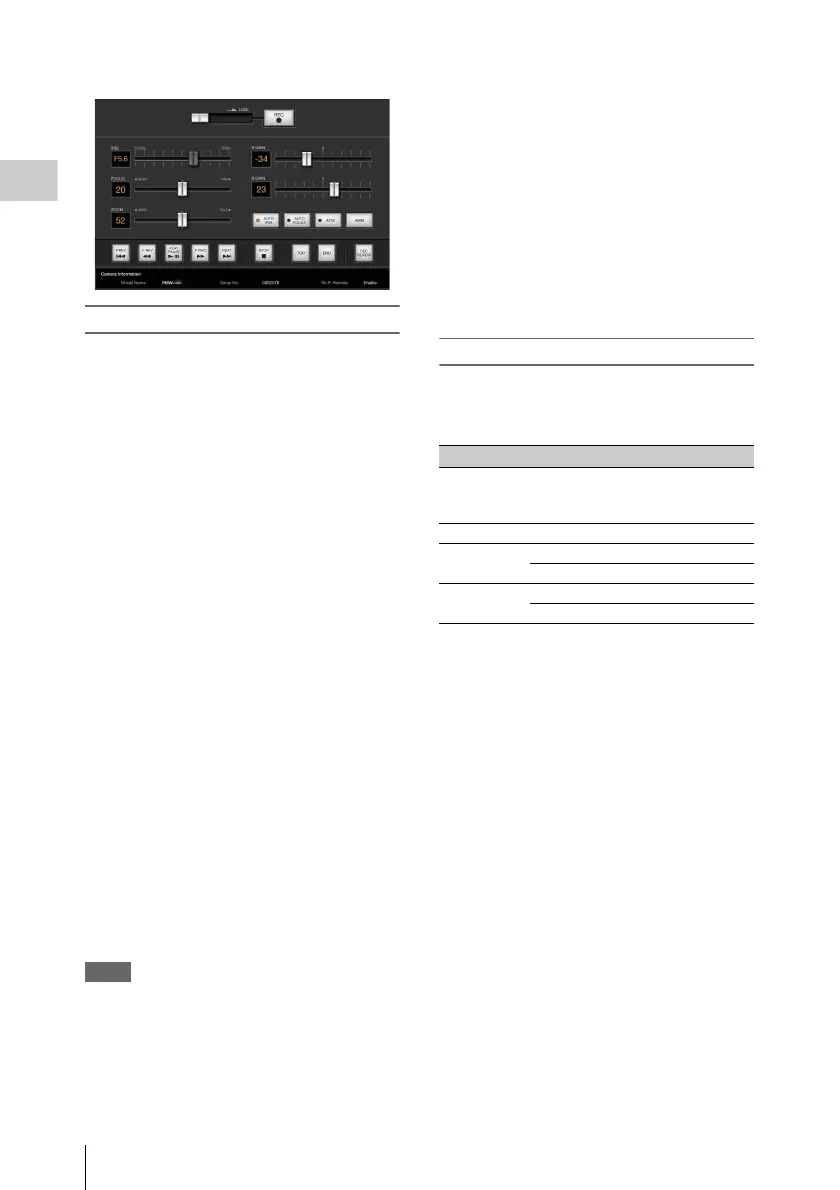
To display the Wi-Fi remote commander
To display the Wi-Fi remote commander on a
device screen, settings are required on both the
device and camcorder.
Camcorder settings
1 Set OTHERS > Wi-Fi > Wi-Fi to
[Enable] in the setup menu.
2 Set OTHERS > Wi-Fi > Wi-Fi Remote
to [On] in the setup menu.
Device settings
Set the smartphone, tablet, PC, etc., to be used as
the Wi-Fi remote commander.
1 Make a Wi-Fi connection between the
device and camcorder (page 31).
2 Launch the browser and input http://
<camcorder’s IP address>(page 101)/
rm.html in the address bar.
Example: When the IP address is
192.168.1.10, input http://192.168.1.10/
rm.html in the address bar.
The Wi-Fi remote commander will appear on
the device screen when the Wi-Fi connection
is established.
Thereafter operate the camcorder as shown
on the screen of the Wi-Fi connected device.
The REC button becomes unavailable when
the Lock switch is dragged to the right.
Notes
• Depending on the device, the Wi-Fi remote
commander may not appear properly on the device’s
screen even though you input http://<camcorder’s IP
address>(page 101)/rm.html in the address bar. In this
case, input “rms.html” for a smartphone or “rmt.html”
for a tablet at the end of the address to display the Wi-
Fi remote commander properly.
• The Wi-Fi remote commander on the device’s screen
may no longer match the actual status of the camcorder
in the following cases. When this happens, refresh the
browser on the device.
—when the camcorder is restarted while the Wi-Fi
connection is established
—when the camcorder is controlled directly while
the Wi-Fi connection is established
—when the device is reconnected
—when you operate forward/backward on the
device’s browser.
• If the Wi-Fi signal is poor, the Wi-Fi remote
commander may not work properly.
• Your smartphone/tablet may not be compatible with
the ad hoc mode. For details, refer to the operating
instructions supplied with the smartphone/tablet.
Compatible devices
The following devices, using the specified
versions or higher, can be used as Wi-Fi remote
commanders.
Device OS Browser
PC Windows 7 Internet Explorer 8
or Internet
Explorer 9
Mac OS 10.7.4 Safari 5.1.6
Smartphone Android 2.3.3 Standard browser
iOS 5.1.1 Safari
Tablet Android 4.0.3 Standard browser
iOS 5.1.1 Safari



 To Next Page