EasyManua.ls Logo

Sony PS-LX430 - Operational Adjustments; Stylus Drop-point and Speed Calibration

Sony PS-LX430
26 pages
Print Icon
To Next Page IconTo Next Page
To Previous Page IconTo Previous Page
Loading...
PS-LX430/430€/431/431N/433
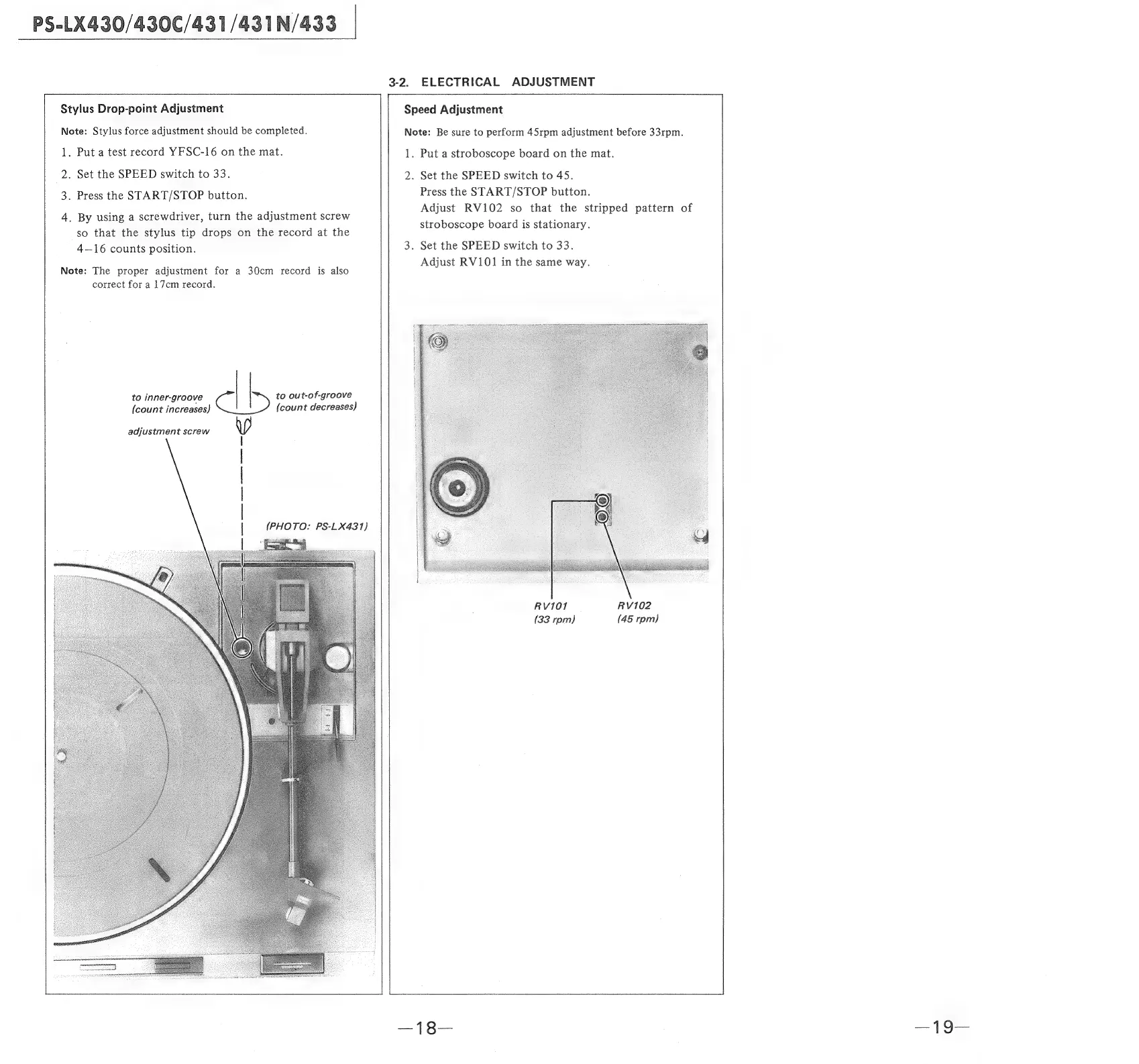
3-2.
ELECTRICAL
ADJUSTMENT
Stylus
Drop-point
Adjustment
Speed
Adjustment
Note:
Stylus
force
adjustment
should
be
completed.
1.
Put
a
test
record
YFSC-16
on
the
mat.
2.
Set
the
SPEED
switch
to
33%
3.
Press
the
START/STOP
button.
Note:
Be
sure
to
perform
45rpm
adjustment
before
33rpm.
1.
Put
a
stroboscope
board
on
the
mat.
2.
Set
the
SPEED
switch
to
45.
Press
the
START/STOP
button.
Adjust
RV102
so
that
the
stripped
pattern
stroboscope
board
is
stationary.
Set
the
SPEED
switch
to
33.
Adjust
RV101
in
the
same
way.
4.
By
using
a
screwdriver,
turn
the
adjustment
screw
so
that
the
stylus
tip
drops
on
the
record
at
the
4—16
counts
position.
Note:
The
proper
adjustment
for
a
30cm
record
is
also
correct
for
a
17cm
record.
to
inner-groove
to
out-of-groove
{count
increases)
(count
decreases)
adjustment
screw
RV102
(45
rpm)

Related product manuals