2
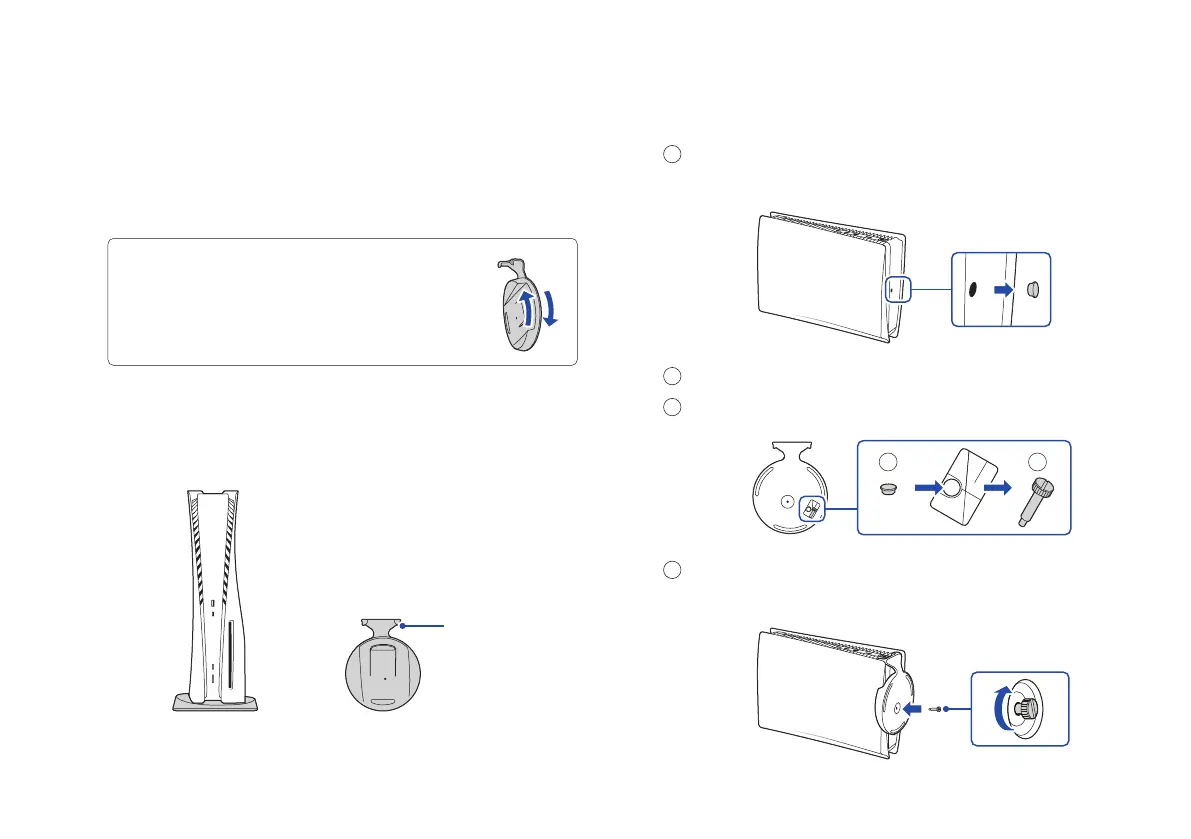
Hook
With the base attached
Make sure the hook is in the position
as illustrated below before attaching
the base to the console.
You’ll need to reconfigure the base for the position
of your console. Rotate the top and bottom part of
the base in opposite directions. Keep rotating until
you hear a “click”.
Let’s get started
1
Attach the base.
Always attach the base to the console, whether it’s in the
vertical or horizontal position.
Place your console on a flat surface when attaching
the base.
For the vertical position
Place the console with the rear side facing up,
and then remove the screw hole cap.
Attach the screw hole cap to the bottom of the base.
Remove the screw from the bottom of the base.
Attach the base, and then secure with the screw using
your hand. You can also use a coin to tighten the screw.
1
2
3
4
3
2
Bottom of
base



 To Next Page