8
What’s on the screen
Home screen
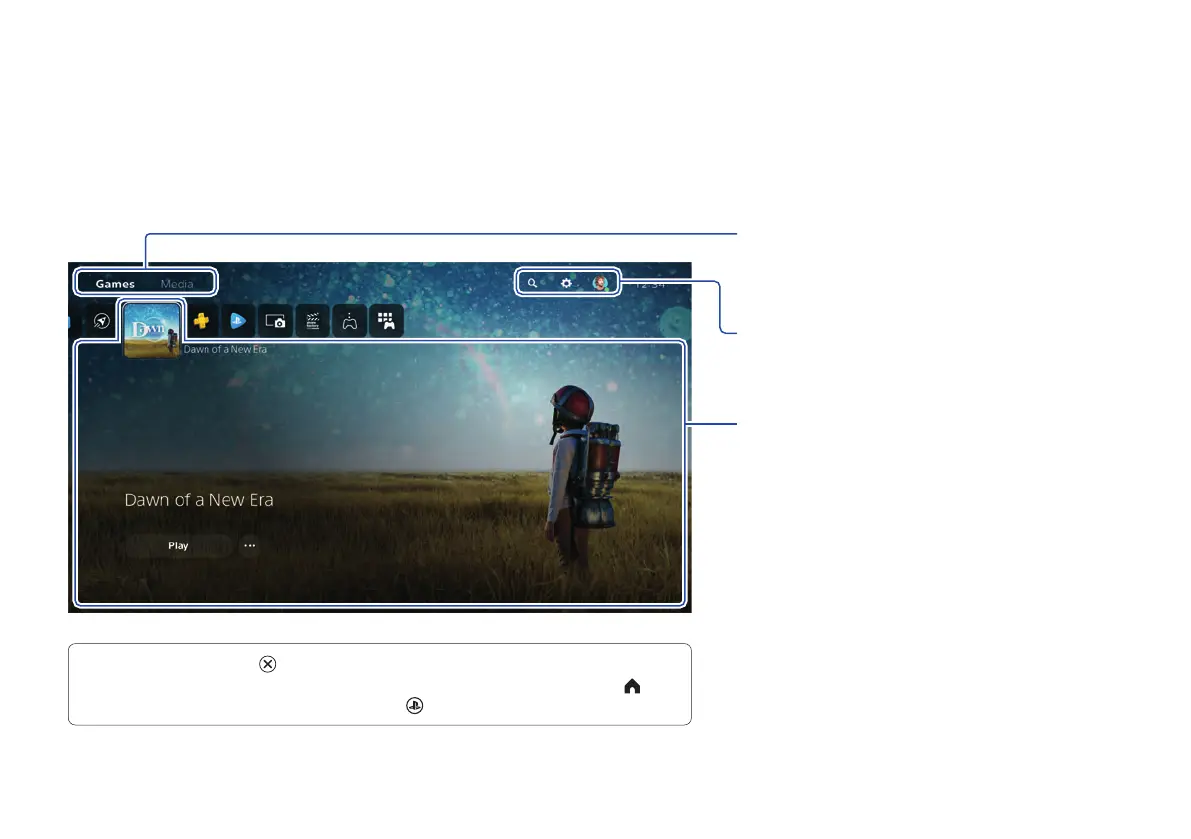
From the home screen, you can go to two types of content: games or media.
In the games home, you’ll find your games, PlayStation™Store, and other game-related apps.
In the media home, you’ll find music, video, and other non-game related apps.
Switch home screens
Switch between games and media.
Search, change your settings, and edit your
profile.
Hub
Learn more about the game or app you
selected, and find related information.
• On the PS5 console, the button confirms selected items.
• To return to the home screen while your game or app is running, select Home
from the control centre, or press and hold the
(PS) button on your controller.



 To Next Page