PSP-E1008 4-294-406-61(1) GB/RU
16
Using the XMB
™
(XrossMediaBar) menu
Using the XMB
™
(XrossMediaBar) menu
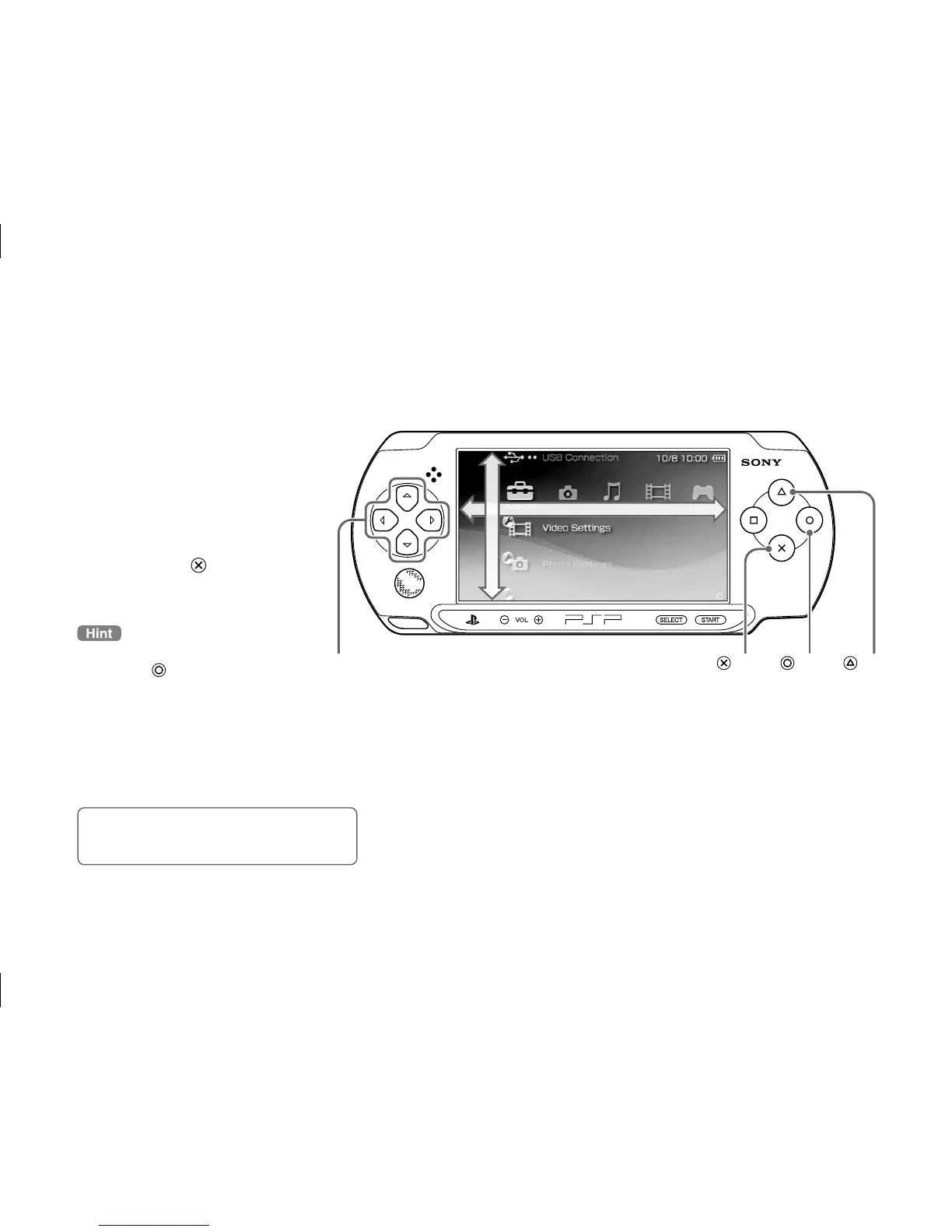
The PSP® system includes a user interface called XMB
™
(XrossMediaBar).
1
Select a category using
the left or right button.
2
Select an item using the
up or down button.
3
Press the button to
confirm a selected item.
You can cancel an operation by
pressing the
button.
Icons displayed on the screen vary
depending on the system software version.
Using th



 To Next Page