and then
Stick Duo
™
Playing Memory Stick Duo
™
content
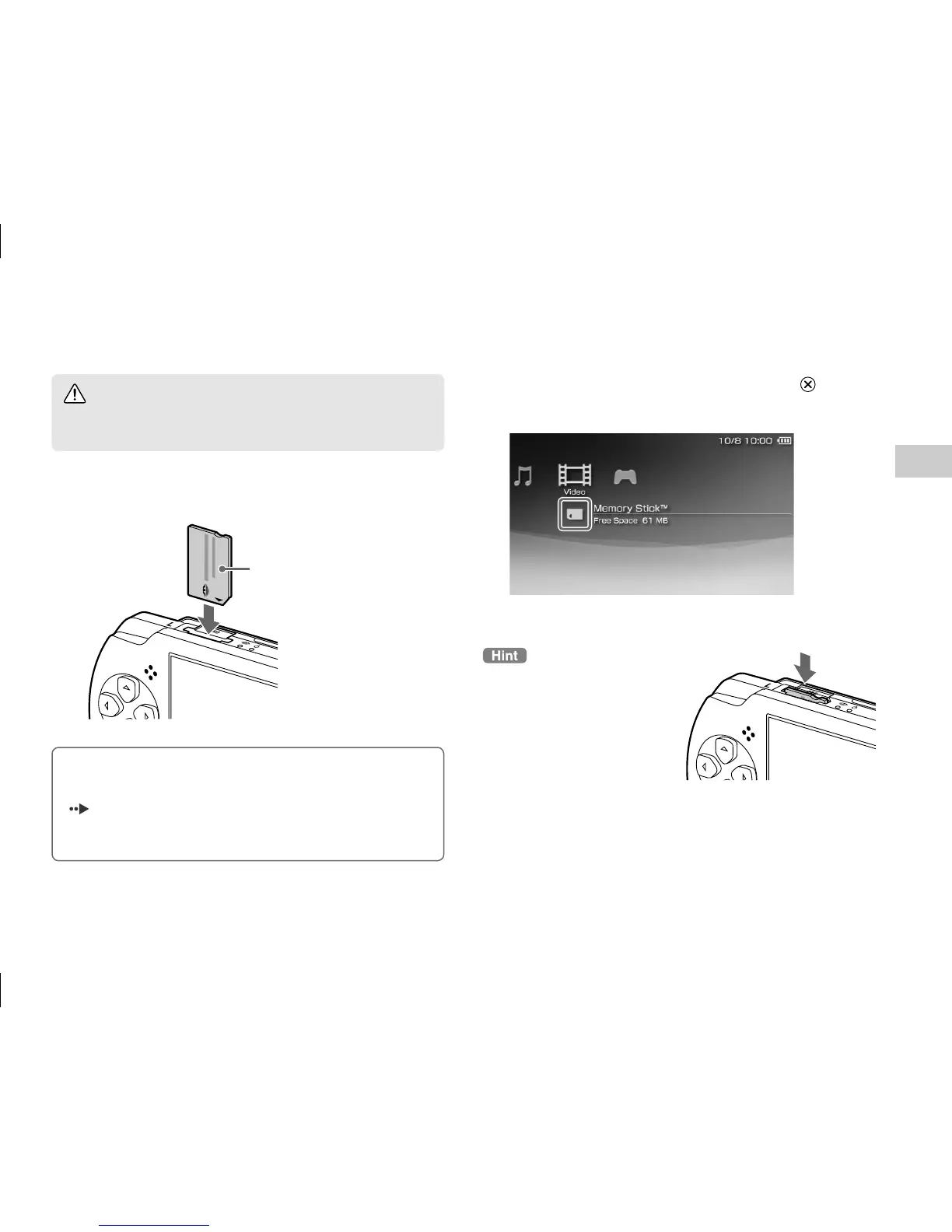
To remove the Memory Stick
Duo
™
media, press the media
once in the direction of the
arrow.
Warning
Keep Memory Stick Duo
™
media out of the reach of small
children, as the media could be swallowed by accident.
1
Press the Memory Stick Duo
™
media until
fully inserted.
Front side
Notice
When the Memory Stick PRO Duo
™
access indicator
(
page 11) is lit, do not eject the Memory Stick Duo
™
media, turn off the system, or put the system into sleep mode.
Doing so may cause data loss or corruption.
2
Select the icon, and then press the
button.
A list of content that can be played is displayed.


 To Next Page