PSP-E1008 4-294-406-61(1) GB/RU
20
Using the on-screen keyboard
Using the on-screen keyboard
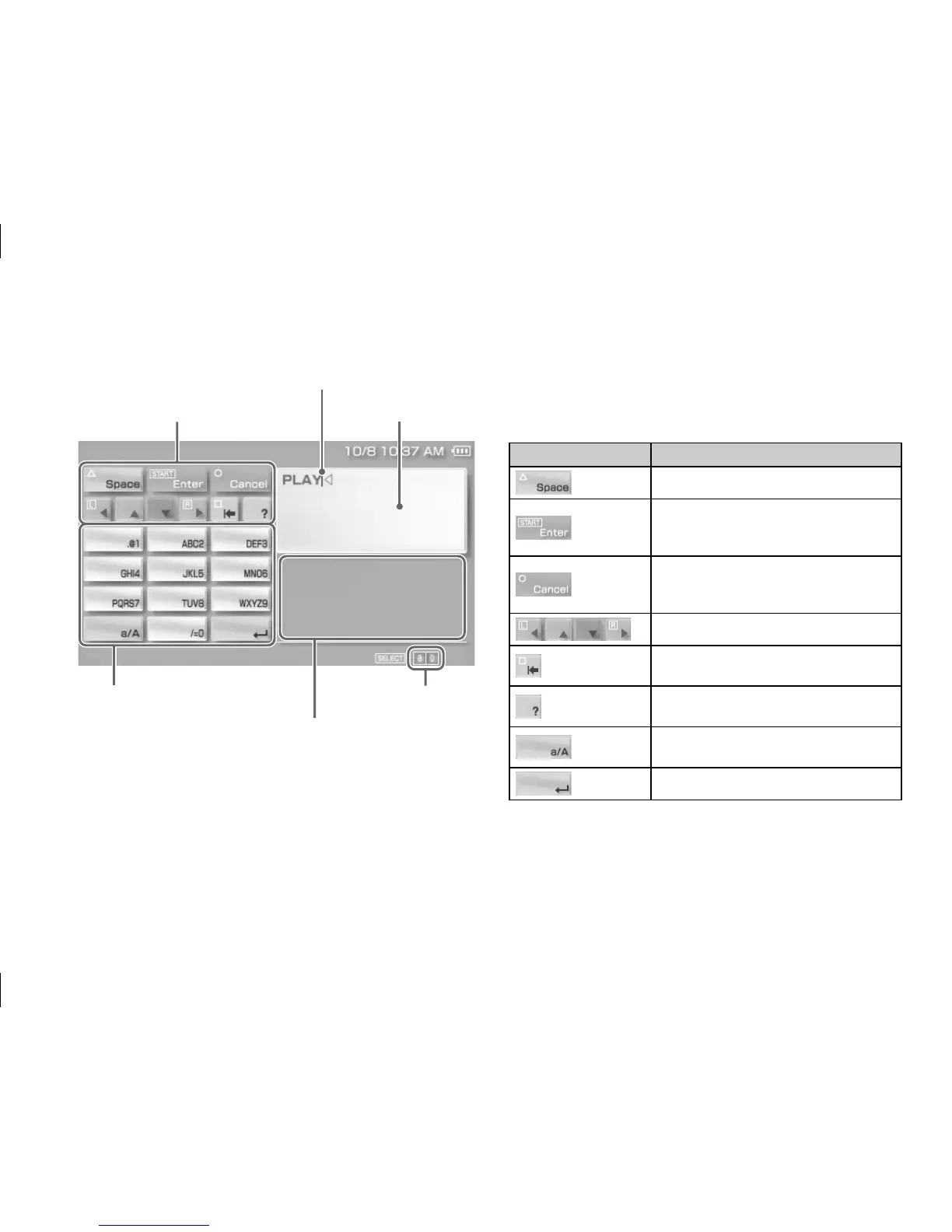
List of keys
Keys that are displayed vary depending on the input
mode in use and other conditions.
keys Explanation
Inserts a space
Confirms characters that have been
typed but not entered, and then closes
the keyboard
Cancels characters that have been typed
but not entered, and then closes the
keyboard
Moves the cursor
Deletes the character to the left of the
cursor
Displays a diagram showing the system
buttons and their usage
Switches between uppercase and
lowercase letters
Inserts a line break
Operation keys
Cursor Text entry field
(display characters
as they are entered)
Alphabet/symbol keys
Input mode display
Text entry options
Switchin



 To Next Page