000
5. Menu Display and Settings: Setup Menu List
68
File >Scene File
Sets settings related to scene files.
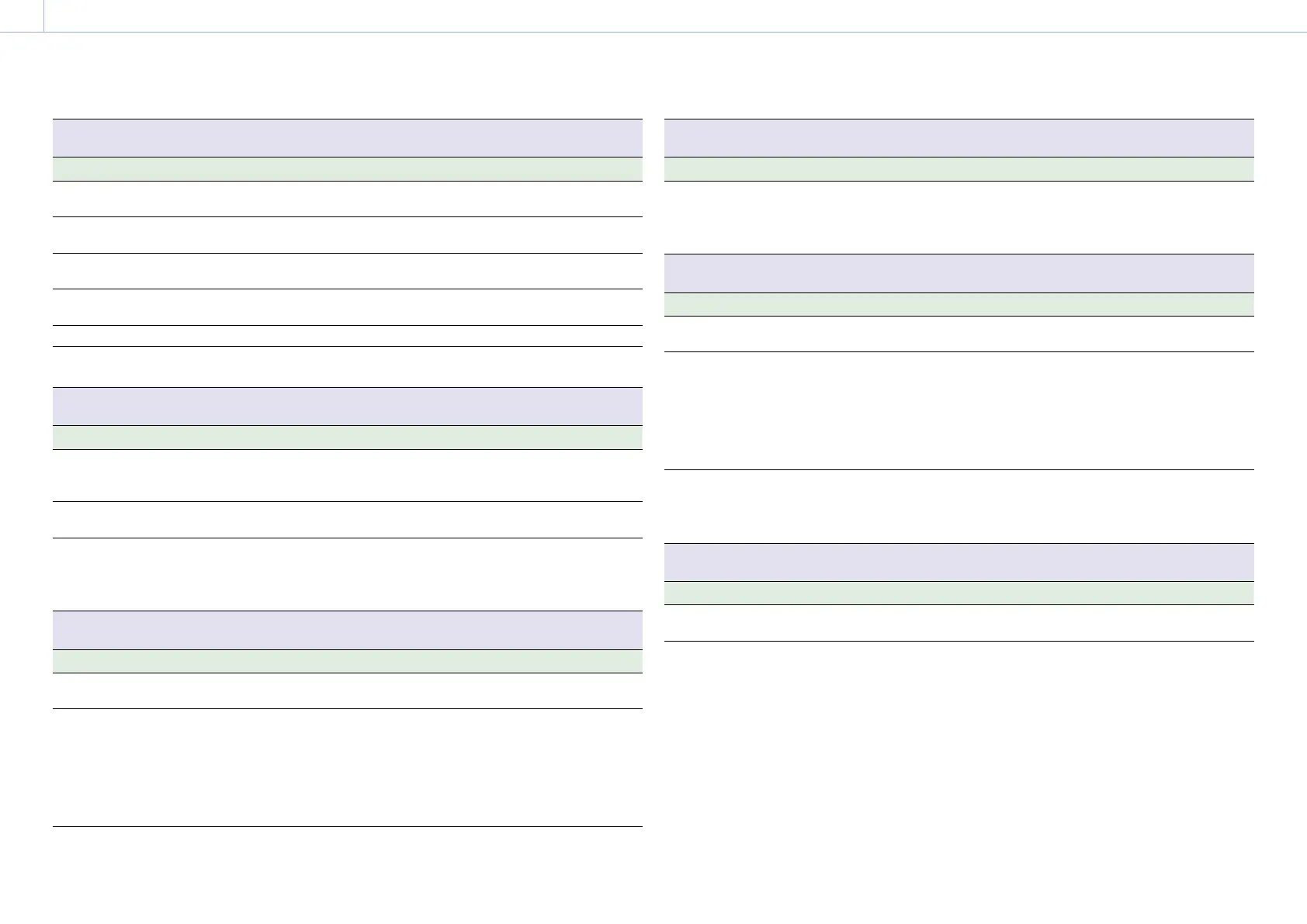
Item Sub-item setting Description
Recall Internal
Memory
Execute / Cancel Loads a scene file from internal memory.
Execute: Load file
Store Internal
Memory
Execute / Cancel Saves a scene file in internal memory.
Execute: Save file
Load SD Card Execute / Cancel Loads a scene file from an SD card.
Execute: Load file
Save SD Card Execute / Cancel Saves a scene file to an SD card.
Execute: Save file
File ID Assigns a name to the file.
Scene White
Data
On / Off Sets whether to apply the white balance
data when loading scene files.
File >User Menu Item
Sets settings related to User menu items.
Item Sub-item setting Description
Load SD Card Execute / Cancel Loads User menu settings on an SD card into
internal memory.
Execute: Load settings
Save SD Card Execute / Cancel Saves User menu settings on an SD card.
Execute: Save settings
File ID Displays the File ID specified for the file
loaded using Load SD Card. Also sets (edits)
the File ID when saving a file using this
menu.
File >User Gamma
Sets settings related to user gamma files.
Item Sub-item setting Description
Current
Settings
Displays a list of the current user gamma file
settings (file names).
Load SD Card Execute / Cancel Loads user gamma settings on an SD card
into internal memory.
Execute: Load gamma
To use user gamma files created using
CvpFileEditor™ V4.2 with the camcorder, save
files in the following folder on the SD card.
PRIVATE\SONY\PRO\CAMERA\HD_CAM
File >User Gamma
Sets settings related to user gamma files.
Item Sub-item setting Description
Reset 1 / 2 / 3 / 4 / 5 / All
Initial value: 709(800%)
Resets the user gamma files in internal
memory to default values.
1 to 5: Reset individual user gamma
All: Reset all user gammas
File >Monitor LUT
Sets settings related to monitor LUT files.
Item Sub-item setting Description
Current
Settings
Displays a list of the current monitor LUT file
settings (file names).
Load SD Card Execute / Cancel Loads monitor LUT settings on an SD card
into internal memory.
Execute: Load LUT settings
Save user LUT files generated using RAW
Viewer in the following folder on the SD
card.
PRIVATE\SONY\PRO\CAMERA\PMWF55_F5
Reset 1 / 2 / 3 / 4 / 5 / 6 / All Resets the monitor LUT data in internal
memory to default values.
1 to 6: Reset individual monitor LUT
All: Reset all monitor LUTs
File >Monitor 3D LUT
Sets settings related to monitor 3D LUT files.
Item Sub-item setting Description
Current
Settings
Displays a list of the current monitor 3D LUT
file settings (file names).



 To Next Page