15
Hookups and Settings
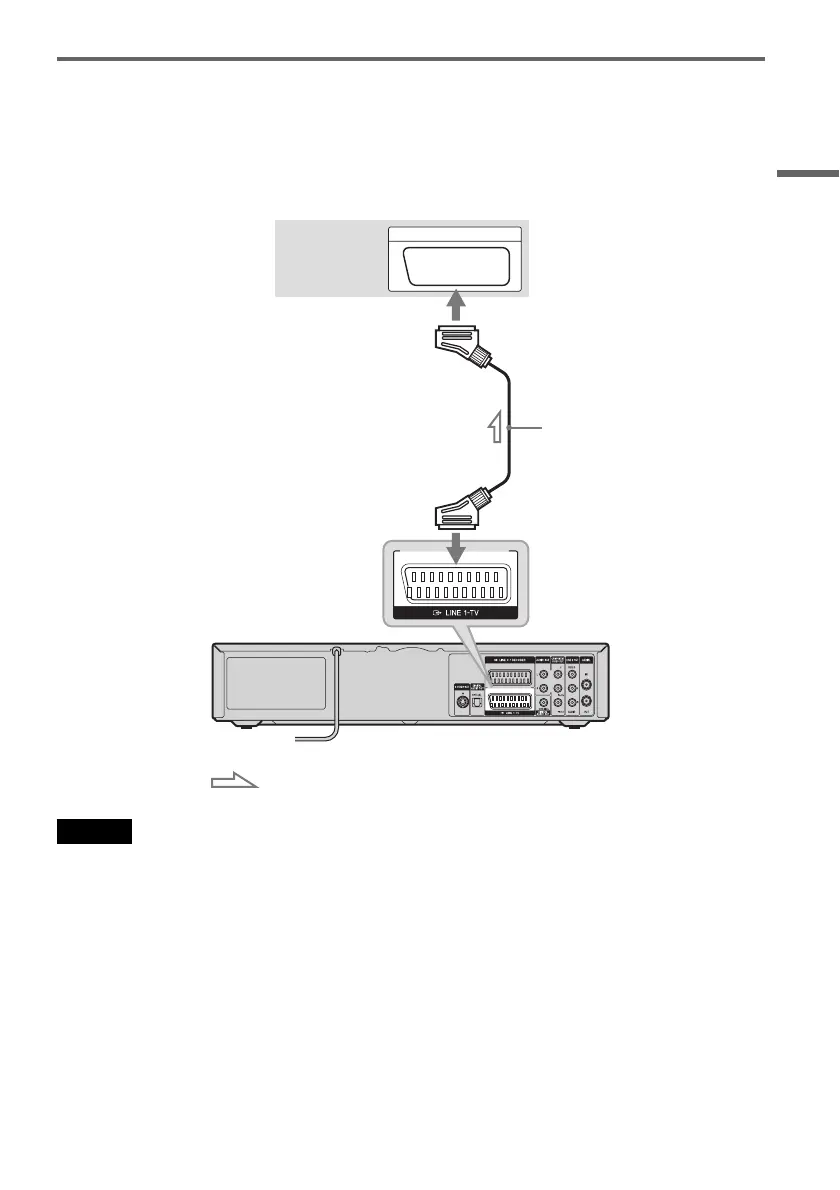
Connecting to the SCART jack
Connect to the LINE 1-TV jack using a SCART cord (not supplied). Be sure to make the connections
firmly to avoid hum and noise.
See the operating instructions supplied with the TV to be connected.
When you use this connection, select “Video” or “RGB” for the Line 1 output setting in step 14 of Easy
Setup (page 22).
Note
When you connect the recorder to your TV via the SCART jacks, the TV’s input source is set to the recorder
automatically when you turn the recorder on. If necessary, press t TV/VIDEO on the remote to return the input to the
TV.
SCART INPUT
TV or projector
SCART cord
(not supplied)
VCR-DVD recorder
to i LINE 1-TV
: Signal flow
,continued



 To Next Page