DVD Editing
61
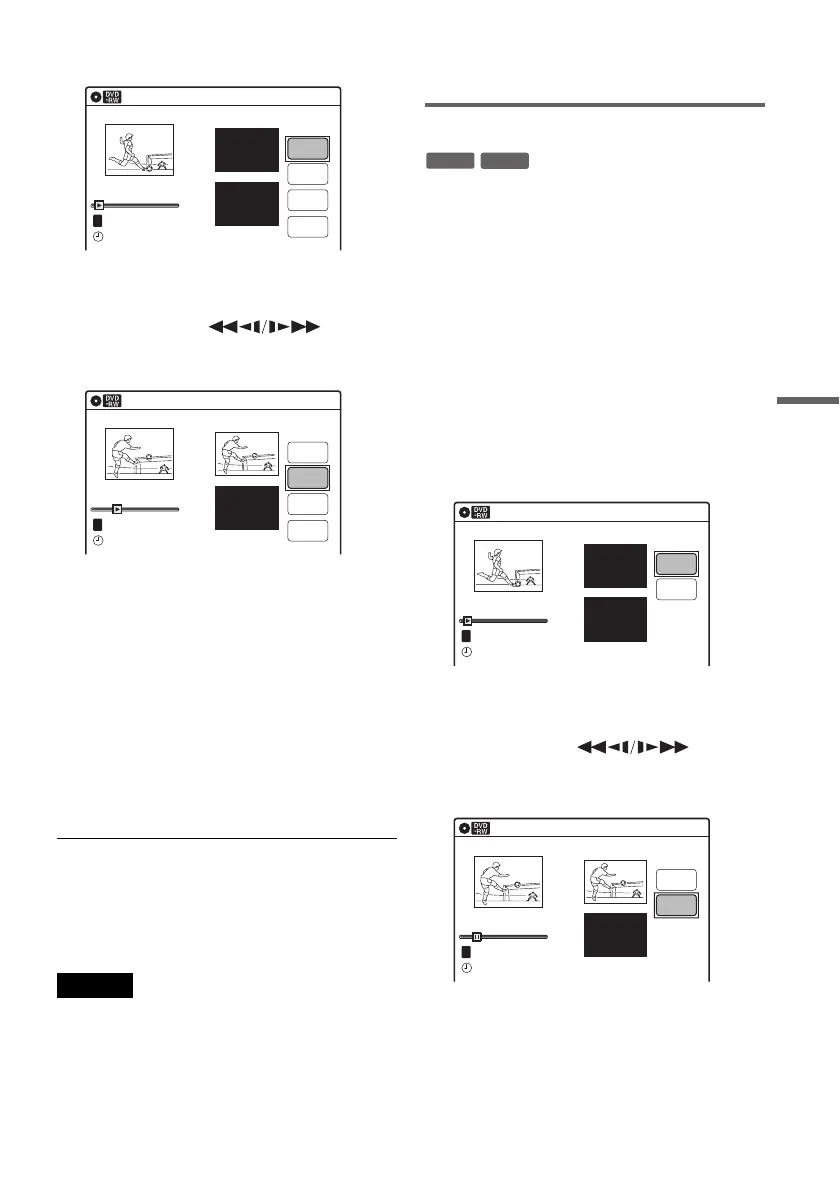
“Start” is selected.
4 Press ENTER at the start point of the
section to be erased (point A).
You can use H, , ./
>, x, and X to find the point.
“End” is selected.
5 Press ENTER at the end point of the section
(point B).
“Erase” is selected.
To reset the start or end point, select “Start” or
“End” and repeat from step 4 or 5.
6 Press ENTER.
The display asks for confirmation.
7 Select “OK,” and press ENTER.
The scene is erased.
To continue, repeat from step 4. To finish,
select “Finish,” and press ENTER.
z Hints
• A chapter mark is inserted after the scene was erased.
The chapter mark divides the title into separate chapters
on either side of the mark.
• You can also erase a section of a Playlist title (page 65).
Notes
• Images or sound may be momentarily interrupted at the
point where you erase a section of a title.
• Sections shorter than five seconds may not be erased.
• The start and end points of a title may be different from
what you have set.
• The total playing time of the title does not change even
if a scene was erased.
• If you erase an original title used in a Playlist, that
Playlist is also erased.
Dividing a title into two (Divide Title)
You can divide a title into two. Note that dividing
original titles cannot be undone.
1 Press TITLE LIST.
When editing a DVD-RW(VR mode), press
ORIGINAL/PLAYLIST to switch to the
“Title List (Original),” if necessary.
2 Select a title, and press ENTER.
The sub-menu appears.
3 Select “Divide Title,” and press ENTER.
The display for setting the dividing point
appears.
“Point” is selected.
4 Press ENTER at the point where you want to
divide the title.
You can use H, , ./
>, x, and X to find the point.
“Divide” is selected.
5 Press ENTER.
The display asks for confirmation.
To reset the dividing point, select “No” and
press ENTER, then repeat from step 4.
A-B Erase
Title No.01
End 00:00:00
Start 00:00:00
Start
End
Erase
Finish
00:00:07
T
Title No.1
08:0002.May.2005
10:10
A-B Erase
Title No.01
End 00:00:00
Start 00:00:10
Start
End
Erase
Finish
00:00:10
T
Title No.1
02.May.2005 08:00
10:10
-
RWVR
+
RW
Divide Title (Original)
Title No.01
T
Point
Divide
00:00:07
Title No. 1
Start 00:00:00
End 00:00:00
02.May.2005 08:00
10:10
Title No.01
T
00:00:10
Divide Title (Original)
Title No. 1
End 00:00:10
Start 00:00:00
Point
Divide
02.May.2005 08:00
10:10
,continued



 To Next Page