Reading Books
117
Table of Contents
Finding annotations within a book
You can search and view all annotations (bookmarks/
highlights/handwritten notes) in the currently open
book.
To search, sort and view all annotations across all
books, use the [All Notes] application. See Details.
1 Press the (Menu) button
tap [Notes].
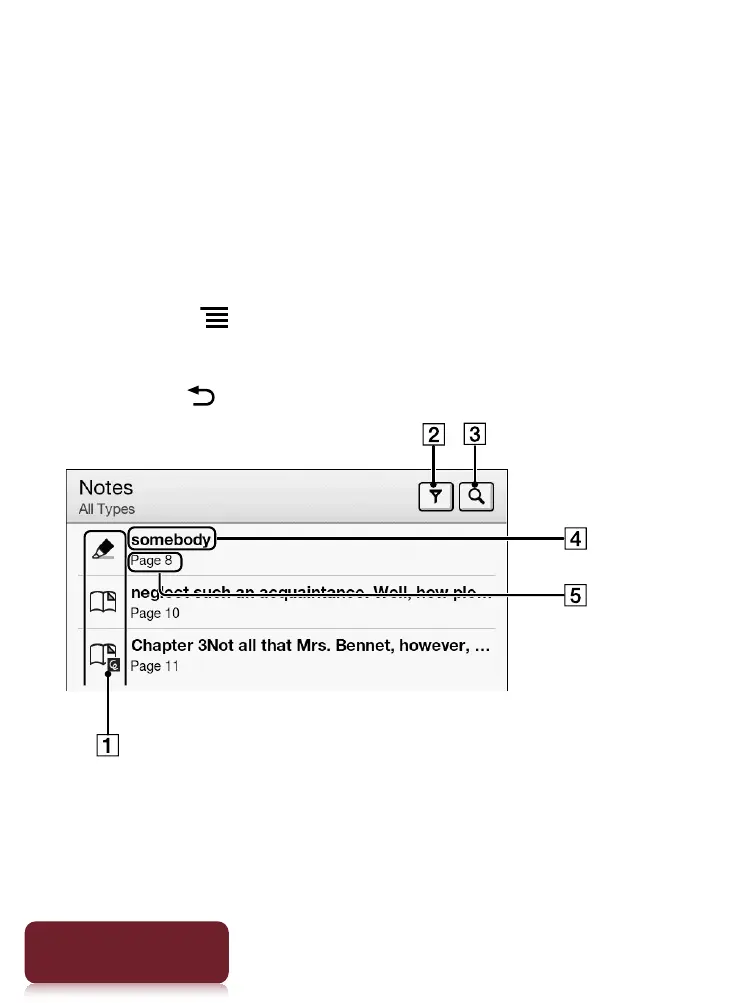
The annotations in the book are listed.
Press the (Back) button to return to the book.
Note icons
Filter note type
Search icon













 To Next Page