Handwriting
180
Table of Contents
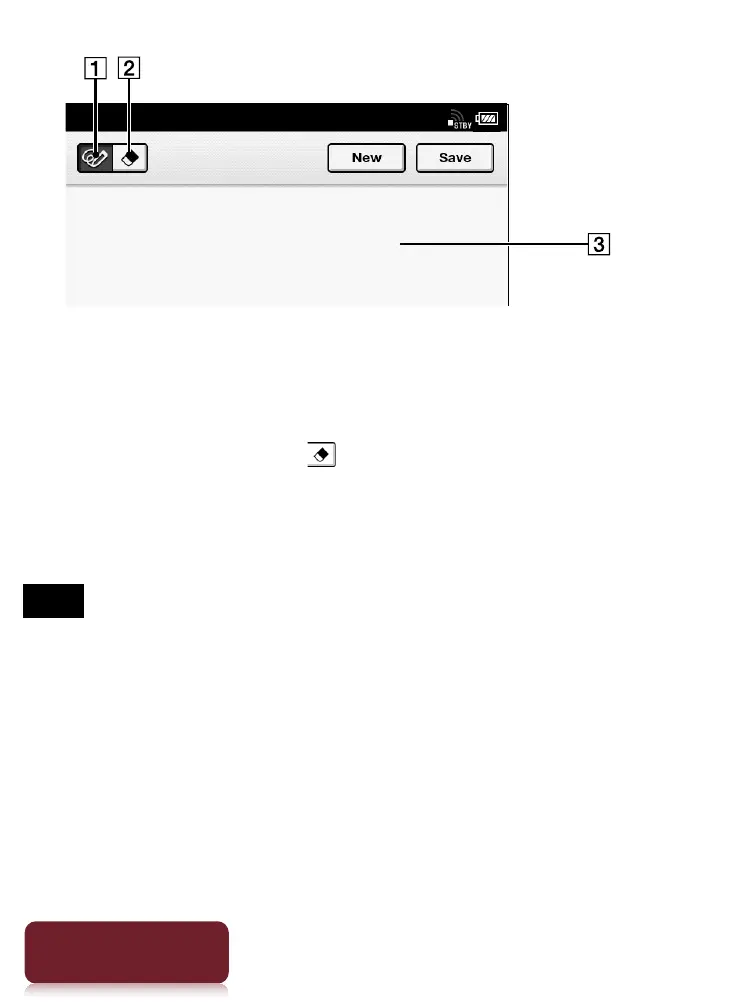
Pencil tool
Eraser tool
Drawing area
To erase a line, tap
tap or stroke a part of the
line.
4 Tap [Save].
Note
While writing, make sure that you are not touching another
area on the screen. This could affect the notes that you
write.
To ensure that your notes are correctly saved, do not draw
too close to the edge of the canvas.













 To Next Page