47
Assigning Other
Components to the
Component Select
Buttons or the Label
Keys
Copying the settings of a
Component Select button or
a Label key to another button
or key
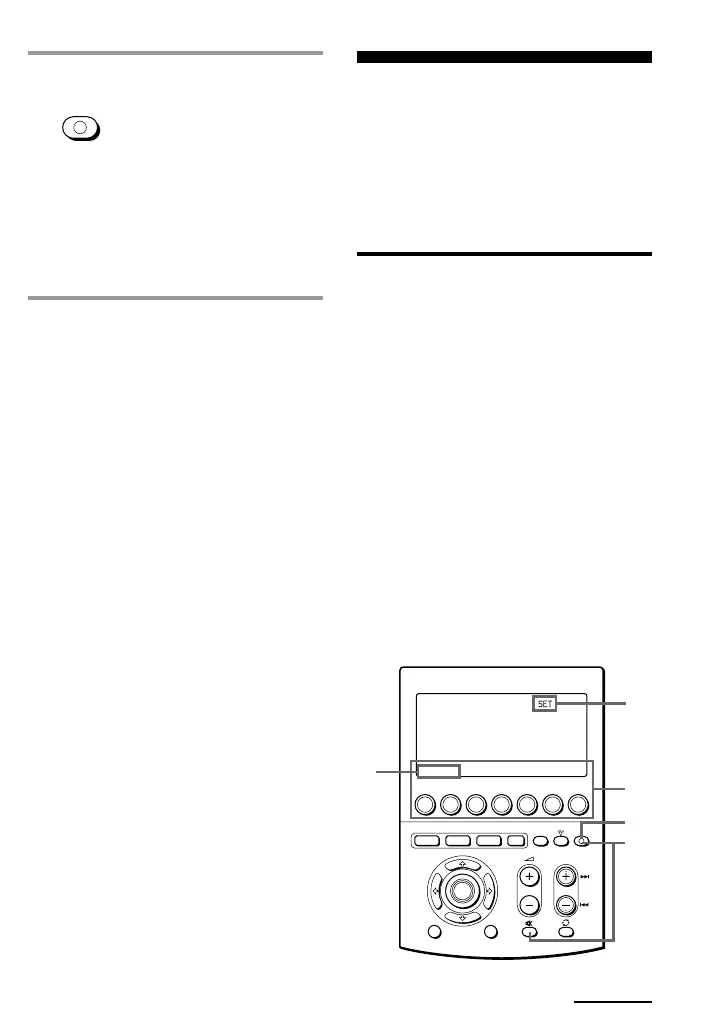
You can copy the entire settings of a
Component Select button or a Label key
to another Component Select button or a
Label key. The settings of the component
code (page 12), the channel macro
function (page 58), the learned functions
(page 19) and character contents are
copied to a new button or key.
Notes
• You cannot copy the settings to a Component
Select button or a Label key for which any
learning function or channel macro function
has been programmed. (“NG” flashes.)
• The character contents are overwritten to a
new button or key.
MENU EXIT
COMMANDER
OFF
MORE321
TV STB VCR DVD CD AMP
OTHER
TIMER
SYSTEM CONTROL
OK
4,5
1
6
3
2
PROGRAM
5 Press COMMANDER OFF.
If you keep COMMANDER OFF
pressed for more than 2 seconds
The Commander turns off.
If you keep COMMANDER OFF
pressed for less than 2 seconds
The Commander returns to the
previously set mode.
To clear the learned function of
the Component Select button
1 Follow Steps 2 and 3 on page 20 in
“Learning Function.”
2 While pressing the DEL key, press the
Component Select button which you
want to clear.
Notes
• You can programme a signal by “learning”
for a Component Select button or a Label key
for which the Power-On function (page 43)
has been programmed. In this case, the
Power-On function is overwritten and cannot
be used. If you clear the “learned” signal
from the button, the Power-On function is
resumed, and you can use it again.
• You cannot programme a System Control
function (page 38) for a Component Select
button or a Label key for which a signal has
been programmed by “learning.”
• You can programme the Power-On function
for a Component Select button for which a
signal has been programmed by “learning,”
but then the Power-On function cannot be
used. If you clear a “learned” signal from the
button, you can use the Power-On function.
Continued
COMMANDER
OFF



 To Next Page