22
You can check the camera information for
other cameras not displayed by turning the
VALUE knob.
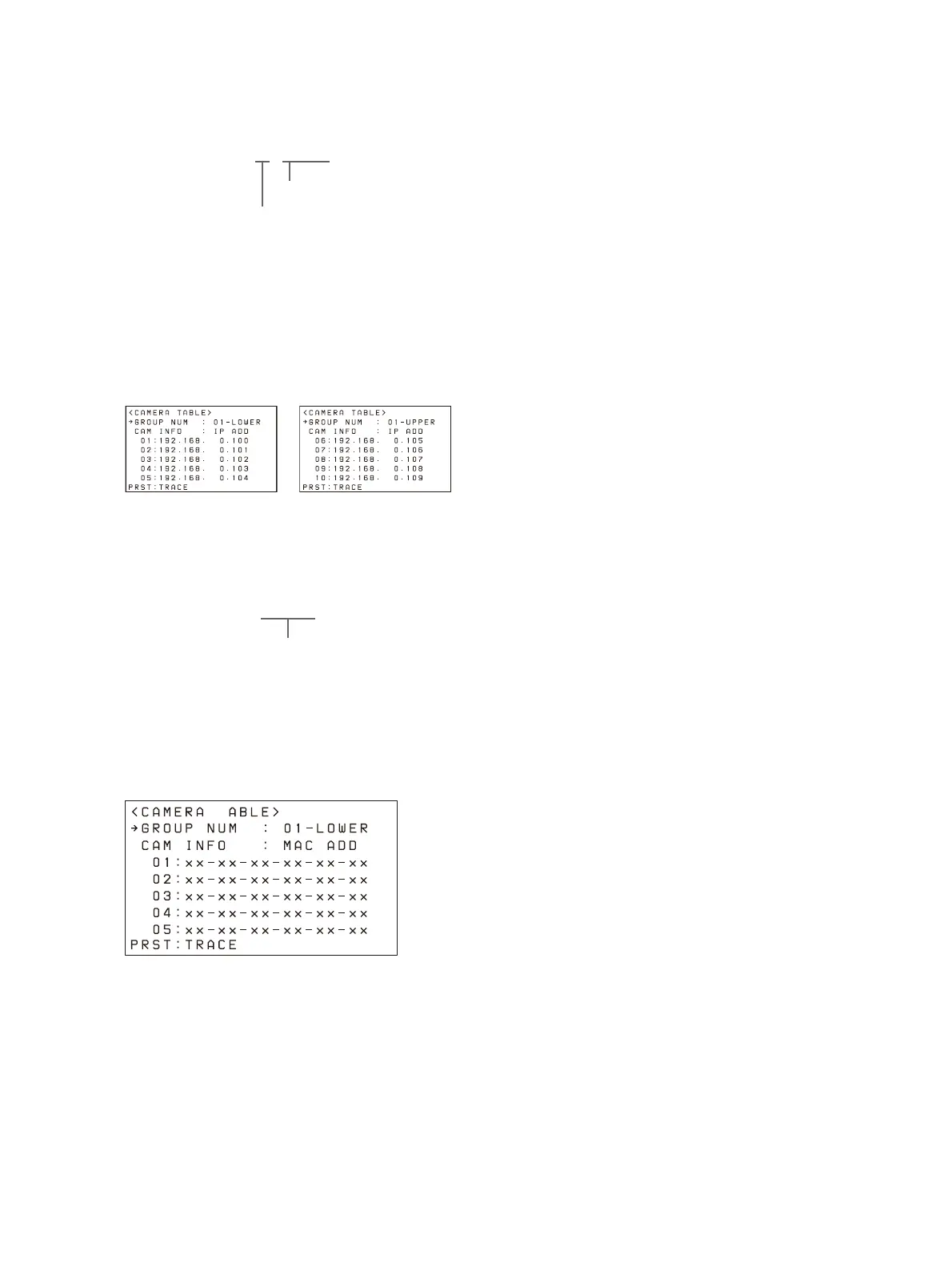
The camera information for cameras 01 to 05
i
n a group are displayed when LOWER is
selected.
The camera information f
or cameras 06 to 10
in a group are displayed when UPPER is
selected.
LOWER display UPPER display
You can turn the SELECT knob to move the
c
ursor to CAM INFO, then turn the VALUE
knob to switch the camera information
between IP ADD and MAC ADD display.
In IP ADD display, the IP addresses of the
c
ameras are displayed.
In MAC ADD display, the MAC addresses of
the
cameras are displayed.
MAC address display
LOWER or UPPER
Group number
IP ADD or MAC ADD












 To Next Page