50
Operating with the
Screen Display Overlaid
on the Camera Image
(CAM GUI Operation
Mode) (ILME-FR7)
For an ILME-FR7 target camera, you can use the
joystick to operate the following camera
functions using a screen display overlaid on the
camera image (CAM GUI operation mode).
• Camera menu operations
• Message operations with buttons
• Recorded clip thumbnail selection/playback
op
erations
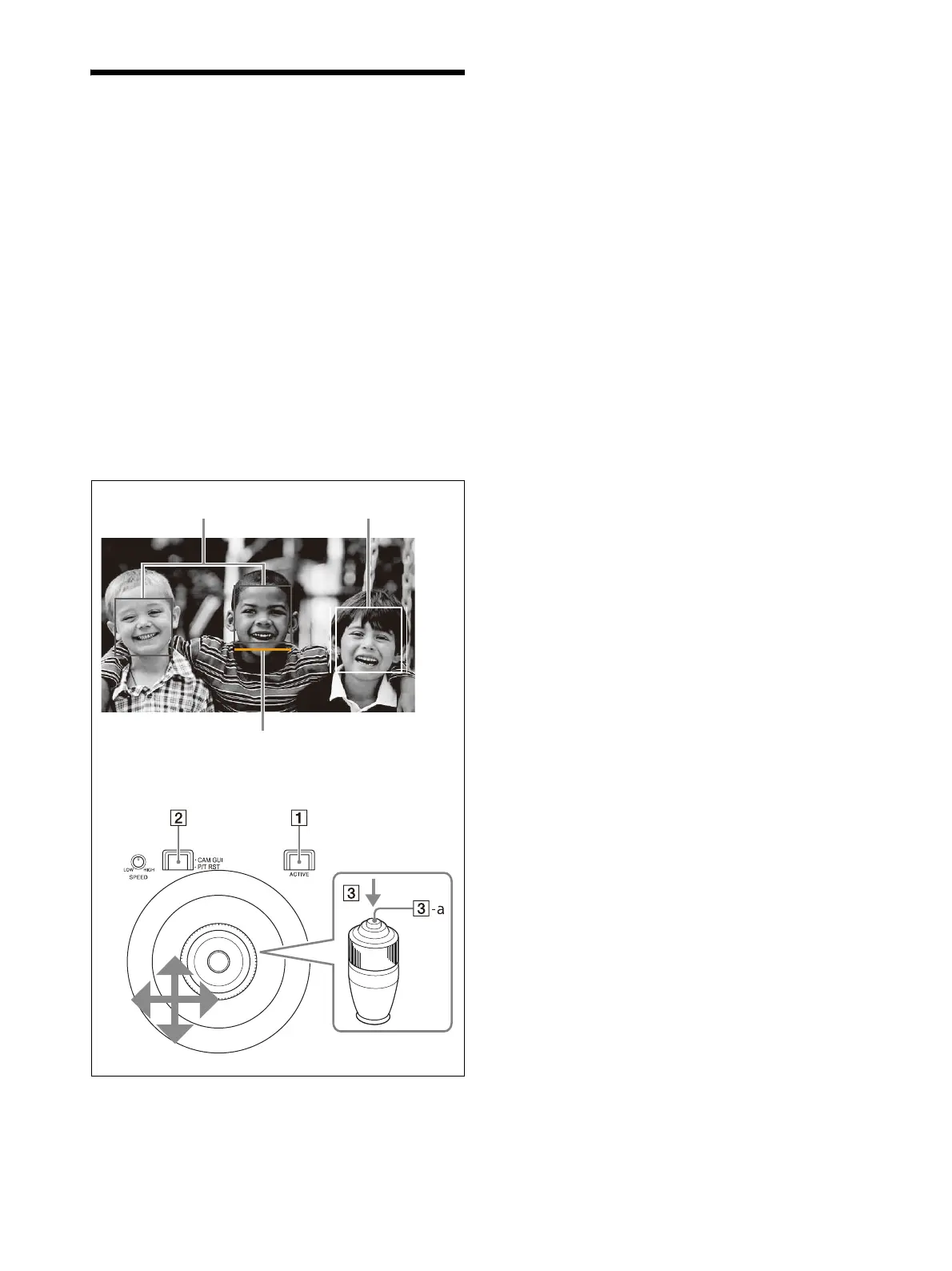
• Focus area frame/face/eye selection cursor
mov
ement during auto focus
1
Press the ACTIVE button, turning it on
(button is lit), on the joystick control block.
2
Press the CAM GUI / P/T RST button,
turning it on (button is lit).
The joystick switches to CAM GUI operation
mo
de.
3
Operate the camera GUI using the
joystick.
The operation of the -a joystick button is
t
he apply operation (SET button operation
defined by the camera).
4
When finished, press the CAM GUI / P/T
RST button, turning it off (button is not lit).
The joystick operation returns to pan/tilt
o
peration.
To operate the camera menu
To show/hide the camera menu, press and hold
the CAM MENU button.
When two or more of the IRIS button, ISO/GAIN
b
utton, and SHUTTER button light up blue,
“MULTI FUNCTION DIAL” is displayed on the LCD
panel and the camera GUI can be controlled
using the SELECT knob and button or the VALUE
knob and button (multi-function dial mode).
When the camera menu is not displayed, press
the SELECT button or VALUE button to activate
direct menu operation on the shooting screen.
For details about direct menu operation, refer to
the Help Guide of the camera.
Face detection frames (gray) Tracking frame
Face selection cursor (orange)












 To Next Page