25
Configuring a serial connection
After cameras are connected correctly, select
serial connection using CONFIG >SERIAL in the
RM menu, set the baud rate, and assign camera
addresses.
Note
If a connected camera is changed after
completing the configuration, the cameras must
be configured again.
1
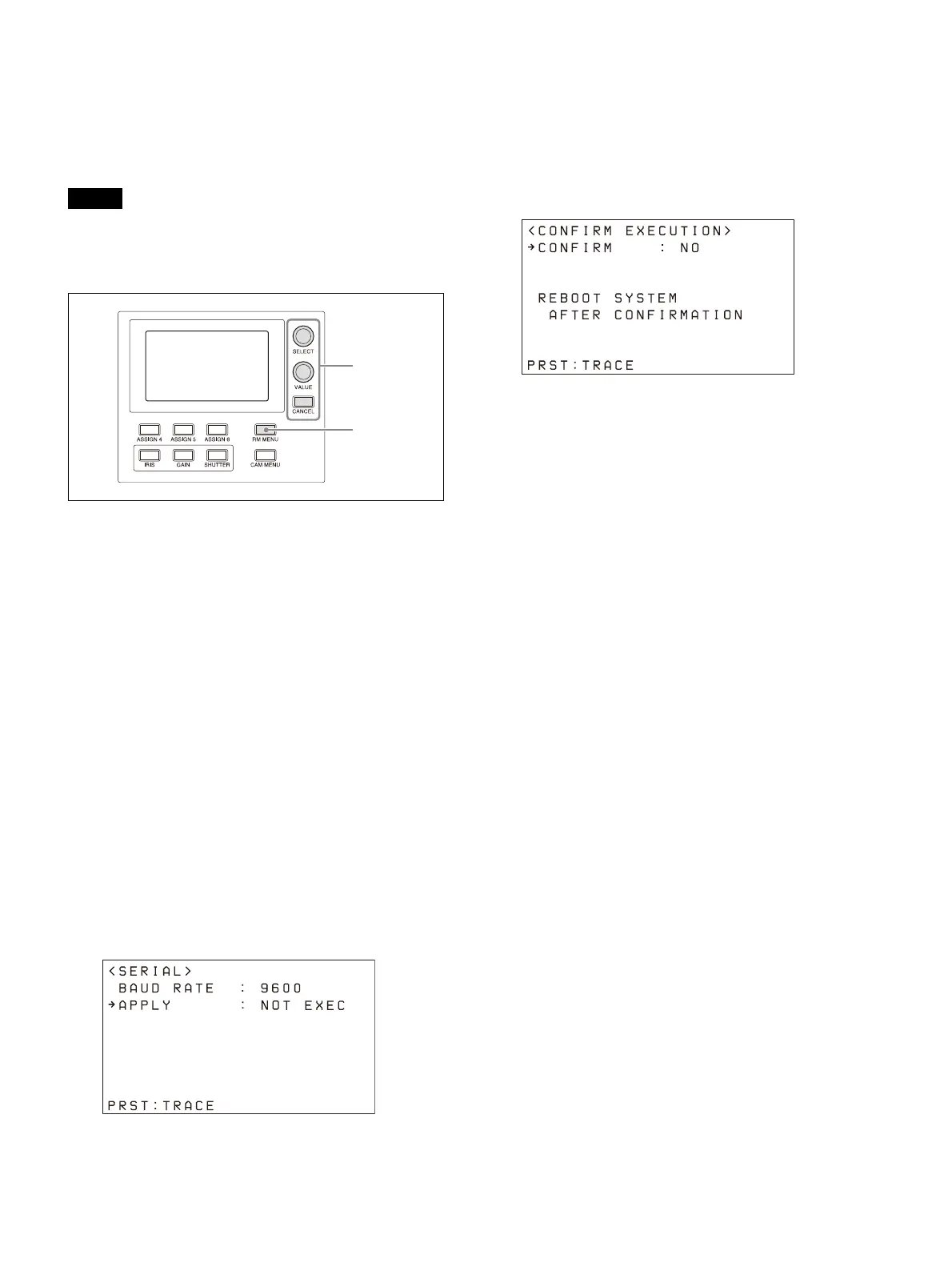
Press the RM MENU button, turning it on
(button is lit yellow).
The RM menu top menu appears.
2
Turn the SELECT knob to move the cursor
to CONFIG.
3
Press the SELECT button.
The CONFIG menu appears.
4
Turn the SELECT knob to move the cursor
to SERIAL, and press the SELECT button.
The SERIAL menu appears.
Set the baud rate, as required.
Turn the SELECT knob to move the cursor to
B
AUD RATE, turn the VALUE knob, and select
9600 or 38400.
The default setting is 9600.
5
Turn the SELECT knob to move the cursor
to APPLY.
6
Turn the VALUE knob to change NOT EXEC
to EXEC, then press the VALUE button.
The following message appears after
c
hanging the connection method from LAN
connection to serial connection or changing
the baud rate, prompting you to reboot the
unit.
7
Turn the VALUE knob to change NO to YES,
then press the VALUE button.
The unit reboots automatically.
Upon rebooting, the serial connection
se
tting is completed.












 To Next Page