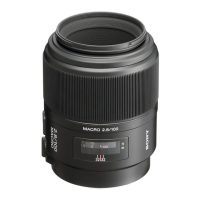
4-3
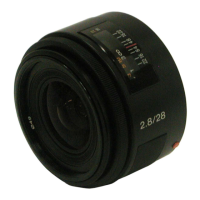
SAL28F28 (2.8/28) (28mm F2.8)
4-1-2. Lens Adjustment Program
The lens adjustment program is required for the following check/adjustment.
4-5. LENS ROM CHECK
Prepare/start the Lens adjustment program with the following steps.
Equipment
• Personal Computer (PC)
• Camera DSLR-A100
• USB Cord With Connector
• Lens Adjustment Program
Note: Lens Adjustment Program is downloadable from the ESI homepage.
1. Installation of the Lens Adjustment Program
For installation of the lens adjustment program, refer to the link “• Preparing the DSLR-A100 adjustment program” described on the
top cover of the camera DSLR-A100 service manual “9-852-130-51”.
Note: Store the lens adjustment program “LensAdjustment.exe” and related file “AlphaLensAdjust.txt” in the folder that contains
the DSLR-A100 adjustment program “DSLRadj_cs.exe”.
2. Start the Lens Adjustment Program
1) Connect the camera and PC with the USB cord with connector.
2) Set the mode dial of camera to “M”.
3) Turn the POWER switch of the camera to OFF, then turn the POWER switch to ON while pressing the shutter button halfway down
with pressed the
button of controller keys and MENU buttons.
4) Check that the remaining number of recordable images on the LCD monitor is “BBBB”.
Note: When “BBBB” is displayed, the camera activates in the adjustment mode.
5) Start the lens adjustment program “LensAdjustment.exe”.


 To Next Page