14
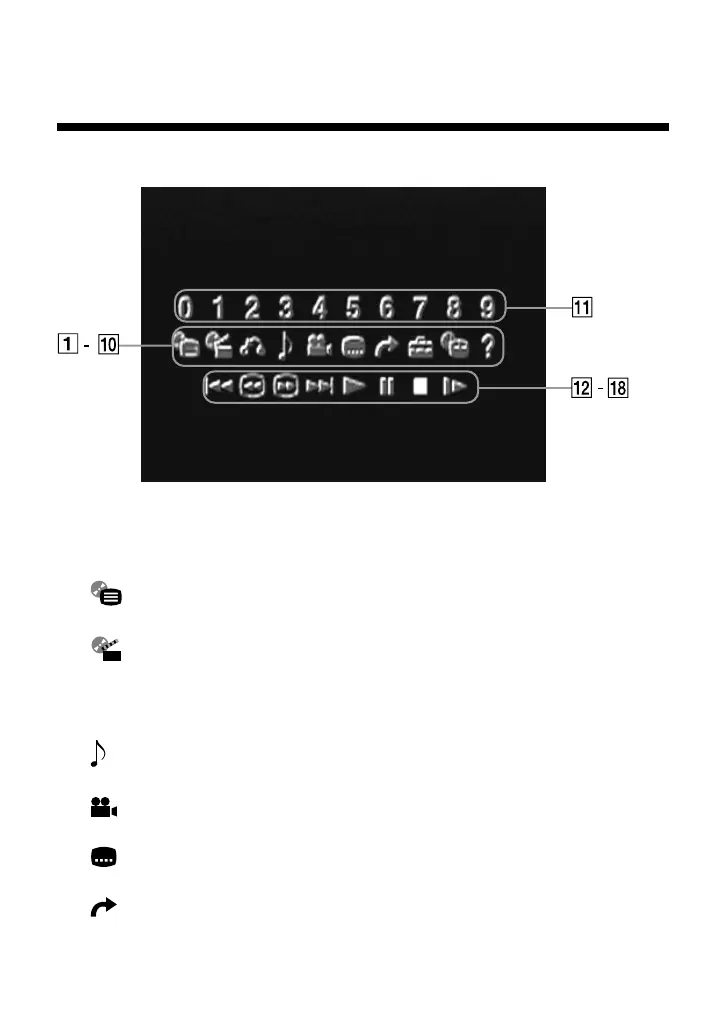
1 DVD Menu
Displays the DVD menu.
2 Title Menu
Displays the Title menu.
3 O Return
Returns to the previously displayed screen.
4 Audio Options
Selects the audio languages available on the DVD.
5 Angle Options
Selects the viewing angles available on the DVD.
6 Subtitle Options
Selects the subtitle languages available on the DVD.
7 Go to Title
You can skip to a different title or chapter by specifying the elapsed
time or selecting the title or chapter number with the number buttons.
Viewing a DVD video (continued)



 To Next Page